# Emails

MailSlurp can send and receive emails and attachments. Let us cover some common functions.
## Quick links
- [How to send and receive emails](https://www.mailslurp.com/guides/send-and-receive-email/)
- [Inbox types](https://www.mailslurp.com/guides/smtp-vs-http-email-inboxes/)
- [IMAP SMTP access](https://www.mailslurp.com/guides/smtp-imap/)
## Sending emails
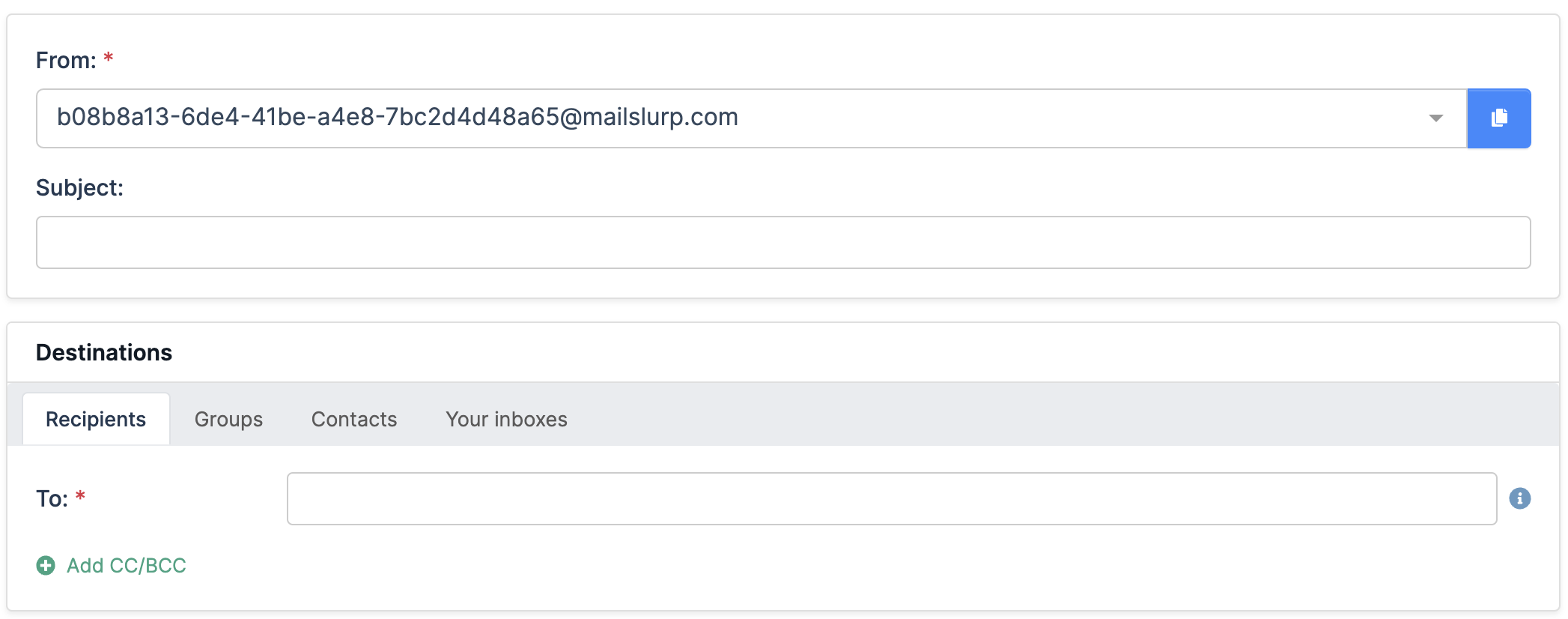
To send emails first [create an inbox](/docs/inboxes/). Then use the dashboard [compose](https://app.mailslurp.com/login) page or the `sendEmail` methods on the inbox controller.
```typescript
const inbox = await mailslurp.createInbox();
const options = {
to: [emailAddress],
subject: 'Hello',
body: 'Welcome',
};
const sent = await mailslurp.sendEmail(inbox.id, options);
expect(sent.subject).toContain('Hello');
```
> **Info.**
> Sending to non-MailSlurp domains is enabled for free accounts. Paid accounts must use [double opt-in consent](/docs/consent/) to send external recipients or whitelist domains with [support](https://www.mailslurp.com/support/).
### Sending attachments
To send attachments first upload the attachment using the attachment controller:
```typescript
const mailslurp = new MailSlurp(config);
// read a file as a base64 encoded string
const pathToAttachment = path.join(__dirname + '/attachment.txt');
const fileBase64Encoded = await fs.promises.readFile(pathToAttachment, {
encoding: 'base64',
});
// upload the attachment as base64 string and get attachment id
const [attachmentId] =
await mailslurp.attachmentController.uploadAttachment({
uploadAttachmentOptions: {
base64Contents: fileBase64Encoded,
contentType: 'text/plain',
filename: path.basename(pathToAttachment),
},
});
```
Then send an email using the attachment ID.
```typescript
await mailslurp.sendEmail(inbox.id!, {
to: [inbox.emailAddress!],
subject: 'attachment test',
attachments: [attachmentId.toString()],
});
```
### Validating email recipients
You can verify recipients when sending emails:
```typescript
// send an email 5 seconds from now
await mailslurp.inboxController.sendWithSchedule({
inboxId: inbox.id,
sendAtNowPlusSeconds: 5,
validateBeforeEnqueue: true,
sendEmailOptions: {
to: [inbox.emailAddress],
subject: 'test-schedule-123',
body: '🌭',
filterBouncedRecipients: true,
validateEmailAddresses:
SendEmailOptionsValidateEmailAddressesEnum.VALIDATE_FILTER_REMOVE_INVALID,
},
});
```
See the [verification guide](/docs/verification/) for more options.
### Use content templates

You can create email templates that support moustache style variables.
```typescript
const template = await mailslurp.templateController.createTemplate({
createTemplateOptions: {
name: 'Welcome email',
content: 'Hello {{firstName}}. Welcome to {{brandName}}.',
},
});
expect(template.id).toBeTruthy();
expect(template.variables).toEqual([
{
name: 'firstName',
variableType: TemplateVariableVariableTypeEnum.STRING,
},
{
name: 'brandName',
variableType: TemplateVariableVariableTypeEnum.STRING,
},
]);
```
Then send email using the template and pass variables for replacement.
```typescript
const templateObject = await mailslurp.templateController.getTemplate({
templateId,
});
expect(templateObject.content).toContain(
'Hello {{firstName}}. Welcome to {{brandName}}.'
);
const sent = await mailslurp.sendEmail(inboxId, {
to: [emailAddress],
subject: 'Welcome {{firstName}}',
template: templateId,
templateVariables: {
firstName: 'Sally',
brandName: 'My Company',
} as any,
});
```
### Sending with schedule
You can send email with a delay or scheduled delivery time like so:
```typescript
// send an email 5 minutes in future using a date
const milliseconds = 5 * 60 * 1000;
const timeObject = new Date(new Date().getTime() + milliseconds);
await mailslurp.inboxController.sendWithSchedule({
inboxId: inbox.id,
sendAtTimestamp: timeObject,
validateBeforeEnqueue: true,
sendEmailOptions: {
to: [inbox.emailAddress],
subject: 'test-schedule-later',
body: '⏰',
filterBouncedRecipients: true,
},
});
```
### Sending with queues
Use the sending queue to ensure emails are retried if they fail or your account experiences temporary limits.
```typescript
await mailslurp.inboxController.sendEmailWithQueue({
inboxId: inboxId,
sendEmailOptions: {
to: [recipient],
subject: 'Sent with a queue',
body:
'Use queues to allow recovery of failed email ' +
'sending when account reaches limits or has payment issues',
},
// validate before adding to queue to fail early
validateBeforeEnqueue: false,
});
```
### Sending with SMTP/IMAP
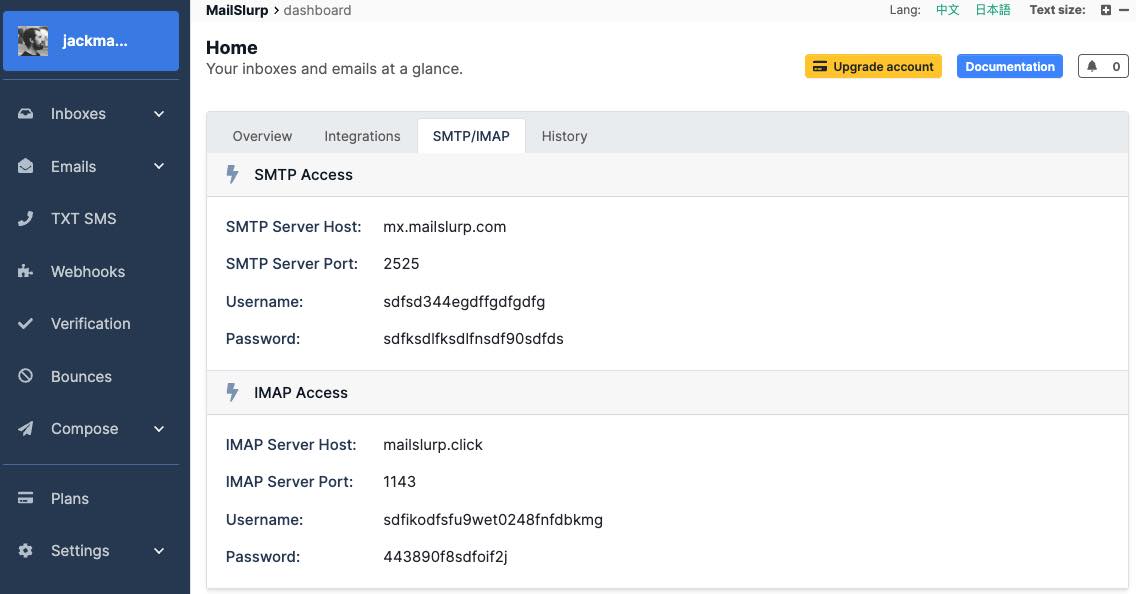
Create an SMTP type [inbox](/docs/inboxes/). Then use the IMAP or SMTP access details to access the inbox in code or from a mail client.
```typescript
// create an inbox using MailSlurp client
const mailslurp = new MailSlurp({ apiKey: process.env.API_KEY! });
const inbox = await mailslurp.createInboxWithOptions({
inboxType: CreateInboxDtoInboxTypeEnum.SMTP_INBOX,
});
// get smtp access details for mailbox
const server = await mailslurp.inboxController.getImapSmtpAccess({
inboxId: inbox.id,
});
// Create auth plain transport
const transport = nodemailer.createTransport({
host: server.smtpServerHost,
port: server.smtpServerPort,
secure: false,
auth: {
user: server.smtpUsername,
pass: server.smtpPassword,
type: 'PLAIN',
},
});
// Send email
const sent = await transport.sendMail({
from: inbox.emailAddress,
to: inbox.emailAddress,
subject: 'Test outbound email',
text: 'Can I send on behalf?',
html: 'Hello world',
});
```
See the [IMAP SMTP guide](/docs/imap-smtp/) for more information.
## Sent emails
Each sent email can be accessed with the SentEmail controller:
```typescript
const sentEmails = await mailslurp.sentController.getSentEmails({
inboxId: inbox.id,
});
expect(sentEmails!!.content!!.length).toBeDefined();
```
### Delivery status
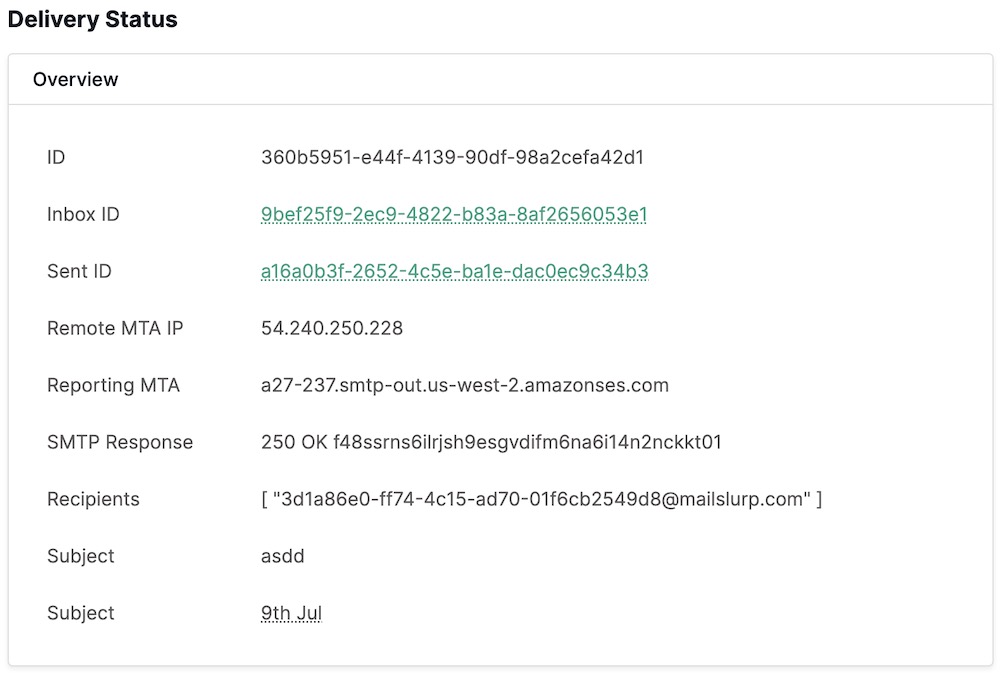
When emails are delivered an event is created. You can subscribe to delivery events using [webhooks](/docs/webhooks/) or view them in the dashboard.
## Receiving emails
Inboxes receive emails. You can use the InboxController and EmailController to read email or use [webhooks](/docs/webhooks/) to have emails sent to your server directly.
### Read emails in dashboard
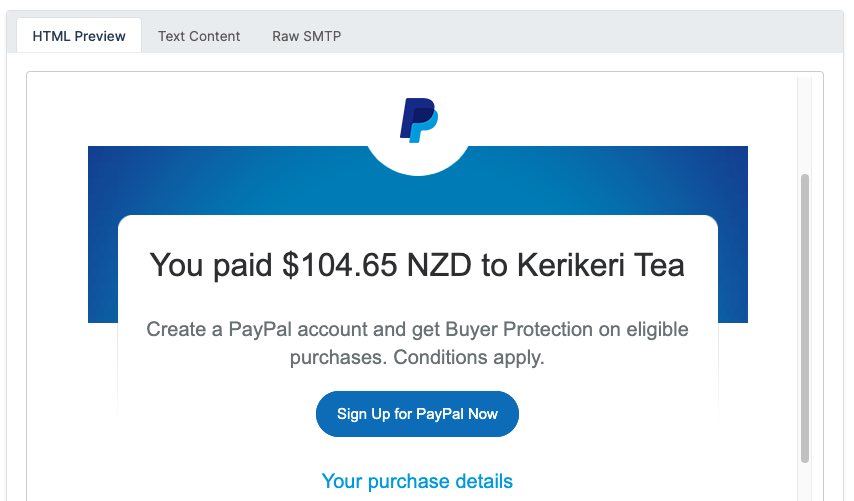
The [dashboard](https://app.mailslurp.com/) provides HTML previews for received emails:
### Fetch emails in code
Emails are stored in the inbox that receives them. You can fetch emails directly using the inbox controller.
```typescript
const emails = await mailslurp.inboxController.getEmails({
inboxId: inbox.id,
unreadOnly: true,
});
expect(emails.length).toBeDefined();
```
Use the email controller when you need the hydrated message body, browser preview URLs, or extracted links from an email.
[API endpoint: `getEmail`](/docs/api/#getEmail)
[API endpoint: `getEmailLinks`](/docs/api/#getEmailLinks)
### Download attachments
You can download attachments by using the attachment ID.
```typescript
const attachmentDto =
await mailslurp.attachmentController.downloadAttachmentAsBase64Encoded({
attachmentId,
});
expect(attachmentDto.base64FileContents).toBeTruthy();
const content = new Buffer(
attachmentDto.base64FileContents!,
'base64'
).toString('utf-8');
expect(content).toContain('test content');
// access the base64 content
expect(attachmentDto.sizeBytes).toBeTruthy();
expect(attachmentDto.contentType).toBeTruthy();
```
See the [attachments page](/docs/attachments/) for more information.
Attachment downloads can be scoped to the email and attachment IDs, with byte and base64 variants available in the API reference.
[API endpoint: `downloadAttachment`](/docs/api/#downloadAttachment)
### Spam review
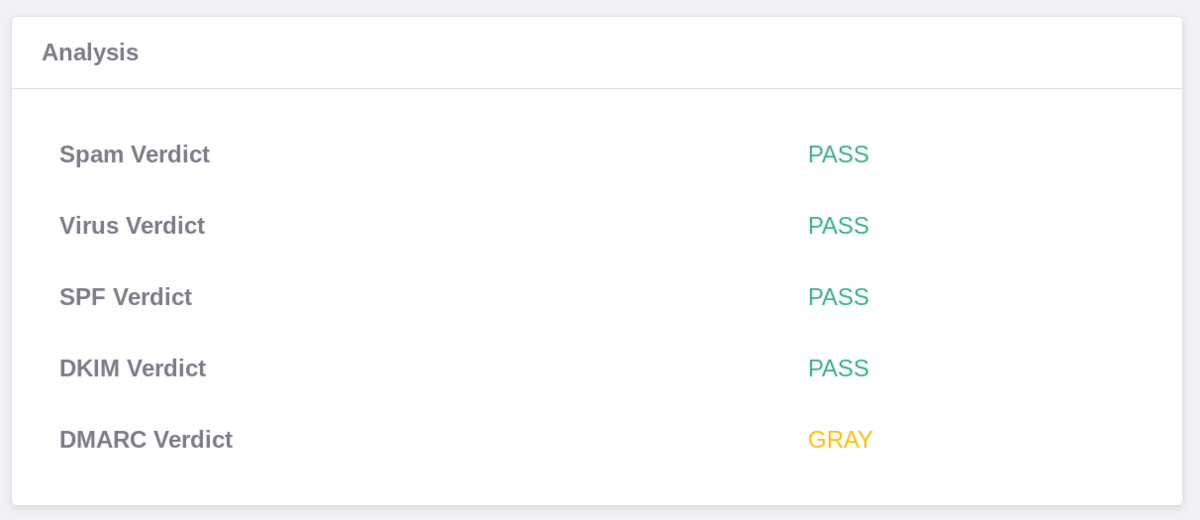
Every email is automatically scanned for viruses and [spam ratings](https://www.mailslurp.com/guides/virus-and-spam-detection/). You can access these on the email object.
```typescript
// fetch the email and review spam analysis
expect(email.analysis?.dkimVerdict).toEqual('PASS');
expect(email.analysis?.spamVerdict).toEqual('PASS');
// other verdicts available
expect(email.analysis?.dmarcVerdict).toBeDefined();
expect(email.analysis?.spfVerdict).toBeDefined();
expect(email.analysis?.virusVerdict).toBeDefined();
```
### Wait for emails
The email [wait for methods](/docs/wait-for/) allow you to hold a request open until matching emails are found. This is very useful for receiving emails in tests when after you have performed an action.
```typescript
const user = await myApp.signUp(testInbox.emailAddress!);
// verify that confirmation email was sent by your app
const timeout = 30000;
const email = await mailslurp.waitForLatestEmail(testInbox.id, timeout);
// confirm the user using the code
const [_, verificationCode] = /your code is "([0-9]{6})"/g.exec(
email.body!
)!;
// do something with code like verifying an account
await myApp.confirmUser(verificationCode);
```
You can create complex search terms to match for email contents:
```typescript
const matchingEmails = await mailslurp.waitForMatchingEmails(
{
// match for emails with no attachments
conditions: [
{
condition: ConditionOptionConditionEnum.HAS_ATTACHMENTS,
value: ConditionOptionValueEnum.FALSE,
},
],
// match for emails from a specific email address
matches: [
{
field: MatchOptionFieldEnum.FROM,
should: MatchOptionShouldEnum.CONTAIN,
value: inbox.emailAddress,
},
],
},
1,
inbox.id,
timeout,
unreadOnly
);
```
### Receive email with webhooks
The best way to receive emails at scale is by using [webhooks](/docs/webhooks/).
```typescript
await mailslurp.webhookController.createWebhook({
inboxId: inbox.id,
createWebhookOptions: {
eventName: CreateWebhookOptionsEventNameEnum.NEW_EMAIL,
url: slackIncomingWebhookUrl,
// custom request body for slack uses {{subject}} to insert
// the subject from the standard NEW_EMAIL payload
requestBodyTemplate: `{"text":"New message: {{subject}}"}`,
},
});
```
### Receive emails from connectors
If you have connected a 3rd party email account with MailSlurp [inbox connectors](/docs/connectors/) you can synchronize emails between them using the connector controller. Emails are also synchronized during [wait for methods](/docs/wait-for/) and if you pass a `syncConnectors` argument to fetch email commands. This means MailSlurp will pull new emails from your external mailbox before returning results.
## Test email content
MailSlurp provides [many features](/docs/email-feature-check/) for testing the rendering, validity, and client-support of email content. You can use MailSlurp to check spam ratings, DKIM/DMARC/SPF records, CSS/HTML feature support, cross-device rendering, broken links and more.
Content checks can run directly against the hydrated email body. Use regex matching for OTP extraction, content-part reads for multipart messages, and preview URLs when a browser-rendered view is useful.
[API endpoint: `getEmailContentMatch`](/docs/api/#getEmailContentMatch)
[API endpoint: `getEmailContentPart`](/docs/api/#getEmailContentPart)
[API endpoint: `getEmailPreviewURLs`](/docs/api/#getEmailPreviewURLs)