
guides
SMS OTP Testing: Receive the Code and Complete 2FA
Test SMS verification with a real phone number, receive the current OTP, and check login, expiry, resends and one-time use in your application.
Use with your tools
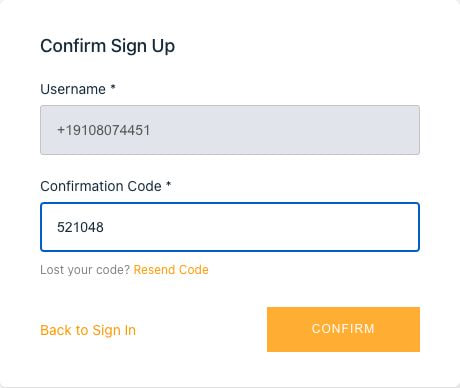
An SMS OTP test should receive the text your application sends and use its code to finish the verification step. A successful send request alone cannot show that the intended user received a usable code or that the application accepted it.
Repeating this manually ties each check to a phone someone must watch. Parallel tests also need to keep their numbers and challenges separate. MailSlurp provides phone numbers and an SMS API so a test can receive the message in code and continue in the browser.
What SMS OTP and 2FA tests establish
An OTP is a one-time password or code. In an SMS flow, the application sends it to a phone number and asks the user to enter it. Successfully completing that challenge demonstrates access to the number for that flow.
Two-factor authentication requires independent factors. A password followed by an SMS code can be a two-factor flow; receiving an SMS by itself does not prove that the complete MFA or account-recovery journey works. Check the factors and final account state your application actually requires.
For a password-plus-SMS scenario, begin without a saved authenticated session. Submit the password, then check that the protected account page or API remains blocked while the SMS challenge is open. After entering the received code, assert the intended user. This checks enforcement of the second step, not only delivery of its message.
If the challenge asks for an authenticator-app code, use the TOTP enrollment and login walkthrough instead of waiting for a text. For a delivered email code, use the email OTP test. Keep these paths separate so a passing SMS test is not counted as coverage of every MFA factor.
The broader OTP testing guide covers email, SMS, magic links and TOTP. Here the focus is the real text message and the application's response to its code.
Give the test a real receiving number
Choose an available number in the MailSlurp dashboard or through the phone number API, checking that its country and receiving capabilities match your sending path. Use the returned number in your application's verification form and keep its MailSlurp ID for the wait call.
A made-up number is useful only for input-validation cases where no text should be sent. A delivery test needs a number your team controls. Use a dedicated number for concurrent challenges, or coordinate access so one test cannot consume another test's OTP.
The phone number and SMS service explains number provisioning and management. Account allowance and available inventory apply when receiving real messages.
Wait for the current SMS and extract its code
Record the time immediately before the application sends the challenge. Pass that time and the number ID to the SMS wait API, then check the expected template before extracting the code.
This TypeScript helper assumes you already have a MailSlurp client and a dedicated receiving number. Call it after requesting the text. Its pattern expects the phrase "verification code" followed by six digits; adapt that phrase and length to your application's actual SMS template.
import { MailSlurp } from "mailslurp-client";

export async function receiveSmsOtp(
  mailslurp: MailSlurp, phoneNumberId: string, since: Date,
) {
  const sms = await mailslurp.waitController.waitForLatestSms({
    waitForSingleSmsOptions: {
      phoneNumberId,
      since,
      unreadOnly: false,
      timeout: 60_000,
    },
  });
  const matches = [...sms.body.matchAll(/\bverification code[: ]+([0-9]{6})\b/gi)];
  if (matches.length !== 1) {
    throw new Error("Expected one six-digit verification code in the current SMS");
  }
  return matches[0][1];
}
The timeout bounds the wait and since excludes earlier messages. unreadOnly: false keeps dashboard inspection from changing the result. If unrelated texts can arrive on the same number, also validate the expected sender and challenge context before using the code; a latest-message wait alone does not distinguish two simultaneous challenges.
Keep the code as text so leading zeros survive. Enter it in the application's verification field and assert the expected account after login. Avoid printing the usable OTP or entire SMS in shared test output.
Continue the test in Playwright or Cypress
The Playwright SMS walkthrough shows the browser steps around receiving a code. This video follows the same signup and SMS verification journey:
After the message arrives, check more than a generic confirmation screen. Assert the signed-in user's identity or protected account state. If your suite uses Cypress, follow the Cypress SMS example for the browser integration.
Check expiry, resends and one-time use separately
Use separate tests for an incorrect code, a code for another user, an expired code and a consumed code. Choose deliberately invalid codes using a controlled application fixture: an arbitrary six-digit value or another user's code can coincidentally match. For the cross-account check, preserve the issuing user and request so the test actually checks the application's binding rule. Verify the attempt limit your application promises. The OWASP MFA guidance recommends short-lived, single-use OTPs and limits on failed attempts.
For a resend test, record both requests and messages, then check whether the old code should remain valid under your application's policy. Do not let a new text silently replace the value a test intended to submit.
The local OTP policy example exercises expiry, resends and replay rejection without sending SMS. It is useful for fast application-policy checks. Keep a separate real-message test for the phone number, sending provider, receipt and browser submission; the local example does not exercise that delivery path.
Release test numbers through your normal number-management workflow when they are no longer needed, and remove test users from the application separately. Keep persistent numbers only for scenarios that need the same recipient across runs.