












Build, test and automate email and SMS.
Test application flows, preview emails on real devices, audit content and check inbox placement. Turn emails and attachments into structured data, power AI agents, and build automated pipelines—with APIs, SDKs and enterprise-grade shared dashboards.

Trusted by teams at






Real messages. A complete testing and automation toolkit.

Programmable email addresses
Create unlimited temporary or permanent inboxes, use your own domains, or connect Gmail and Outlook. Send, receive and inspect email through APIs, SDKs, SMTP, IMAP and webhooks.
Explore programmable email
Programmable phone numbers
Provision real mobile numbers for SMS, OTP, MFA and messaging workflows. Receive verification codes in your tests or route incoming texts into your applications.
Explore phone numbers and SMS
Preview and placement toolkit
Preview emails on real devices, audit links, images and accessibility, and test inbox or spam placement. Check messages from your ESP in the dashboard or API.
Explore email quality testingWorks with the tools you already use.

Test emails from your platform

HubSpot, Braze, Brevo, Mailchimp, Klaviyo and more.
Find your email platform
Test applications end to end with real email and SMS.
Find broken signup, password reset and notification flows before release. Give tests their own inboxes and mobile numbers, then assert on the messages your application actually sends.
Wait for matching messages, extract verification codes and links, and inspect content, headers, attachments and replies.
Explore email and SMS testingEnter the one-time code
MailSlurp received the SMS OTP and your test can submit it automatically.
The browser test fills this field with the code MailSlurp captured.
OTP and MFA testing
Receive real email and SMS codes, follow magic links and complete authentication flows automatically.
Test authentication
Load testing
Check message arrival, timing and content as traffic increases. Use inbox pools with k6, JMeter and Locust.
Test at scale
Your language. Your test runner.
Use official SDKs for JavaScript, TypeScript, Python, Java, C#, PHP and more, or call the REST API directly.
Browse APIs and SDKsMake sure your email looks right and reaches the inbox.
Check campaigns and transactional email from your existing sending platform. Run device previews, Email Audit or inbox placement tests in the dashboard or through the API.
Device rendering. Catch the layout that breaks.
See the delivered email on real clients and devices, before your audience does. Compare desktop, mobile, light and dark mode, then share the results with your team.
Explore device rendering
iPhone to Windows. Android to Mac.
Check responsive layouts, images and buttons across iPhone, iPad, Android, Windows and macOS.

Real Gmail, Outlook and Yahoo.
View your email in supported webmail, desktop and mobile clients, including Apple Mail. Compare light and dark mode.
Send from the ESP you already use.
Send a test from HubSpot, Braze, Brevo, Mailchimp, Klaviyo and more. You can also import an .eml file or use the API.
Find your ESP guideReach customers across every major inbox.
Build sending history gradually with email warmup. Connect your own sender, choose a steady pace and compare available provider placement samples as your schedule progresses.
Track inbox, Promotions, spam and not-received results throughout the ramp to make informed decisions before increasing campaign volume.
Explore email warmup

Reach personal inboxes
Build sending history for the personal inboxes your customers use. Review available Gmail and Outlook.com placement samples as your schedule progresses.

Reach business inboxes
Check available Microsoft 365 and Google Workspace samples before increasing business email volume.

Move further from spam
Compare inbox and spam results over time to decide whether your sender is ready for more volume. Chart shows an example trend.
Email Audit. Find the problems before sending.
Catch broken links, missing images, accessibility issues and HTML/CSS problems. Review findings alongside your email, fix the message and compare saved reports.
Explore Email Audit
Find broken links and images.
Catch links that return errors and images that fail to load, before a customer clicks or opens your email.

Check email accessibility.
Review accessibility findings alongside content and layout checks to make your emails easier to read and use.

Spot HTML and content issues.
Inspect HTML validation, client compatibility and spelling findings. Keep reports to compare changes between versions.
Inbox placement testing. See inbox or spam results.
A successful send is only the start. Send a test to real provider mailboxes and see where your email lands, then investigate the message and sender signals behind the result.
Explore inbox placement testing

Check Gmail, Outlook and Yahoo.
Compare placement across supported personal and business mailboxes, including Microsoft 365 and Google Workspace.

Know which folder you reached.
See inbox, promotions, junk and spam outcomes. Separate accepted mail from messages that actually reach the intended folder.
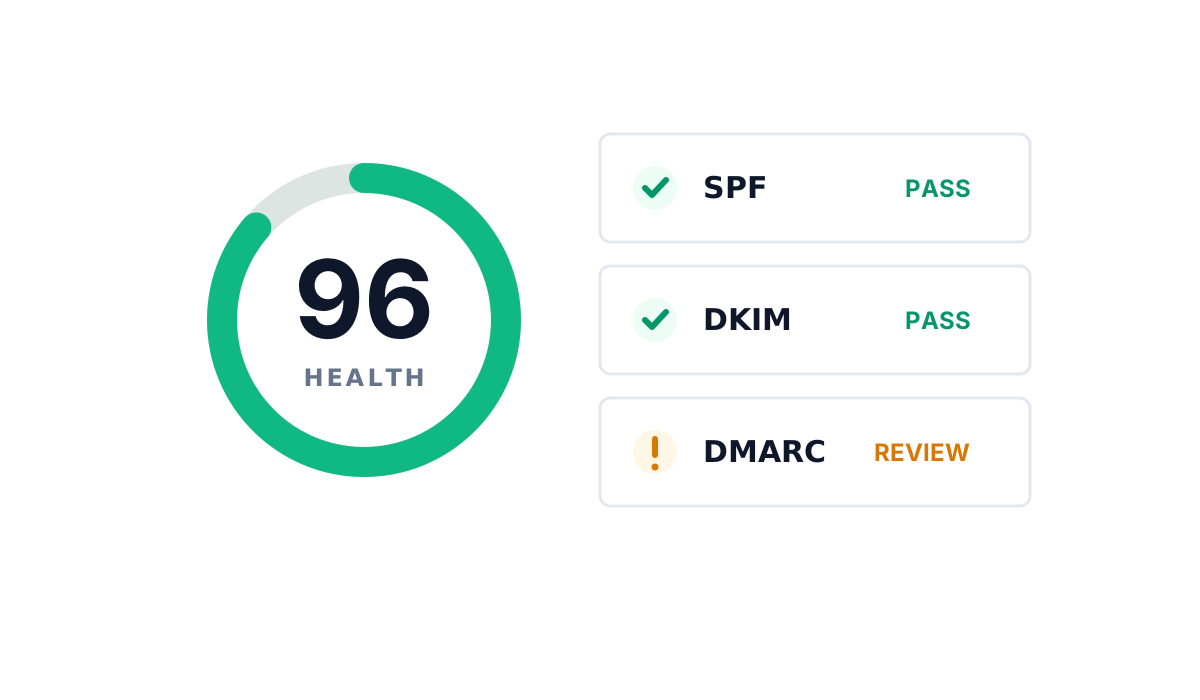
Investigate sender reputation.
Review domain blocklists and SPF, DKIM and DMARC signals. Monitor sender health alongside your placement results.
Explore domain monitoringPut incoming email and SMS to work.
Build applications that act on messages. Route email and SMS into your systems, turn attachments into structured data, or give an AI agent the accounts it needs to communicate.

Email and SMS pipelines
Ingest messages and attachments, trigger webhooks, and connect incoming requests to your CRM, support system or business workflow. Configure forwarding and automatic replies.
Explore ingest and routing
AI data extraction
Turn emails, PDFs, images and attachments into structured JSON using prompts, schemas and OCR. Extract invoice fields, order details and leads without manual entry.
Explore AI extraction
Email and SMS for AI agents
Let agents receive messages, draft replies and communicate through hosted or connected accounts. Use MCP and APIs with scoped access and human oversight.
Explore AI agents"We use email webhooks to create automated customer interactions. MailSlurp makes that easy."
One dashboard for your whole team.
Bring application tests, campaign checks and message automations together. Manage email addresses, phone numbers and results with shared access, clear permissions and the same APIs your developers use.

A dashboard for your whole team
Manage inboxes, numbers, messages, email checks and automations. Work in the dashboard or build the same workflows into your software.

Enterprise-ready access
Manage shared access, SSO, SCIM provisioning, roles, scoped API keys and audit logs.
Explore MailSlurp Enterprise
Keep checking after launch
Monitor authentication and DNS changes. Use Campaign Probe to catch broken links, images and template changes in recurring emails.
Explore Campaign ProbeStart with the email or SMS workflow you need.
Test your application, check a campaign or build an automation.