
as
Throwaway Email and Temporary Inbox Guide for QA and Privacy Testing
Use throwaway email addresses and temporary inboxes for signup tests, privacy checks, and automation. Validate real messages with API control.
Temporary email is not just for one-off signups. For product teams, throwaway email inboxes are a practical testing surface for real delivery events, template rendering, links, and mailbox behavior.
Quick answer: what is temporary email?
A temporary email address is an inbox created for limited-duration use. You can receive real email traffic, inspect content, and discard the inbox after the workflow is complete.
Throwaway email vs temporary email
In practice, teams use these terms to mean the same thing: a short-lived inbox that protects primary addresses and keeps tests isolated.
The operational difference is where the inbox is hosted:
- public throwaway inboxes are useful for ad hoc checks
- private temporary inboxes are better for CI, auditing, and deterministic assertions
If you need repeatable outcomes, choose private API-managed inboxes over shared public inboxes.
When to use temporary inboxes
Use temporary inboxes when you need:
- QA checks for sign-up, password reset, and notifications
- Privacy while testing third-party tools or signup flows
- Isolated inboxes per CI run to avoid test collisions
- Controlled message capture for debugging and triage
Temporary inboxes vs Gmail aliases
Gmail aliases (name+tag@gmail.com) are helpful for personal filtering, but they still map to one mailbox identity and one mailbox state.
Temporary inboxes are better for deterministic testing because they are isolated, disposable, and API-addressable.
Create a temporary inbox in seconds
Create inboxes from the MailSlurp dashboard or API.
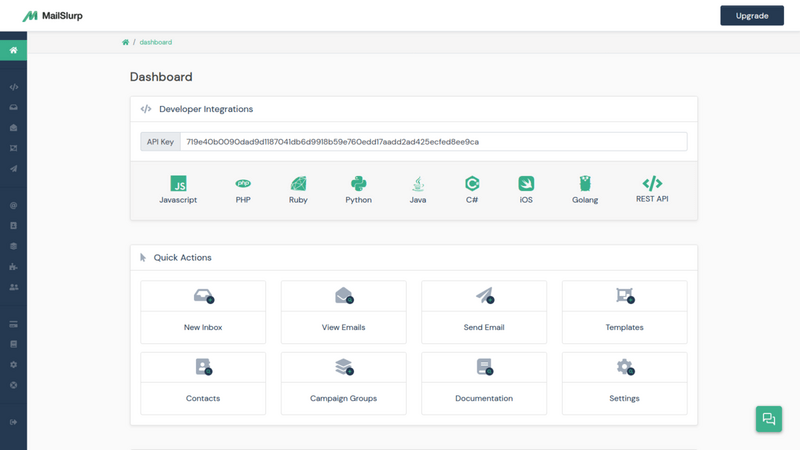
For automation, create inboxes per test run:
const inbox = await mailslurp.createInbox();
await app.signUp({ email: inbox.emailAddress });
const email = await mailslurp.waitForLatestEmail({ inboxId: inbox.id, timeout: 30000 });
expect(email.subject).toContain("Verify your account");
Verify real inbox behavior, not just send status
A send event is not enough for release confidence. Validate:
- Message arrival within expected timing windows
- Link correctness (activation, reset, deep-link paths)
- Template variables and fallback content
- Attachment presence and MIME handling
- Spam and placement indicators before campaign launch
Privacy and anti-spam use cases
If you need to avoid exposing your primary inbox during evaluations or onboarding experiments, temporary addresses reduce long-term spam load and identity coupling.
For business workflows, pair temporary inboxes with:
Common mistakes to avoid
- Reusing one shared inbox across parallel test runs
- Asserting only subject lines and missing body/link validation
- Ignoring timeout/retry behavior for slower environments
- Skipping inbox cleanup and lifecycle management
Related routes
- Fake email generator
- Email Sandbox
- Email integration testing
- Test email address guide
- Free email API
Final take
Temporary email is most valuable when treated as test infrastructure, not just throwaway convenience. Use disposable inboxes to make high-risk email workflows observable, repeatable, and safe to ship.