
fake smtp server
Free Fake SMTP Server for Testing (Safe Email Trapping)
Use a fake SMTP server to test email sending safely without contacting real recipients. Learn local vs cloud setups, CI workflow patterns, and release-ready validation.
If you searched for free smtp server for testing, the practical answer is:
- use a fake SMTP server to capture outbound email during dev/QA
- validate message content, links, and headers before release
- combine local SMTP traps with cloud inbox assertions for CI reliability
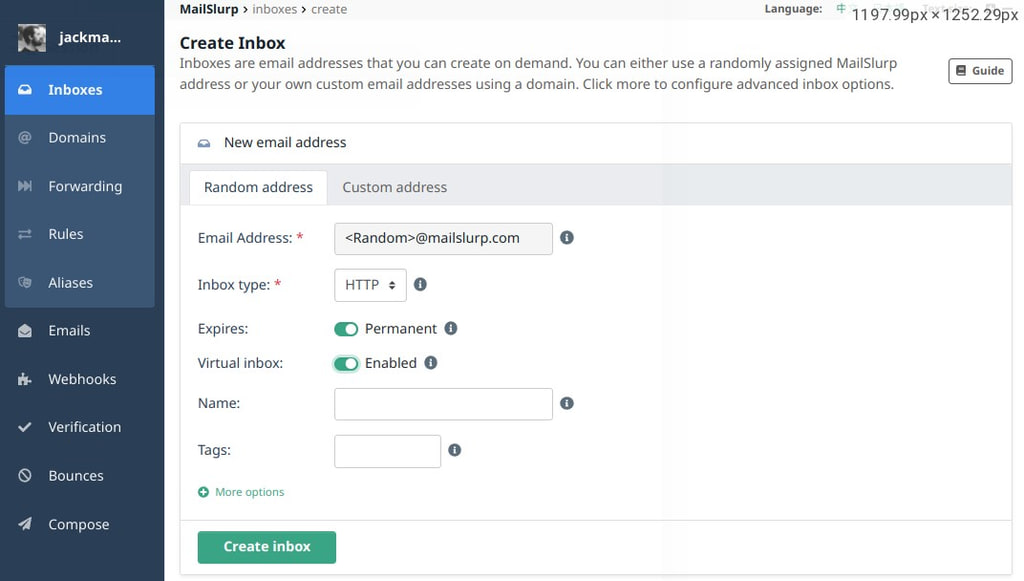
MailSlurp virtual inboxes provide fake SMTP endpoints for safe send testing while preserving realistic app mail flows.
For broader sending, trial, and relay decisions, use the free SMTP server guide. This page focuses on fake SMTP capture for development, QA, and CI.
What is a fake SMTP server?
A fake SMTP server accepts messages from your app but does not deliver to real recipients. It is used to:
- inspect what your app would send
- validate template output and dynamic data
- prevent accidental delivery to real users in test environments
See also: What is a fake SMTP server.
Why teams use fake SMTP in testing
A fake SMTP setup helps you catch issues early:
- broken verification or reset links
- malformed template rendering
- wrong sender/from addresses
- missing headers and auth-related metadata
It also isolates test traffic from production sender reputation.
Local fake SMTP vs cloud email sandbox
| Approach | Strength | Limitation |
|---|---|---|
| Local fake SMTP (e.g. smtp4dev, MailHog) | Fast local feedback loop | Harder to run at scale in CI and cross-environment testing |
| Cloud inbox sandbox | Deterministic API assertions, better CI parity | Requires integration setup |
Most teams use both: local for rapid iteration, cloud for release-gate validation.
What fake SMTP testing should prove
A useful fake SMTP test proves more than "the app called send." Capture the actual message and verify:
- the recipient, sender,
Reply-To, and envelope values are correct - the HTML and text bodies include the expected customer-facing copy
- reset links, magic links, OTP codes, invite URLs, and unsubscribe links work
- attachments have the expected name, MIME type, and payload
- headers preserve the signal your support, security, or deliverability team needs
- duplicate sends, retry logic, and fallback paths behave predictably
When those checks run in code, fake SMTP becomes a release gate instead of a manual preview inbox.
From fake SMTP capture to API testing
MailSlurp keeps the fake SMTP safety model and adds the controls teams need for repeatable testing:
- Route staging or QA SMTP traffic into a MailSlurp sandbox inbox.
- Inspect the captured subject, sender, body, links, attachments, and headers.
- Assert the received message by API from the same test that triggered the send.
- Trigger Email webhooks when a received message should start another workflow.
- Run Email testing API checks in CI for signup, password reset, OTP, billing, and notification flows.
This gives teams safe capture plus reproducible test evidence instead of a preview-only mailbox.
Fake SMTP setup pattern for CI
Use this sequence for signup, password reset, OTP, billing, invite, and notification flows:
- Create a dedicated MailSlurp inbox for the test run or environment.
- Configure the app under test to send through SMTP or the existing send provider.
- Trigger the real application action, not a shortcut helper.
- Wait for the captured message by API.
- Assert the subject, body, links, codes, headers, and attachments.
- Store the received message ID with the test result so failures are reproducible.
Example shape:
import { MailSlurp } from "mailslurp-client";

const mailslurp = new MailSlurp({ apiKey: process.env.MAILSLURP_API_KEY! });
const inbox = await mailslurp.createInbox();

await triggerPasswordReset({ email: inbox.emailAddress });

const email = await mailslurp.waitForLatestEmail(inbox.id!, 60000, true);

expect(email.subject).toContain("Reset your password");
expect(email.body).toContain("https://");
expect(JSON.stringify(email.headers)).toContain("Received");
That pattern works well in Playwright, Cypress, backend tests, and smoke checks because the inbox is isolated and the assertion runs beside the workflow that triggered the email.
How to create a fake SMTP server workflow
1) Configure your app SMTP settings to point to test infrastructure
Keep host, port, username, and password environment-driven so test and production can be switched safely.
2) Send test messages through the same application code paths
Do not bypass your real send logic. This is how fake SMTP catches production-like failures.
3) Assert outcomes with inbox-based checks
Validate subject, recipient, links, headers, and payload fields before release.
4) Promote to release-gate validation
Use Email integration testing and Email deliverability test as final checks before rollout.
Fake SMTP failure cases to test
Build explicit checks for the failures that usually reach customers first:
- password reset email is sent twice after one request
- OTP code is missing, expired too early, or not tied to the right user
- invite link points to the wrong environment
- receipt PDF is missing or has the wrong filename
- localized template falls back to the wrong language
- retry logic sends the same notification after the user has already completed the action
- webhook-driven follow-up runs before the received message is inspected
Use Email webhooks when captured messages should trigger downstream checks, parser workflows, or audit trails.
What fake SMTP does not prove by itself
Fake SMTP capture is intentionally safe: it keeps test messages away from real recipients. That also means it does not prove every production delivery signal.
Before a high-risk release, add:
- Email header analyzer checks for sender identity and routing clues
- SPF checker, DKIM checker, and DMARC checker checks for sender authentication
- Inbox placement test or Email deliverability test checks when placement or reputation matters
The workflow is simple: trap safely during development, assert deterministically in CI, then validate sender posture before production traffic depends on the change.
JavaScript example: create a virtual inbox
const MailSlurp = require("mailslurp-client").default;
const mailslurp = new MailSlurp({
  apiKey: process.env.API_KEY ?? "your-api-key",
});

// create a virtual inbox
const inbox = await mailslurp.inboxController.createInbox({
  virtualInbox: true,
});
Fake SMTP production-readiness checklist
- Validate mailbox behavior in Email Sandbox.
- Test critical app flows in Email integration testing.
- Track asynchronous outcomes via Email webhooks.
- Route retries and fallback logic with Email automation routing.
- Check inbox placement and sender posture in Email deliverability test.
- Add SMS or OTP coverage with SMS verification API when auth flows use both email and phone messages.
FAQ
Is a fake SMTP server enough for full release validation?
Not by itself. Fake SMTP is excellent for local and QA checks, but production readiness should include deliverability and inbox-placement validation.
Can I run fake SMTP in CI?
Yes, but local-container setups can be brittle at scale. Many teams combine local traps with cloud inbox APIs for deterministic CI.
Does fake SMTP protect sender reputation?
Yes, because test emails are trapped and not delivered to external recipients, reducing accidental send noise.