
guides
Email Verifier Guide: How to Verify Email Addresses and Reduce Bounces
Learn what an email verifier actually checks, the difference between syntax, domain, and mailbox validation, and how to use verification without making bad assumptions.
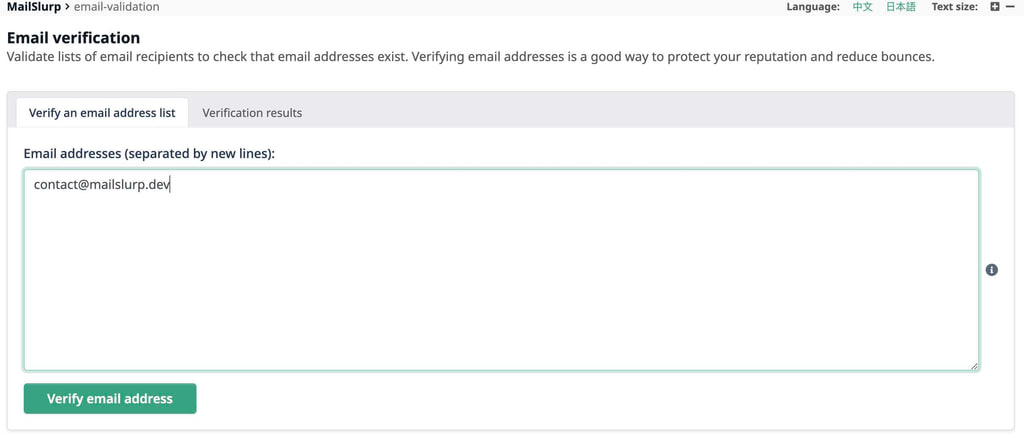
An email verifier is a tool or workflow that checks whether an email address appears valid and likely able to receive mail. Depending on the approach, that can include syntax checks, domain checks, DNS checks, mailbox-level signals, or all of them together.
If you are searching for email verifier, email verification, or verify email address, the most important thing to understand is that not all verification is equal. Some checks only validate formatting. Others go deeper and test whether the address can actually receive mail.
Quick answer
A strong email verification workflow usually checks:
- address syntax
- domain existence
- MX records
- mailbox acceptance signals where appropriate
- operational risk such as bounce potential
No verifier should be treated as a magical certainty engine, but a good one significantly improves sender hygiene and delivery planning.
What an email verifier actually checks
Syntax validation
This confirms the address is structurally valid enough to parse.
Domain validation
This checks whether the domain exists and is configured for mail.
MX validation
This checks whether the domain advertises mail exchanger records.
Mailbox-level verification
This attempts to gather stronger evidence that the mailbox can receive mail.
Verification result categories
Many teams find it useful to bucket outcomes like this:
| Result | Typical meaning |
|---|---|
| Valid | Address looks deliverable based on available checks |
| Risky | Some signals are weak or uncertain |
| Invalid | The address is very likely not usable |
That gives product and operations teams cleaner rules for suppression, retry, or review.
The more advanced the workflow, the more likely it is to catch bad addresses before they produce bounces or workflow failures.
Syntax check vs real verification
These are not the same thing.
| Check type | What it tells you |
|---|---|
| Syntax | The address is formatted plausibly |
| Domain check | The domain exists |
| MX check | The domain can receive mail |
| Mailbox verification | The address likely accepts mail |
Teams often overestimate the value of syntax-only validation. It is useful, but it is not enough for high-stakes sending decisions.
Why teams use email verification
Common goals:
- reduce bounce rates
- keep lists cleaner
- catch signup typos
- protect sender reputation
- avoid wasting notifications on dead addresses
This matters for both marketing and product traffic. Bad addresses hurt deliverability and also break user-facing flows such as account verification and password reset.
Limits of email verification
Verification is useful, but it has limits.
It is not perfect certainty
Some systems intentionally avoid exposing mailbox existence clearly.
Results can change over time
An address that worked last month can fail now.
Some providers behave differently
Mailbox-level checks vary depending on domain policy and provider behavior.
That is why verification should support operational decision-making, not replace it.
When verification is most valuable
Verification is especially useful:
- before large outbound sends
- during user signup and account creation
- while cleaning old contact data
- during migrations between mail platforms
The highest value usually comes when verification is tied to a real workflow instead of used as a one-off database cleanup tool.
Verification workflow for engineering teams
Use this sequence:
- validate syntax at input time
- check domain and MX posture
- run mailbox-level verification where appropriate
- route risky or invalid outcomes into suppression or review
- monitor downstream bounces anyway
This creates a practical balance between data hygiene and false certainty.
Email verifier use cases
Signup flows
Catch common typos before they create dead accounts or support tickets.
Sales and outbound lists
Reduce obvious bounce risk before a send.
Product notifications
Protect high-value transactional flows from bad-address churn.
Account migrations
Clean up imported or legacy contact lists before moving systems.
MailSlurp and verification
Use MailSlurp when teams need verification inside broader email operations:
- Check Email Verification
- Email verification guide
- Email deliverability test
- Reduce email bounces with account webhooks
This is useful because verification is rarely a standalone action. It usually connects to list hygiene, bounce management, and release workflows.
Common mistakes
Treating syntax validation as enough
This catches formatting issues but misses many delivery risks.
Trusting verifier output as absolute truth
Verification improves decisions, but it does not eliminate uncertainty.
Skipping bounce monitoring
Real send outcomes are still the final feedback loop.
Verifying once and never re-checking
Address quality changes over time.
Use MailSlurp for verification workflows
Use MailSlurp when teams need verification tied to live email operations, not just one-off list cleaning. Use Check Email Verification to evaluate addresses, then pair it with Email deliverability test when sender quality and placement also matter. Create a free account at app.mailslurp.com to start with a real workflow.
FAQ
What is an email verifier?
It is a tool or process that checks whether an email address is valid and likely able to receive mail.
Is email verification the same as checking format?
No. Format checking is only the first layer.
Can an email verifier prevent all bounces?
No. It reduces risk, but it cannot guarantee future deliverability.
When should teams use email verification?
During signup, list hygiene, migrations, and before higher-stakes send programs.
Final take
An email verifier is most useful when it is part of a broader sender-quality workflow. Teams that combine verification with bounce monitoring, auth health, and deliverability testing make better sending decisions and waste less effort on dead addresses.