
Use your real sender
Keep your usual sending platform, domain and email content in the test.
See where your email lands, catch broken assets and personalization mistakes, preview real clients, and investigate sender issues before the next send.

Trusted by teams at






A successful send is only the beginning. Send through your own ESP to real seed accounts, then see which providers put the email in the inbox, Promotions or spam.
Open the content and domain findings alongside the result. Use that evidence to decide what to investigate before you change a template or sending setup.
Explore inbox placement testing
Keep your usual sending platform, domain and email content in the test.
Review each seed account's outcome instead of relying on a single overall score.
Run a manual check, schedule regular tests or trigger a test through the API.
Run Email Audit against the delivered message. See a weighted health score and prioritized findings across links and images, content and personalization, accessibility, HTML support, authentication and available reputation evidence.
Open the exact failure, fix the template and send another test. Export the result when a reviewer needs the evidence.
Explore Email Audit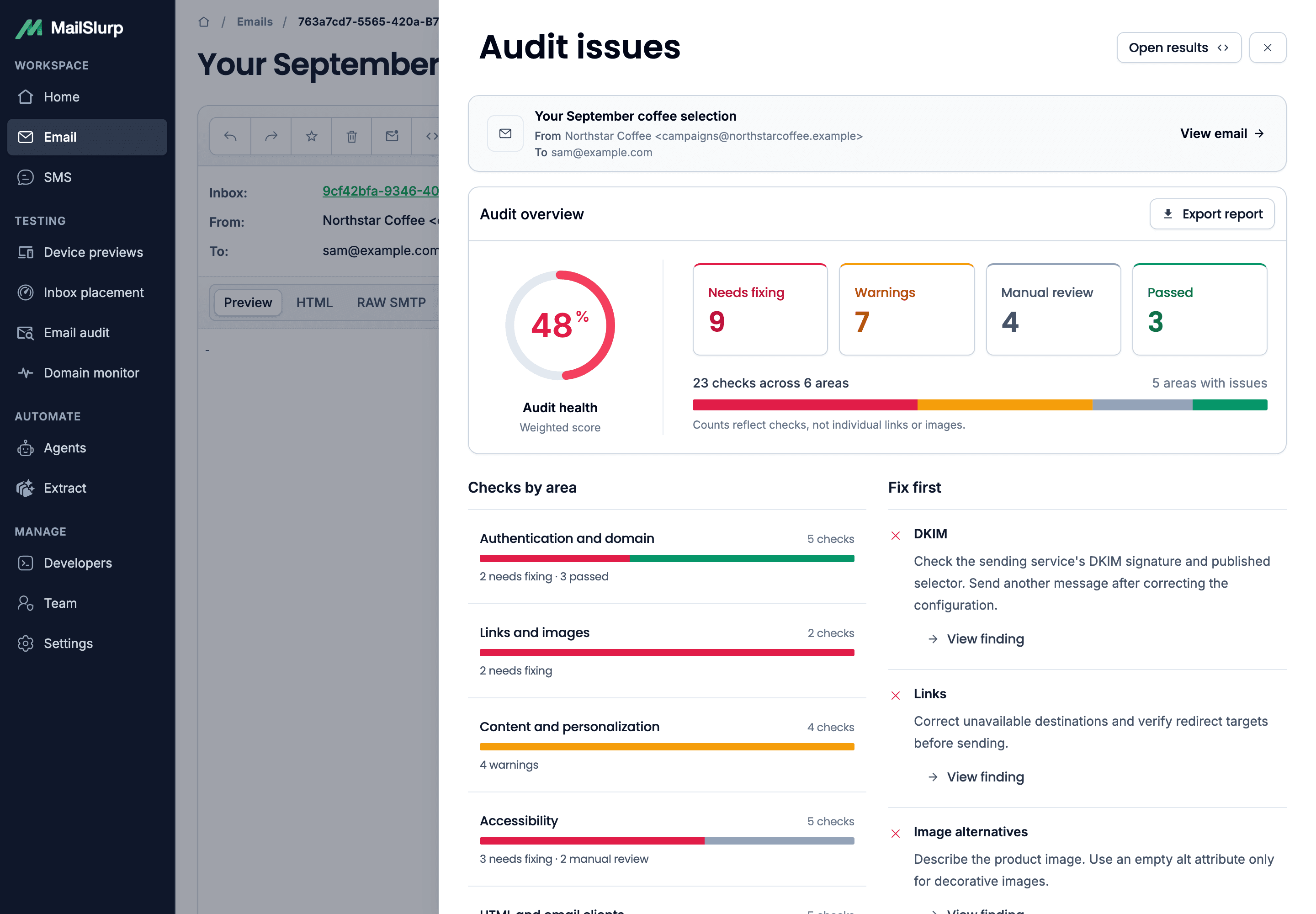

Check destinations and remote images, then inspect the URL and response behind each failure.

Flag template expressions and placeholder greetings before fields such as first name reach customers.

Read authentication and available reputation evidence with the message, then monitor domain health between sends.
Once your email arrives, the experience still matters. Use device rendering to catch broken layouts on real clients, then Email Audit to inspect links, images, HTML and accessibility.
See real-client device rendering
Review SPF, DKIM, DMARC policy, MX and blocklist signals for the domain behind your email, then monitor for changes after a new sending service or DNS update.
Domain checks help explain sender health. Placement tests show what happened to the email. Read the evidence together before deciding what to change.
Explore domain monitoringCreate an inbox placement test in MailSlurp and send your email from your usual sending service to the supplied seed addresses. Review provider-level outcomes, then investigate domain and content findings. Test again after making a change.
An accepted send tells you that the receiving server accepted the message. Inbox placement testing checks which folder the email reached inside each seed account. MailSlurp keeps inbox, Promotions, spam and not-received outcomes distinct.
Yes. Send from the platform and domain you normally use. Run a manual placement test, connect a supported sending service for scheduled checks or automate tests with the API. Read the placement guide.
Email Audit checks the delivered content for broken links and images, unresolved personalization, accessibility, HTML support, authentication and available reputation findings. Device rendering separately shows the message on supported real clients and devices. Run both alongside placement tests so you can review content, appearance and placement.
Find out where your email lands. Use the results to improve your next send.