
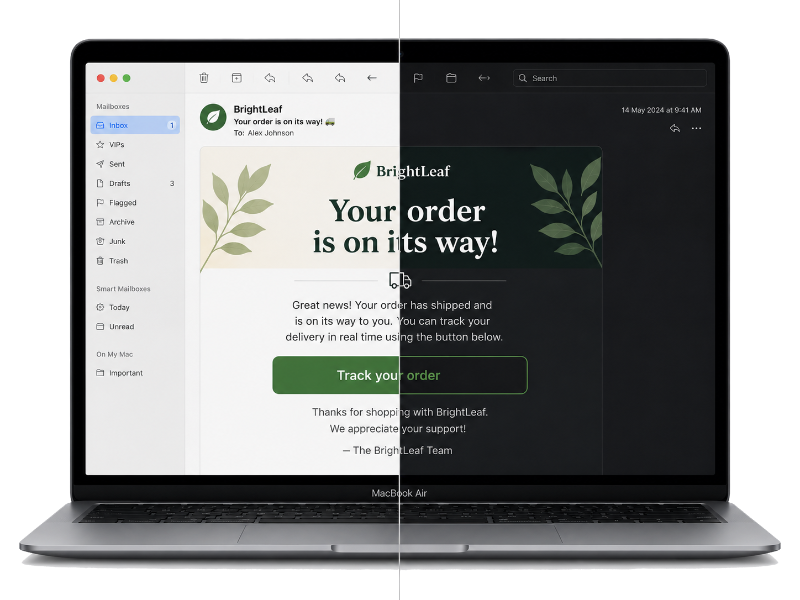
Compare email light and dark mode
Paste, upload, or send an email to compare its light and dark CSS side by side in two sandboxed browser previews. Use device previews for proprietary inbox transformations.
Get startedAdd your email to compare
Paste HTML, upload an EML file, or send a message to a temporary preview address.
What is dark mode?
Dark mode is a display preference that uses light text and interface elements against darker backgrounds. In email, it is not one standardized switch. Each inbox can preserve your colors, invert them automatically, or apply its own rules based on the recipient's device and appearance settings.
The same HTML can therefore look different in Gmail, Outlook, Apple Mail, and other email clients. A layout that feels balanced in light mode may need extra contrast or dark-mode CSS to remain clear when an inbox changes its colors.
Why is dark mode important for email?
Many recipients read email in dark mode, especially in low-light settings. Supporting their preference makes messages easier to read and helps important actions retain the hierarchy you intended.
Dark-mode changes can expose problems that are easy to miss in a light preview:
- Text and background colors may lose contrast.
- Transparent logos and icons can disappear against a dark background.
- Borders, dividers, and buttons can become difficult to distinguish.
- Automatic color inversion can weaken brand colors or visual emphasis.
How to test dark mode email
Use this tool as a quick first pass: paste your HTML, upload an EML file, or send an email to compare light and dark browser previews side by side. Review text contrast, transparent images, logos, buttons, borders, and CSS fallbacks before approving the message.
Browser previews are useful, but Gmail, Outlook, Apple Mail, mobile apps, and desktop clients apply their own rendering rules. Testing across actual email clients and devices is essential before you send. Run a free device render test to check the finished email in MailSlurp.