

Bring Gmail and Outlook
Connect existing mailboxes through IMAP and SMTP. Receive and process messages from the addresses your customers already know.
Connect a mailboxBuild message pipelines with real inboxes, phone numbers and webhooks. Turn incoming orders, invoices and delivery updates into data your application can act on.

Trusted by teams at






Create real inboxes on demand for orders, invoices, returns or individual customers. Choose a MailSlurp address or use your own domain, and keep each workflow's incoming messages together.
Use plus addresses to tag messages within one inbox, or create separate inboxes when the messages need their own home. Add new addresses through the API as your application grows.
Explore programmable inboxes
Connect existing mailboxes through IMAP and SMTP. Receive and process messages from the addresses your customers already know.
Connect a mailbox
Use real phone numbers to receive texts and trigger your application. Bring customer replies and delivery updates into the same workflow.
Explore phone numbers
Create inboxes, read messages and fetch attachments with official SDKs or the REST API. Keep your existing application and job queue.
Find your SDKSupplier invoices arrive as PDFs. Orders arrive in email bodies. Logistics updates arrive by text. Use AI extraction to turn those messages and attachments into structured fields your application can read.
Define the invoice number, order reference, tracking ID or delivery status you need. Save the instructions as an AI Transformer, connect it to an inbox or phone, and validate the extracted values before updating your records.
Explore AI extraction
Notify your application when email, attachments or SMS arrive. Connect webhooks to your endpoint, queue the next job and route the result into your order, accounting or logistics system.
Control accepted senders with inbox rules. Add forwarding rules and automatic email replies where needed. Inspect webhook delivery results in the dashboard and see which requests your endpoint accepted. Unsuccessful responses are retried with backoff.
Explore routing and automations
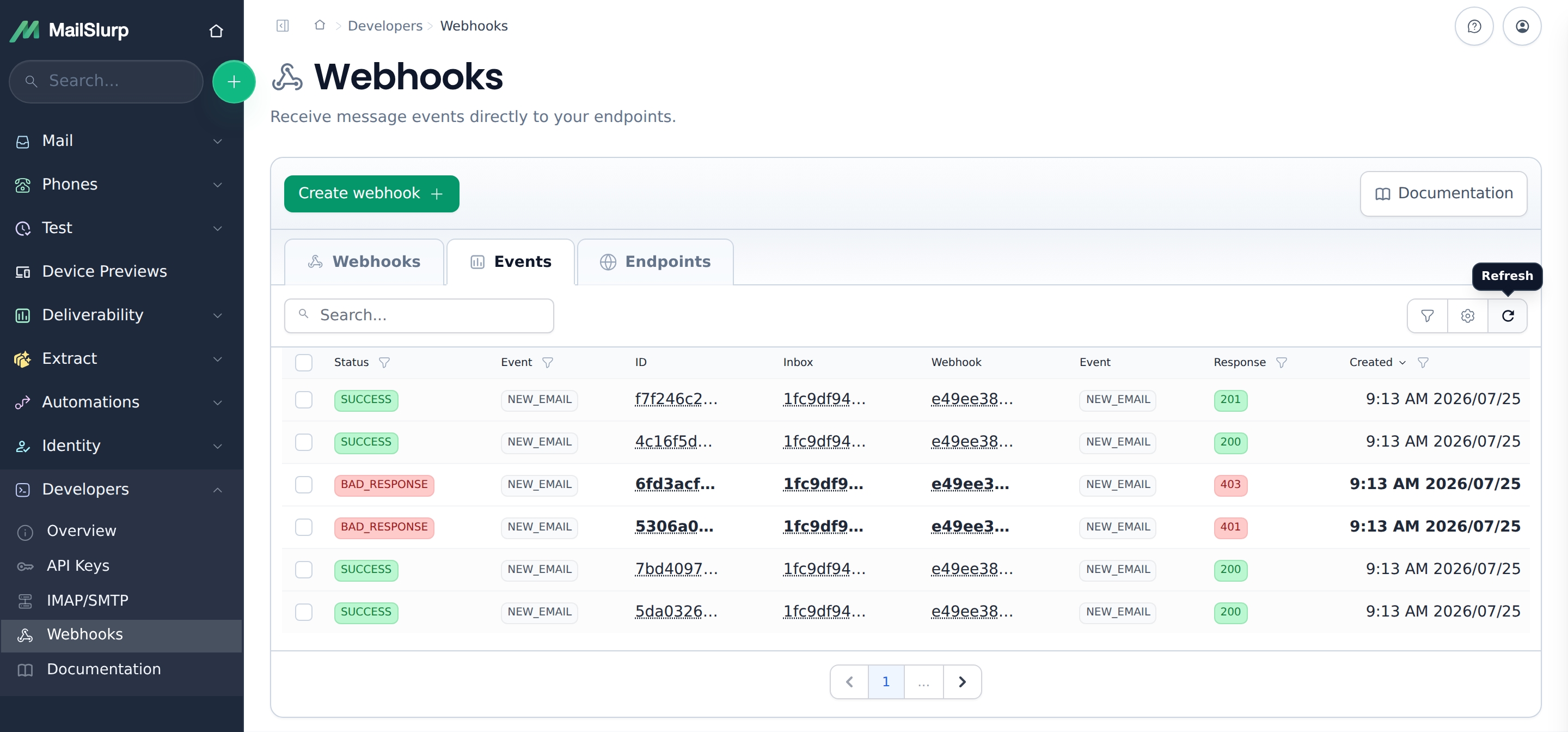
Provision an inbox, attach a webhook and decide which emails should be forwarded. Configure the same workflow in the dashboard or manage it through the API as you add customers and services.
Use an inbox webhook for one source or an account webhook for events across your inboxes. Fetch the message and its attachments using the IDs in the event, then process them in your own worker.
Read the webhook guideYes. Inbox connectors sync an existing Gmail, Outlook or other supported IMAP/SMTP mailbox with MailSlurp. You can read synced messages through the API and use them in your application alongside MailSlurp-hosted inboxes. Explore inbox connectors.
Plus addresses add a tag to an existing inbox address. MailSlurp preserves the full recipient and stores the plus address so your application can associate messages with a customer, order or workflow. Create separate inboxes when you need separate message stores. Read about plus addressing.
Yes. AI Transformers can process email bodies, attachments and SMS using your instructions and output schema. Extract fields such as an invoice number, order reference or delivery status, then validate the result before updating your own records. AI features require an eligible plan and use tokens. Explore AI Transformers.
Use an account-scoped webhook for events across your inboxes, or attach webhooks to individual inboxes and phone numbers. Your handler can queue each job and acknowledge the event promptly. MailSlurp records delivery responses and retries unsuccessful responses with backoff; deduplicate event IDs in your application before writing to downstream systems. Read the webhook guide.
Start free with a real inbox. Receive an email, connect your application and build the next step around the message.
