guides
Receive SMS in Code with a Real Phone Number
Create a MailSlurp phone number, read inbound text messages, wait for an OTP in a test, and forward new SMS to your server with a webhook.

This guide shows how to receive an SMS in code using a real MailSlurp phone number. You will list your numbers, read a message, wait for a new message during an automated test, and create a webhook for continuous inbound routing.
Use this approach when a signup form sends an SMS OTP, a customer replies to a product number, or an application needs to turn an incoming text into an event. The same messages remain visible in the MailSlurp dashboard, which makes a failed automation easier to inspect.
Before you start
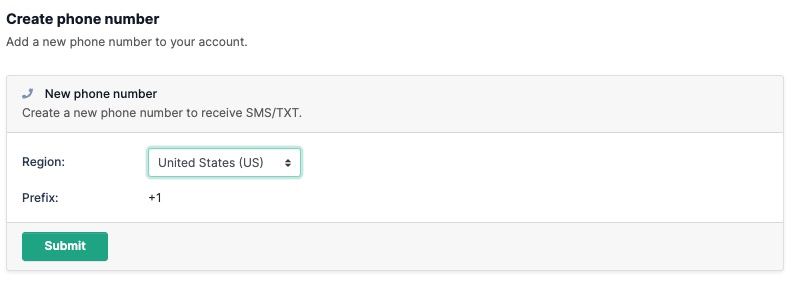
Add a phone plan to your MailSlurp account and provision a number from the dashboard. If you want to create numbers through the API, enable API phone creation from the phone-number overview first.
Phone numbers are rented from telecom providers by the month. Reuse a controlled number for a stable test lane when that suits your workflow, or isolate numbers by environment and parallel test worker when messages could be consumed by the wrong run.
List your phone numbers
MailSlurp phone numbers have a displayed number and an internal ID. Submit the displayed value to the application that will send the SMS, and use the ID when reading messages or creating a webhook.
const mailslurp = new MailSlurp({ apiKey });
// fetch a phone number (must create phone numbers in the dashboard first)
const { content } = await mailslurp.phoneController.getPhoneNumbers({
size: 1,
phoneCountry: GetPhoneNumbersPhoneCountryEnum.US,
});
const phoneNumber = content!![0]!!;
expect(phoneNumber.phoneNumber).toEqual("+19108074451");
If the sender uses a short code, check whether a mobile or toll-free number variant is available and appropriate in your chosen region.
Read a received SMS
Use the SMS API to fetch message content after it has arrived.
// fetch a message
const txtMessage = await mailslurp.smsController.getSmsMessage({
smsId: sms.id,
});
expect(txtMessage.read).toEqual(true);
expect(txtMessage.fromNumber).toEqual("+13252527014");
// delete all messages in phone number
await mailslurp.smsController.deleteSmsMessages({
phoneNumberId: sms.phoneNumber,
});
Inspect the sender, recipient, body, and arrival time. For an OTP workflow, extract the code and then submit it through the real product flow. Finding a code-shaped value is not enough if the user still cannot complete verification.
Wait for a new SMS in a test
An SMS can arrive a few moments after the action that triggered it. Use a MailSlurp wait method instead of a fixed sleep so the test continues as soon as the expected message is present and fails clearly at the timeout.
// wait for the latest unread sms
const [sms] = await mailslurp.waitController.waitForSms({
waitForSmsConditions: {
count: 1,
unreadOnly: true,
phoneNumberId: phoneNumber.id,
timeout: 30_000,
},
});
// extract a code from body with regex
expect(sms.body).toContain("Your code: 123");
const [, code] = /.+:\s([0-9]{3})/.exec(sms.body)!!;
expect(code).toEqual("123");
The complete test should:
- give the application a controlled MailSlurp number,
- trigger the signup, login, recovery, or reply action,
- wait for the new SMS,
- verify that it belongs to the current test,
- extract and submit the OTP or process the reply,
- assert the resulting user or application state.
Keep the phone number ID, trigger time, and received message ID with failed CI output. Those three values make it much easier to distinguish delivery delay from stale-message selection or a product regression.
Forward inbound SMS to a webhook
Use a phone-number webhook when every new text should be sent to your application as it arrives.
// create a webhook for a phone number to have new SMS sent to your server
const webhook = await mailslurp.webhookController.createWebhookForPhoneNumber({
phoneNumberId: phoneNumber.id,
createWebhookOptions: {
eventName: CreateWebhookOptionsEventNameEnum.NEW_SMS,
url: "https://myserver.com",
name: "Process SMS",
},
});
Your endpoint should acknowledge receipt quickly, record the message identity, and move slow work to a queue or background process. Keep API retrieval available for debugging and reconciliation if downstream processing fails.
See SMS webhooks for a receiver design and troubleshooting checklist.
Send a reply from the phone number
MailSlurp supports outbound SMS from provisioned phone numbers for consent-based workflows. By default, you can send to numbers that have initiated contact with your MailSlurp number. Contact support if an approved use case needs a different outbound policy.
await mailslurp.phoneController.sendSmsFromPhoneNumber({
phoneNumberId: sendingNumber,
sendPhoneNumberOptions: {
to: '+14155551212',
message: 'Hello from Mailslurp'
}
});
This is useful for a controlled two-way test: receive the first message, reply from MailSlurp, send another response back, and assert that the application keeps the conversation attached to the correct customer.
Avoid flaky SMS tests
- Do not share one number across parallel workers unless each wait uses a specific, non-overlapping message condition.
- Record when the product action was triggered so an older SMS cannot satisfy the current test.
- Use the number type and region expected by the real sender, especially for short-code OTP routes.
- Assert the final signup, login, recovery, or conversation state instead of stopping after message receipt.
- Preserve MailSlurp message IDs in test artifacts so a human can inspect the source when CI fails.