
blog
Test Email Account for QA, CI, and Integration Testing
Learn how to use a test email account for signup, reset, and notification testing with real inboxes, isolated runs, and deterministic assertions.
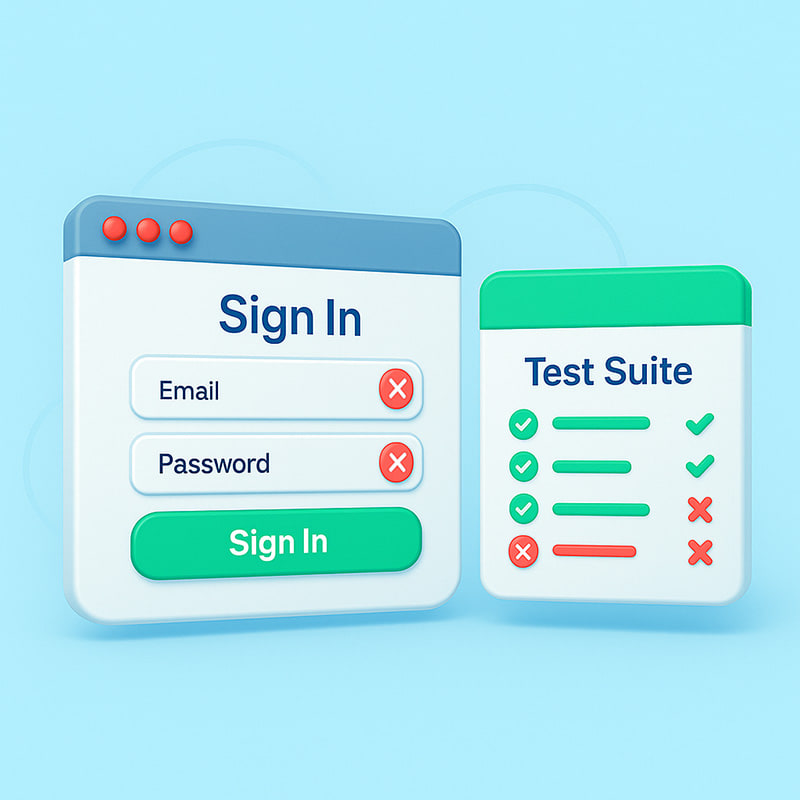
A test email account is an inbox used for validation, not human communication.
If your product sends verification links, OTPs, receipts, invites, or notifications, a test email account gives you a safe place to receive and inspect those messages before customers see them. The point is not just to collect mail. The point is to make email behavior testable in local development, CI, and release workflows.
Quick answer
A good test email account setup should let you:
- create inboxes for local, CI, or staging runs
- isolate messages per test or environment
- wait deterministically for new mail
- inspect body, links, headers, and attachments
- keep artifacts for failures and release proof
If your "test email account" is just a shared mailbox or a throwaway temp mail tab, it will not scale for serious QA.
Why test email accounts matter
Without dedicated test inboxes, teams usually fall back to:
- personal mailboxes
- shared QA inboxes
- manual checks
- fragile polling against a single address
That leads to:
- flaky runs
- cross-test contamination
- poor auditability
- hard-to-reproduce failures
- delayed releases
Test inboxes make email behavior deterministic and repeatable.
What to test with a dedicated test email account
Common use cases include:
- signup verification email arrives with a valid link
- password reset email contains the right token behavior
- notification templates render expected content
- attachments and headers are present and valid
- wrong-recipient or environment leaks do not occur
When the test account receives a customer-facing template, add a visual check too. MailSlurp can receive the message, assert the link or code, and send the same HTML through a free email render or device preview before the flow reaches customers.
This is core application QA, not a nice-to-have convenience.
Test email account vs temp mail
These are not the same thing.
Temp mail
Useful when you need:
- a disposable inbox quickly
- ad hoc manual checks
- a mailbox for one-off use
Usually poor for:
- repeatable CI
- inbox isolation
- debugging
- artifacts and release proof
Test email account
Built for:
- deterministic automation
- programmable inbox creation
- message retrieval in code
- repeatable release and QA workflows
That distinction matters because the search term test email account often gets mixed with temp mail, but product teams usually need something much more controlled.
Good test inbox patterns
Per-test inbox creation
Create a unique inbox per test run, workflow, or environment to avoid cross-test contamination.
Explicit wait and timeout strategy
Use bounded waits with clear failure messages for "email not received" instead of long arbitrary sleeps.
Deep assertions
Do not assert only subject lines. Assert:
- links
- codes or tokens
- personalization fields
- sender headers
- attachment presence
Cleanup and retention
Decide whether to delete test messages immediately or retain them for debugging and release proof.
A typical CI workflow
For many teams, the basic pattern looks like this:
- create an inbox via API
- trigger the application action such as
register,reset, orinvite - wait for the email to arrive in that inbox
- parse the content and follow the critical link
- validate downstream behavior such as account state, token consumption, or page transition
That makes the email part of the user journey testable end to end.
Local testing vs CI testing
Both matter, but they solve different problems.
Local testing
Best for:
- template iteration
- debugging
- fast workflow checks while building
CI testing
Best for:
- regression prevention
- release gates
- repeatable proof before deployment
The strongest teams do both: quick local validation and mandatory CI checks for the workflows that matter most.
What to look for in a test email account platform
If you are evaluating options, look for:
- inbox creation via API
- message retrieval in code
- support for links, attachments, and headers
- deterministic waits or polling helpers
- isolation between runs
- enough retention for debugging
If the platform only gives you a manual inbox UI, it will not be enough for CI.
Common mistakes
The most common mistakes are:
- using one shared inbox for all tests
- relying on long sleeps instead of clear waits
- checking only subject lines
- deleting evidence too early
- treating email as "external" and leaving it out of release testing
These mistakes are exactly why teams think email tests are inherently flaky when the real problem is the test surface.
How MailSlurp helps
MailSlurp supports the dedicated test inbox model with:
That lets teams create inboxes, receive messages, inspect links and content, and turn email-dependent workflows into proper release checks.
FAQ
What is a test email account?
A test email account is an inbox used specifically for validation in development, QA, staging, or CI instead of human communication.
Is a test email account the same as temp mail?
No. Temp mail is usually disposable and manual. A proper test email account setup is designed for automation, isolation, and repeatable testing.
What should I test with a test email account?
Test signup verification, reset links, lifecycle notifications, attachments, headers, and any workflow where email is part of the user journey.
Why are shared test inboxes a problem?
Because they create contamination between runs, make failures harder to debug, and reduce trust in the test results.
Can I use test email accounts in CI?
Yes. In fact, that is one of the best uses for them, because they make email-dependent workflows deterministic and auditable before release.