
blog
Email Magic Links: How Passwordless Login Works and How to Test It
Learn what email magic links are and test passwordless login end to end with disposable inboxes, Playwright, and GitHub Actions.

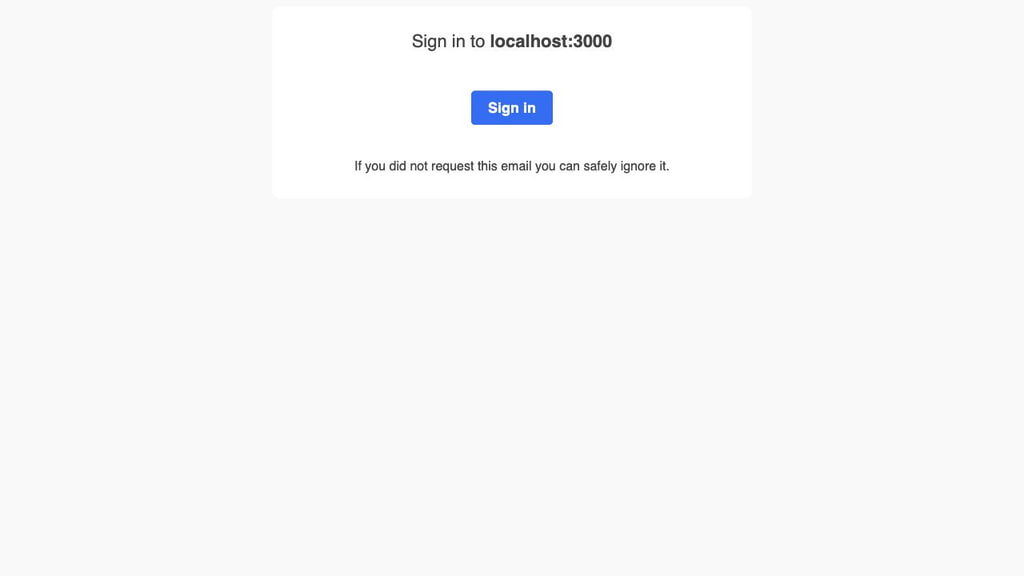
An email magic link is a one-time sign-in URL sent to a user's inbox. The user enters an email address, opens the message, clicks the link, and signs in without a password.
Several systems are involved in that short flow. Your application has to create the right token, send the email to the right address, deliver it before the token expires, preserve the link through the email client, accept it in the browser, and reject it after use. If any one of those steps fails, the user is left waiting on a "Check your inbox" screen with no useful way to tell what went wrong.
This guide shows how to test the complete flow with a disposable MailSlurp inbox, Playwright, and GitHub Actions. It also covers expiry, replay, resend, email scanners, and the common causes of unreliable CI tests.
Quick answer: how to test an email magic link
At minimum, an automated magic-link test should do five things:
- Create a fresh test inbox.
- Enter that inbox address in the passwordless login form.
- Wait for the real email with a bounded timeout.
- Extract and open the delivered magic link in Playwright.
- Assert the authenticated state, then prove the link cannot be reused.
Use one inbox per test or parallel worker. Shared mailboxes make it easy to select an old message or consume an email intended for another test. Avoid fixed sleeps and backend assertions that only confirm an email job was queued.
If your suite also covers verification codes, password resets, or transactional messages, use the broader Playwright email testing guide alongside this focused magic-link workflow.
What is an email magic link?
An email magic link is a passwordless authentication method. The user enters an address, receives a unique login URL, and opens it to finish signing in. The link normally contains or references a random token with a short expiry and one-time-use rules.
A typical magic-link login flow is:
- The user submits an email address.
- The server creates a random token and stores a hashed representation with an expiry.
- The application sends a transactional email containing the login URL.
- The user opens the delivered link.
- The server validates the token, expiry, intended action, and any session context.
- The server invalidates the token and creates the authenticated session.
The email contains the credential that completes the sign-in attempt. This means the template, links, sender, and delivery path are part of the authentication system, even when different teams maintain them.
Magic links are popular because they remove password creation and reset friction. They also move more responsibility onto email delivery and token handling. The OWASP guidance for URL tokens recommends cryptographically random, sufficiently long, securely stored, single-use tokens that expire after an appropriate period. The same controls apply to passwordless login links.
Why magic-link authentication needs an end-to-end test
Most magic-link failures occur at the boundaries between systems. Token generation can work correctly while delivery, link handling, or session creation is broken.
- The application can enqueue a message with the wrong recipient or callback URL.
- A staging template can point at production, or the production template can point at localhost.
- A resend can leave both the old and new link valid.
- An email client can rewrite the URL or a security scanner can visit it before the user.
- A session-bound flow can fail when the link opens in a different browser or on another device.
- The link can authenticate successfully but land on the wrong account or redirect.
- Slow delivery can make a correctly generated token expire before it is useful.
An end-to-end test catches these boundary failures because it follows the same route as the user: request, delivery, click, and authenticated result.
The final assertion matters most. Receiving the email does not prove that login works. The test should confirm that the correct user reaches the expected signed-in page and that an expired, superseded, or previously used link cannot create another session.
What should a magic-link test cover?
Start with one dependable happy-path test, then add the failure modes that match your implementation.
| Area | Assertion |
|---|---|
| Request | The form accepts the test address and shows a neutral confirmation message. |
| Delivery | One matching message arrives within the expected time budget. |
| Email content | Sender, subject, visible sign-in action, expiry text, and destination host are correct. |
| Redemption | The delivered link creates a session for the intended account. |
| One-time use | Opening the same URL again fails safely and does not create another session. |
| Expiry | A deliberately short-lived test token is rejected after its configured lifetime. |
| Resend | Requesting a new link invalidates or supersedes the previous link as designed. |
| Browser handoff | The documented same-browser or cross-browser behavior works on supported devices. |
| Abuse controls | Request throttling works without revealing whether an account exists. |
Keep expected behavior explicit. Some systems deliberately bind the request and redemption to the same browser session. Others support opening the link on a phone after requesting it on a laptop. Auth0 documents this same-browser limitation for one common implementation, but your own product decision should drive the assertion.
Set up a disposable inbox for each test
A disposable test inbox gives the browser test an email address it controls. The test creates the address at runtime, submits it through your login page, and reads the delivered message through an API without depending on a personal mailbox.
Install Playwright and the MailSlurp JavaScript client:
npm install --save-dev @playwright/test mailslurp-client
npx playwright install
Store the MailSlurp API key in an environment variable rather than committing it to the repository. The setup pattern below creates a fresh inbox before each test:
import {MailSlurp} from 'mailslurp-client';

const ms = new MailSlurp({apiKey: process.env.API_KEY});
test.beforeEach(async ({}, testInfo) => {
    // create a fresh inbox for each test
    const {id, emailAddress} = await ms.createInbox();
    testInfo.inbox = {id, emailAddress};
});
For a larger suite, put the inbox on a typed Playwright fixture and delete it in fixture teardown. Each test should own its messages so parallel workers cannot select or consume each other's email.
MailSlurp has a free plan for getting a small automated test suite running. You can create disposable test inboxes, receive magic-link emails, and move the same tests into CI/CD when you are ready. Check the pricing page for the current monthly allowances.
Test a magic link with Playwright and MailSlurp
The compact example below shows the core flow. It assumes ms is a configured MailSlurp client, TIMEOUT is a bounded wait such as 60 seconds, and Pages.magicLinkSignUp points to the login page under test.
test('can receive confirmation link', async ({page}) => {
    const inbox = await ms.createInbox();
    // use new email address to sign up
    await page.goto(Pages.magicLinkSignUp);
    await page.fill('#emailAddress', inbox.emailAddress);
    await page.click('[type="submit"]');
    // wait for email magic link
    const email = await ms.waitForLatestEmail(inbox.id, TIMEOUT)
    // extract link and click it
    const query = await ms.emailController.getEmailLinks({
        selector: '.confirm-btn',
        emailId: email.id
    })
    await page.goto(query.links[0]);
});
The example creates an inbox, submits its address, waits for the real message, extracts the link attached to .confirm-btn, and opens it in the same Playwright page.
Import expect from @playwright/test, then replace the final page.goto line with these assertions inside the same test callback. This prevents a broken redirect from passing silently:
expect(query.links).toHaveLength(1);

const magicLink = new URL(query.links[0]);
expect(magicLink.origin).toBe(process.env.EXPECTED_APP_ORIGIN);

await page.goto(magicLink.toString());
await expect(page).toHaveURL(/\/account(?:\/|$)/);
await expect(page.getByRole("heading", { name: /your account/i })).toBeVisible();
Change the destination and visible assertion to match your application. Prefer a user-observable result, such as the account page or signed-in navigation, over checking only a cookie name.
The MailSlurp email controller can also extract all links when the template does not expose a stable button selector. In this shorter example, emailController is ms.emailController, and emailId is the ID of the message you just received:
// get links from email content
const { links } = await emailController.getEmailLinks({
  emailId: emailId,
});
If an email contains privacy, help, and unsubscribe links as well as the magic link, do not assume that links[0] is the right URL. Parse each URL, require the expected host and path, and fail when zero or multiple candidates match.
Make the Playwright test reliable in parallel runs
Email tests usually become flaky when they share state or select messages too broadly. These rules make the biggest difference:
- Create a unique inbox for every test or worker.
- Wait through the inbox API with a finite timeout instead of
page.waitForTimeout(). - Match the expected sender and subject when several messages can arrive.
- Require the magic-link host and path before navigating.
- Use a run-specific value in the signup data or subject when the application supports it.
- Keep the inbox ID and email ID in failure logs, but never log the tokenized URL.
- Capture a Playwright trace on the first retry so the browser steps are reviewable.
- Clean up disposable inboxes in fixture teardown or a
finallyblock.
A timeout should reflect the expected delivery time rather than hide an unreliable flow. If an authentication email should arrive within 30 seconds, investigate repeated delays instead of extending the test timeout to five minutes.
Test expiry, replay, and resend behavior
The happy path proves the integration works. The next tests verify that the link is genuinely single use.
Reject a replayed link
After the first successful login, open the same URL in a new browser context. Expect an expired or already-used result and confirm that the new context is still signed out.
const replayContext = await browser.newContext();
const replayPage = await replayContext.newPage();

await replayPage.goto(magicLink.toString());
await expect(replayPage.getByText(/expired|already used|request a new link/i)).toBeVisible();
await expect(replayPage).not.toHaveURL(/\/account(?:\/|$)/);

await replayContext.close();
Test expiry without a long sleep
Give the test environment a short configurable token lifetime, for example five seconds, and keep the production lifetime unchanged. Request the link, wait just beyond that test lifetime, then assert the recovery message and resend action. Avoid waiting for a 15-minute production token inside CI.
Prove resend semantics
Request two links for the same account. Open the first and then the second in the order your product considers risky. A common policy makes only the newest token valid, but some implementations permit multiple unexpired requests. Whatever the policy is, document it and enforce it in the test.
Account for email scanners and rewritten links
Corporate email security products may inspect or rewrite a magic-link URL before the recipient opens it. Microsoft, for example, documents URL rewriting and time-of-click checks in Safe Links. This behavior may not appear when testing with a development mailbox.
Do not automatically conclude that every scanner will consume every magic link. Test the environments your customers use. If automated visits are invalidating tokens, consider a confirmation page that validates the request on the initial GET and consumes the token only after a deliberate confirmation action, provided that design fits your security model.
Also assert the final delivered URL, not only the URL supplied to the email template. Device previews and placement tests are useful additions for important authentication messages because they show what the recipient actually receives across clients.
Run magic-link tests in GitHub Actions
Run a small, stable magic-link test on pull requests or staging deployments. Run the full browser, expiry, and resend matrix on a schedule or before production promotion.
The following workflow installs Playwright, injects the MailSlurp key from GitHub Actions secrets, runs the focused test, and uploads the HTML report even when a test fails:
name: Magic link end-to-end test

on:
  push:
    branches: [main]
  pull_request:
  workflow_dispatch:

jobs:
  magic-link:
    if: github.event_name != 'pull_request' || github.event.pull_request.head.repo.fork == false
    timeout-minutes: 15
    runs-on: ubuntu-latest
    env:
      CI: "true"
      BASE_URL: https://staging.example.com
      EXPECTED_APP_ORIGIN: https://staging.example.com
      API_KEY: ${{ secrets.MAILSLURP_API_KEY }}

    steps:
      - uses: actions/checkout@v6
      - uses: actions/setup-node@v6
        with:
          node-version: 22
          cache: npm
      - run: npm ci
      - run: npx playwright install --with-deps chromium
      - run: npx playwright test tests/magic-link.spec.ts --project=chromium
      - uses: actions/upload-artifact@v5
        if: ${{ !cancelled() }}
        with:
          name: playwright-report
          path: playwright-report/
          retention-days: 14
This follows the current Playwright CI pattern for GitHub Actions. If the workflow should test a preview deployment, replace BASE_URL with the preview URL emitted by your deployment job and make the magic-link job depend on that job.
GitHub does not pass repository secrets to workflows triggered from forks, and secret handling also differs for reusable workflows and Dependabot. Read the GitHub Actions secrets guidance before enabling an inbox-backed test on public pull requests. The job guard above skips forked pull requests rather than exposing the API key.
In playwright.config.ts, keep retries and trace collection focused:
import { defineConfig } from "@playwright/test";

export default defineConfig({
  retries: process.env.CI ? 2 : 0,
  reporter: [["html", { open: "never" }]],
  use: {
    baseURL: process.env.BASE_URL,
    trace: "on-first-retry",
  },
});
Retries can help capture a trace for an intermittent failure, but they should not hide a recurring delivery problem. Track retries and investigate tests that regularly need them.
When should the test run during deployment?
Use different depths at different gates:
- Pull request: one Chromium happy-path test against an isolated test environment.
- Preview or staging deployment: happy path, replay, resend, and environment-host checks using the deployed URL.
- Pre-production gate: the supported browser matrix plus the most important expiry and recovery behavior.
- Scheduled synthetic check: a small production-safe flow using a dedicated test account, with alerts for delivery latency and login failure.
Never run a destructive signup or login test against arbitrary customer accounts. Use dedicated test identities, tag or exclude synthetic traffic from product analytics, and make cleanup predictable.
Troubleshoot a failing magic-link test
| Symptom | First checks |
|---|---|
| No email arrives | Confirm the submitted address, sender job, environment credentials, bounce status, and inbox timeout. |
| The wrong message is selected | Use one inbox per test and match sender, subject, recipient, or a run-specific value. |
| Link points to localhost or production | Assert new URL(link).origin before Playwright navigates. |
| Link works manually but not in CI | Check session binding, base URL, clock skew, proxy rewriting, and whether the CI browser uses the same context. |
| Link is already expired | Compare delivery latency with token lifetime and inspect scanner or retry behavior. |
| Test passes without a session | Assert a signed-in page or protected API response after navigation. |
| Parallel runs fail intermittently | Remove shared inboxes and stale-message selection; give each worker its own address. |
When a test fails, preserve the inbox ID, email ID, timestamps, sender, subject, destination host, Playwright trace, and application request ID. Do not log the full magic-link URL because it remains a credential until it expires or is consumed.
Frequently asked questions
Can Playwright test an email magic link?
Yes. Create a test inbox through an email API, submit its address through the page, wait for the message, extract the delivered URL, and navigate to it in the same Playwright browser context. Assert the signed-in state after navigation.
Why use a disposable inbox instead of Gmail?
A disposable inbox can be created per test and controlled through an API. That prevents parallel workers from sharing messages, removes OAuth and UI automation from the mailbox step, and makes cleanup deterministic.
Is MailSlurp free for automated magic-link tests?
MailSlurp has a free plan that is suitable for starting a small test suite. Current usage allowances are listed on the MailSlurp pricing page.
Should the test click the link in the same browser?
Test the behavior your product promises. If the flow is session-bound, open the link in the same browser context and add a clear test for the unsupported cross-browser case. If cross-device handoff is supported, test a separate context as well.
What is the most important magic-link assertion?
Assert that the intended user reaches a protected signed-in state and that the same URL cannot authenticate again. Message delivery alone is not enough.
Can this run in CI/CD?
Yes. Keep the MailSlurp API key in your CI secret store, use a unique inbox per run, set a bounded delivery timeout, and upload Playwright traces or reports on failure. The same test can run on pull requests, after a staging deployment, or before production promotion.
A practical release check
The best magic-link test is small enough to run often and complete enough to catch a real customer failure. Start with one isolated inbox, one delivered message, one successful login, and one rejected replay. Add expiry, resend, cross-browser, and email-client checks where they reflect actual product risk.
The goal is straightforward: when someone requests a login link, it should arrive, work once, and sign them into the correct account. This test gives you a repeatable way to verify that before customers encounter a broken flow.