
examples
Automate TOTP MFA Login Testing with Playwright
Learn how to fully automate Auth0 time-based one-time-password (TOTP) multi-factor login flows using Playwright and MailSlurp-perfect for CI/CD pipelines that need bullet-proof MFA coverage.
Manual MFA testing slows releases and leaves gaps in coverage. In this tutorial you'll wire up Playwright, Auth0, and MailSlurp to run a complete sign-up-verify-TOTP login flow entirely in code. By the end you'll have a repeatable test that spins up a disposable inbox, captures Auth0's QR secret, generates real TOTP codes on the fly, and asserts a successful login - all ready for your CI pipeline.
What we are testing
We have a demo application written in Vue that relies on the Auth0 SPA SDK for authentication.
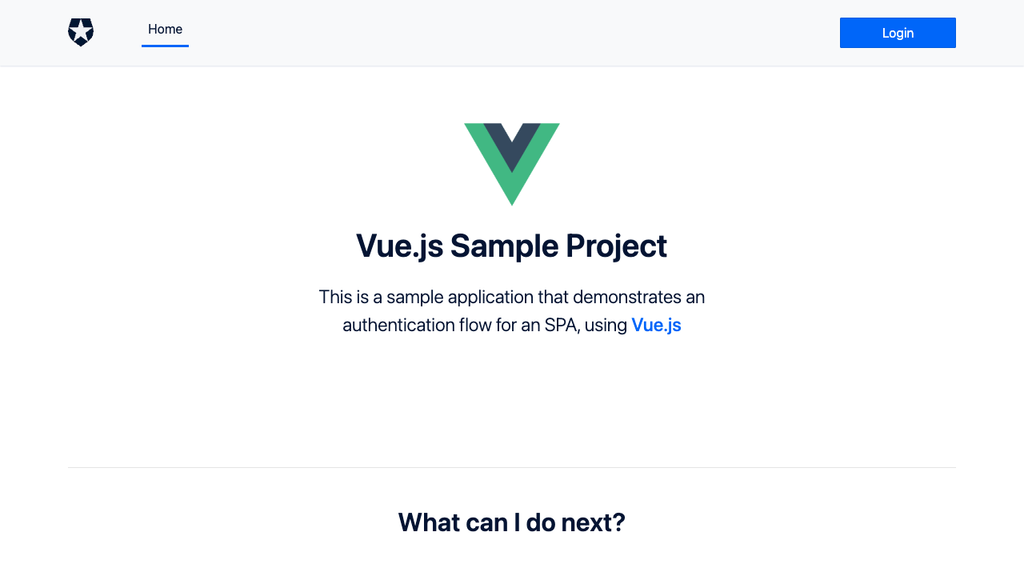
The user journey for this app is:
- enter email + password
- Auth0 enrols the account in an Authenticator TOTP factor
- user supplies the six-digit code to finish login.
Our goal is to automate this entire sequence-sign-up, email verification, TOTP enrolment, and subsequent login-using Playwright for browser control and MailSlurp's virtual TOTP devices to generate real codes on demand. A green test means the flow works exactly as a human would experience it, but hands-free in CI.
Setting up
First, add the tools:
npm install --save-dev playwright mailslurp-client
Create a free MailSlurp account, generate an API key, and export it so Playwright can reach the service:
export API_KEY=<your-key-here>
That's all you need; the next steps will spin up disposable inboxes, capture Auth0's QR secret, and feed fresh TOTP codes straight into the browser test.
Writing test
Okay, lets start the test. So first we want to load the app and trigger a sign up.
Load the application
In playwright we can load the application like this:
await page.goto(APP_URL);

await page.getByRole('button', { name: 'Login' }).click();
await page.getByRole('link', { name: 'Sign up' }).click();
In the browser we'll see the Vue app with a login button in the navbar:
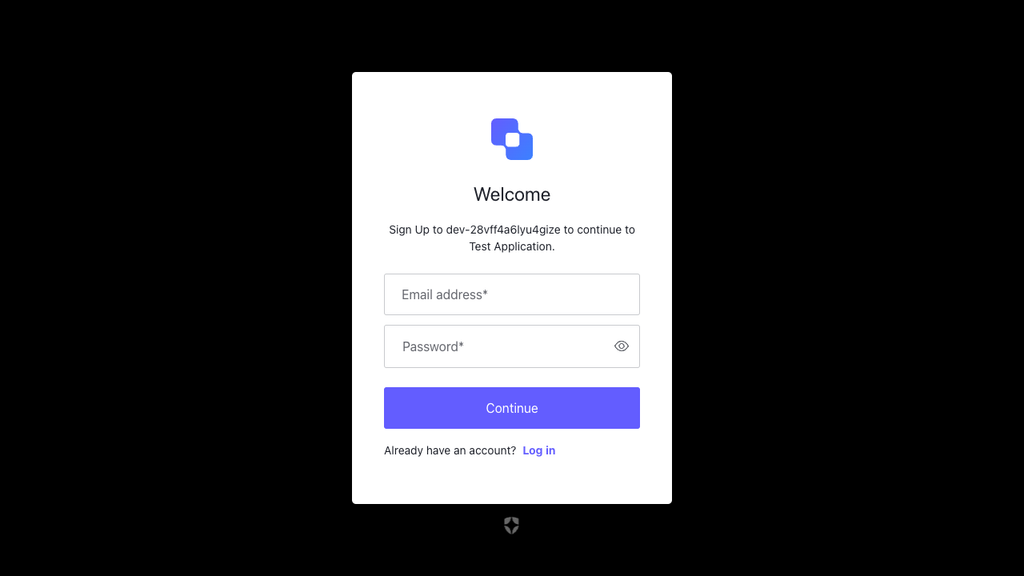
Sign up with email
Next we can perform a user sign-up using a disposable inbox. For this we'll import MailSlurp:
import { MailSlurp } from 'mailslurp-client';
Then create a temporary email account for an isolated test run like this:
const mailslurp = new MailSlurp({ apiKey: process.env.API_KEY });
const inbox = await mailslurp.createInbox();
const tempEmail = inbox.emailAddress;
Now we can fill the sign-up form using the email address:
await page.getByRole('textbox', { name: 'Email address' }).click();
await page.getByRole('textbox', { name: 'Email address' }).fill(tempEmail);
await page.getByRole('textbox', { name: 'Password' }).click();
await page.getByRole('textbox', { name: 'Password' }).fill('testpassword1234!L');
await page.getByRole('button', { name: 'Show password' }).click();

await page.getByRole('button', { name: 'Continue' }).click();
This will look like so:
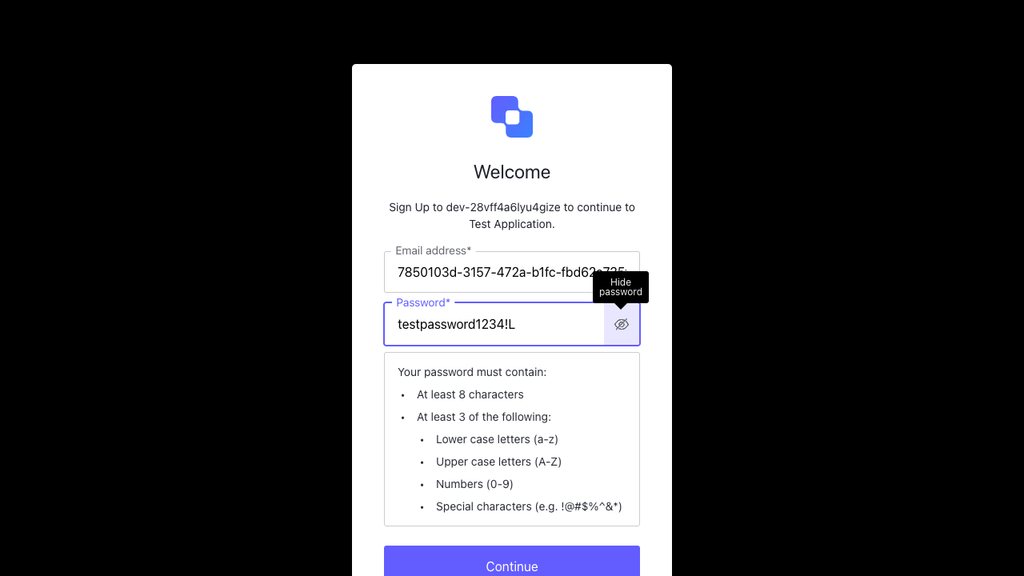
After we click submit we will see a QR and a prompt to add an authenticator to our account.
TOTP means time-based one time password. It is the technology that powers apps like Google Authenticator and is a critical component of the multi-factor authentication common to man modern apps.
Create a virtual authenticator
Once we have been prompted for a TOTP device we can extract the secret pairing code from the QR by clicking "trouble signing in". This will reveal a base32 encoded secret key we can pass to MailSlurp in order to pair a virtual MFA device.
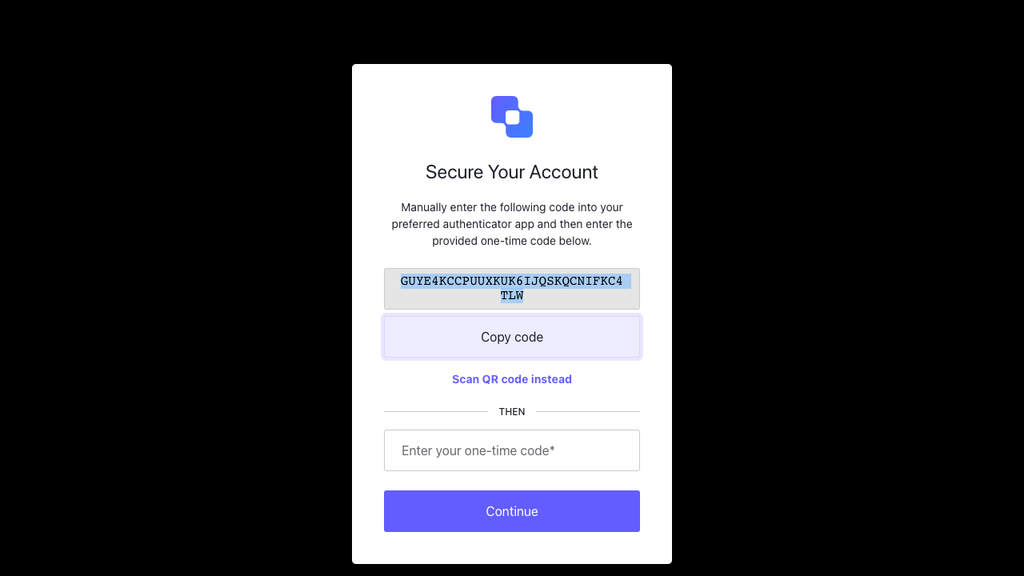
We can copy this secret in Playwright by clicking copy and then using the browser getSelection method to extract the highlighted text.
// click the "trouble scanning" button to reveal the secret key
await page.getByRole('button', { name: 'Trouble Scanning?' }).click();
await page.getByRole('button', { name: 'Copy code' }).click();

// once secret is highlighted, copy the text from the browser
await page.waitForTimeout(1000);
const secret = await page.evaluate(() => {
  return window.getSelection()?.toString() || '';
});
Next we pass that secret to MailSlurp and generate a code with the device:
const totpDevice = await mailslurp.mfaController.createTotpDeviceForBase32SecretKey({
  createTotpDeviceBase32SecretKeyOptions: {
    base32SecretKey: secret,
  }
 });
 const otpCode = await mailslurp.mfaController.getTotpDeviceCode({
  id: totpDevice.id,
  minSecondsUntilExpire: 10
 })
Submit OTP code
Lastly we can submit the OTP code and verify our user account is authenticated:
await page.getByRole('textbox', { name: 'Enter your one-time code' }).fill(otpCode.code);

await page.getByRole('button', { name: 'Continue' }).click();

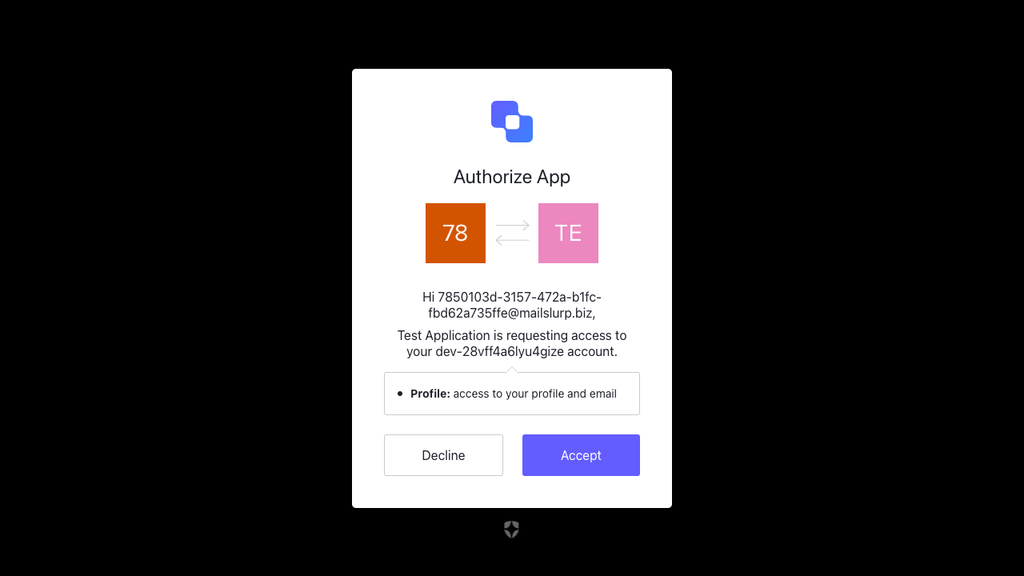
// accept connection
await page.getByRole('button', { name: 'Accept' }).click();
After submitting we click the accept button to confirm we are connecting our OTP device:
Next steps
That's how we do it! We just demonstrated how to use test authenticators with MailSlurp and Playwright to test a multi-factor authentication (2FA) sign-up process. For more information see the developer documentation.
All code for this project is available on GitHub