
guides
How to display emails in Excel sheets using Power Query
Create a table of emails from any inbox using MailSlurp and Power Query data sources
Use with your tools
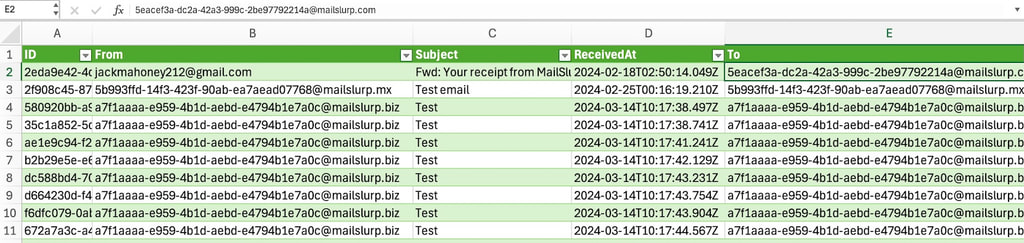
Excel can do pretty much anything, but did you know it can even display emails as a table?
About
Using Power Query data sources we can fetch emails from any inbox using MailSlurp's free email account API to proxy email data into Excel. That means we can sort and filter emails, display them in a table, and even create custom reports.
Steps
- Get a free API Key from the MailSlurp dashboard
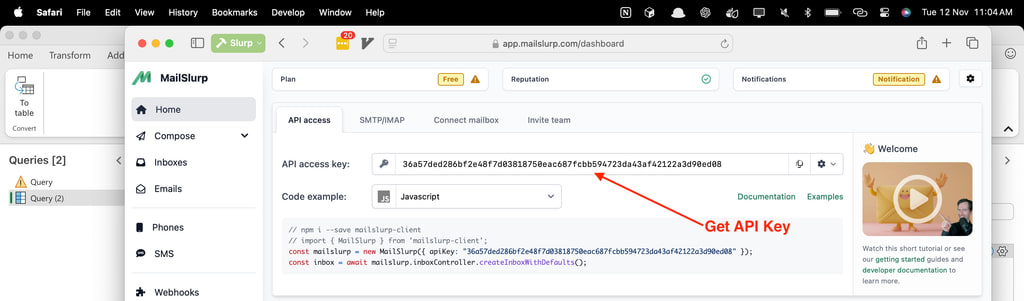
- Create an inbox or connect your external account
- Create a new Excel sheet
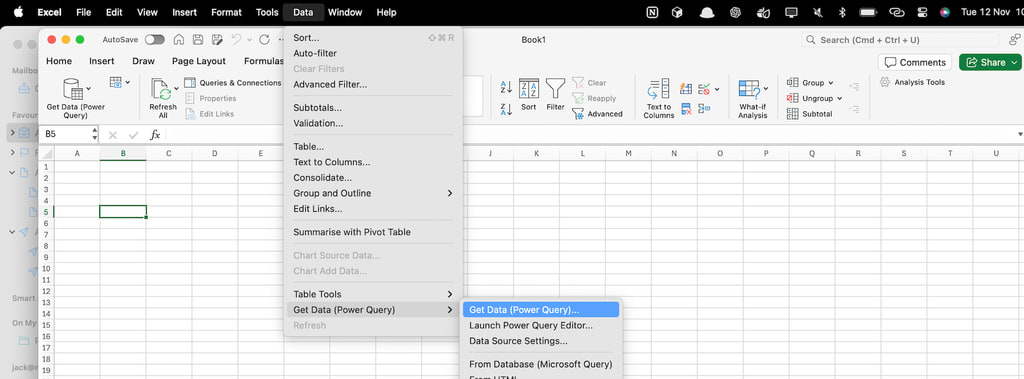
- Click data sources and click
Get DataorNew Power Query.
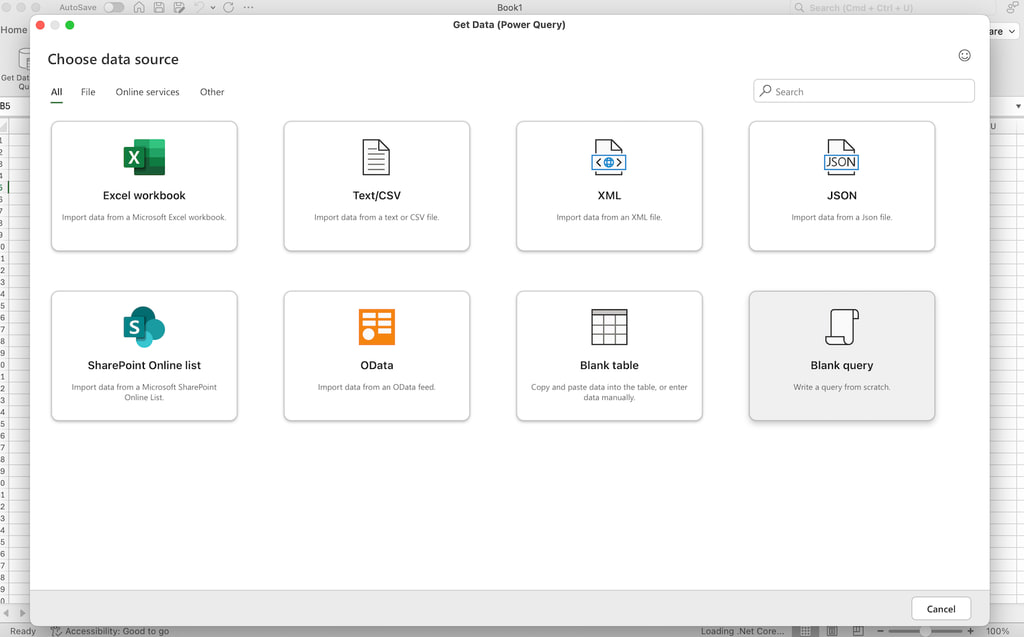
- Create a blank query
- Paste in the following M script (be sure to replace your API Key)
let
    // Define the URL with the API key embedded
    Source = Json.Document(Web.Contents("https://api.mailslurp.com/emails?apiKey=YOUR_API_KEY")),

    // Navigate to the "content" part of the JSON response
    ContentList = Source[content],

    // Convert the list to a table
    ContentTable = Table.FromList(ContentList, Splitter.SplitByNothing(), null, null, ExtraValues.Error),

    // Expand the columns within each email entry, including "to"
    ExpandedTable = Table.ExpandRecordColumn(ContentTable, "Column1", {"id", "from", "subject", "to", "createdAt"}, {"ID", "From", "Subject", "To", "ReceivedAt"}),

    // Add a custom column to get the first item in the "to" list
    FirstToColumn = Table.AddColumn(ExpandedTable, "FirstTo", each if List.Count([To]) > 0 then [To]{0} else null),

    // Remove the original "To" column
    RemoveOriginalToColumn = Table.RemoveColumns(FirstToColumn, {"To"})
in
    RemoveOriginalToColumn
- Click
Close & Loadto load the data into Excel!
You will see your emails displayed as a table in your sheet. You can refresh the data and see live emails arrive in your spreadsheet!
More information
For more information on Power Query and MailSlurp check out the official documentation.