
product
Email Alias API for masked addresses, forwarding, and reply control
Create masked alias addresses that forward inbound messages to real inboxes while preserving privacy, routing control, and workflow-safe reply behavior.
The reason teams buy an email alias API is not "we need one more mailbox."
It is usually one of these:
- we need a stable public-facing address without exposing the real inbox
- we need to rotate routing targets without changing a published address
- we need inbound email paths that are safe to test and automate
- we need privacy and control without breaking reply flows
Use MailSlurp when aliases are part of a workflow, release process, or inbound routing system rather than a personal mailbox convenience.
What is an email alias?
An email alias is an address that receives mail on behalf of another inbox, mailbox, or workflow. The sender uses the alias address, while MailSlurp controls the destination, forwarding behavior, and reply path behind it.
That makes aliases useful when a team needs a public address that can stay stable while the hidden destination changes. For example, a support alias can route to one inbox today, move to a different team later, and still keep the same address in customer-facing systems.
Quick answer
Use the MailSlurp alias API when you need to:
- create masked addresses on demand
- forward mail into private inboxes or systems
- verify destination ownership before activation
- preserve controlled reply behavior
- test alias-driven workflows without using personal mailboxes
If you only need a disposable inbox for a single test run, a temporary inbox may be simpler. If you need a stable address with routing control, aliases are the better product.
MailSlurp supports both patterns, so teams can use temporary inboxes for isolated tests and aliases for durable routing, privacy, and reply control.
Where an alias API creates the most control
An alias API gives you a service boundary between the email address that the outside world sees and the mailbox or workflow that actually handles the message.
That boundary is valuable because it lets you:
- change internal ownership without changing public contact points
- isolate environments such as production, staging, and QA
- reduce direct exposure of internal mailbox identities
- build deterministic intake routing instead of manual forwarding debt
Core workflows
| Workflow | Why aliases help | How MailSlurp helps |
|---|---|---|
| Public support or billing address | Keep the public address stable while mailbox owners change | Create aliases and rotate destinations safely |
| Partner or vendor notification intake | Avoid exposing the actual mailbox or system endpoint | Route vendor traffic through controlled aliases |
| Privacy-safe intake flows | Mask internal identities behind a controlled address | Publish aliases instead of real inboxes |
| QA and test environments | Exercise real inbound paths without touching personal mailboxes | Combine aliases with sandbox inboxes and receive APIs |
Alias workflow model
- Create or select a destination inbox.
- Issue an alias address.
- Verify the destination if needed.
- Receive mail at the alias.
- Forward or route the message into the real mailbox or system.
- Apply reply, monitoring, and disable controls over time.
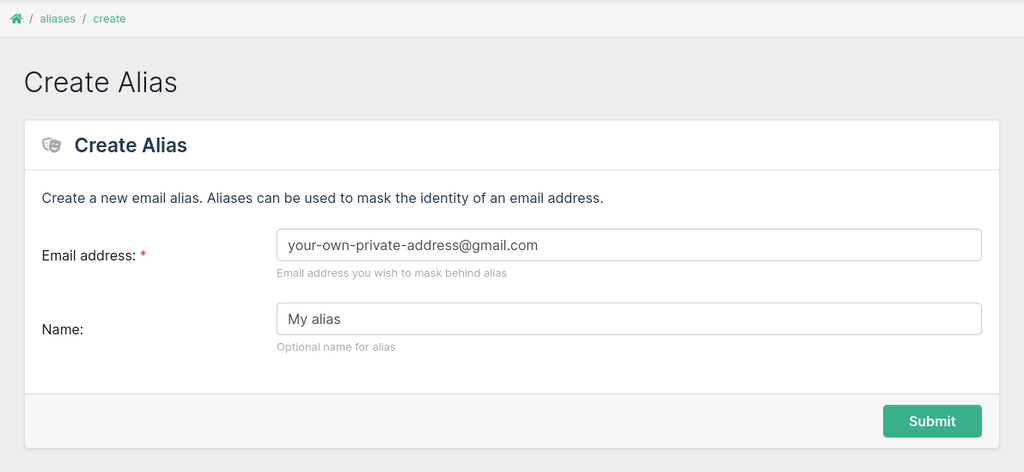
That model is why aliases work well for engineering and operations teams. The public address becomes durable, but the internal routing stays flexible.
Operational controls that matter
If aliases are part of production infrastructure, these controls matter more than raw forwarding alone:
- destination ownership verification
- lifecycle management through API and dashboard
- purpose-based alias segmentation
- clean disable and rotation paths
- message inspection for testing and debugging
This is the difference between a "masked email" feature and an alias platform that can support support desks, vendor intake, and QA.
Aliases vs disposable inboxes vs direct forwarding
Use the right primitive for the job.
| Need | Best choice |
|---|---|
| Stable public address with hidden destination | Alias API |
| One-off isolated mailbox for a test | Disposable or sandbox inbox |
| Simple mailbox-to-mailbox redirect with little control | Basic forwarding rule |
Teams often try to stretch direct forwarding rules into workflow infrastructure. That usually breaks down when routing changes, environments multiply, or reply handling starts to matter.
Recommended MailSlurp path
Aliases become much more useful when they connect to the rest of the MailSlurp workflow surface:
- Alias guide for the architecture model
- Email proxy forwarding and routing rules for deterministic routing behavior
- Receive email API for programmatic inbound handling
- Email sandbox and Email integration testing for test coverage
Related product and tool pages
FAQ
What is an email alias used for?
An email alias is used to receive mail at a stable public address while keeping the real inbox, team owner, or automation endpoint private and replaceable.
Is an email alias the same as a mailbox?
No. A mailbox stores messages directly. An alias receives mail and forwards or routes it to another destination under the rules you configure.
Can an alias help with privacy?
Yes. An alias can mask the real destination address, reduce direct inbox exposure, and let teams rotate the hidden destination without changing the published address.
Can aliases be used in testing?
Yes. Teams can combine aliases with MailSlurp inbox APIs to test inbound routing, reply handling, support intake, and environment-specific email paths without using personal mailboxes.
Final take
If your team needs a stable public email address that does not expose the real inbox behind it, an alias API is the right control. MailSlurp turns that into something operationally useful: create aliases, verify destinations, route mail safely, and test the full receive path before it matters in production.