
blog
How to Extract Structured Data From Emails and Attachments With AI
Build and test a MailSlurp AI transformer that converts inbound emails and attachments into validated JSON, tables, exports, and webhook events.
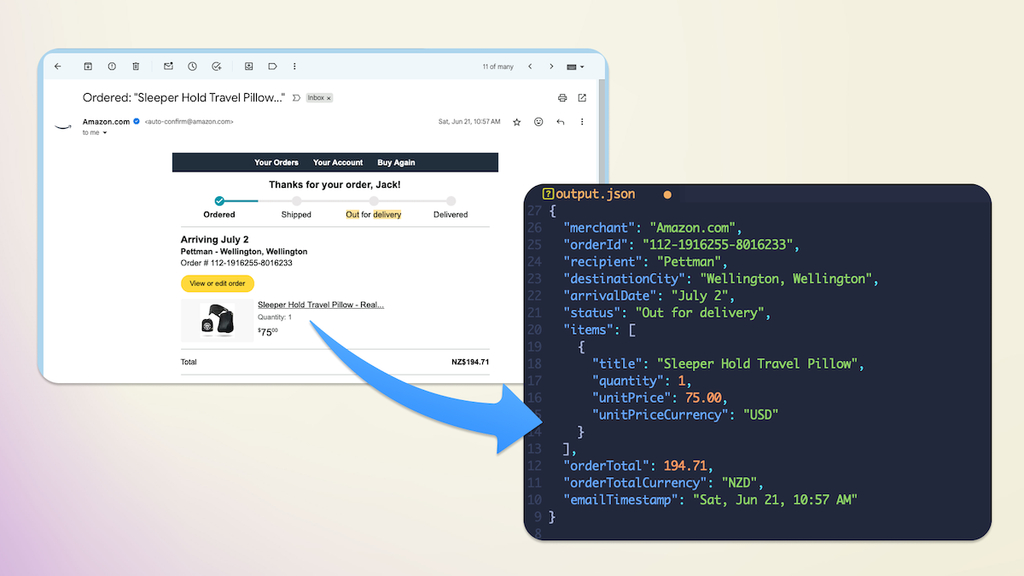
Emails contain useful data, but they rarely arrive in a shape an application can use. A shipment update may hide an order number in the subject, an arrival date in the message body, and the important line items in an attachment.
MailSlurp AI Transformers turn that mixed content into a record with the fields and types you define. In this tutorial, we will convert shipment emails into JSON, test the result against a real message, and connect completed results to the rest of an application.
The workflow at a glance
- Receive or forward a representative email to a MailSlurp inbox.
- Match the messages that belong to this workflow.
- Describe the required result with instructions and a JSON schema.
- Test the transformer against real variations, not just one ideal message.
- Save the transformer and process new matching emails automatically.
- Use the stored result, export it, or receive a
NEW_AI_TRANSFORM_RESULTwebhook.
The schema is the contract. It keeps downstream code focused on useful fields such as an order ID, item list, and arrival date instead of repeatedly interpreting prose or HTML.
The shipment email we will parse
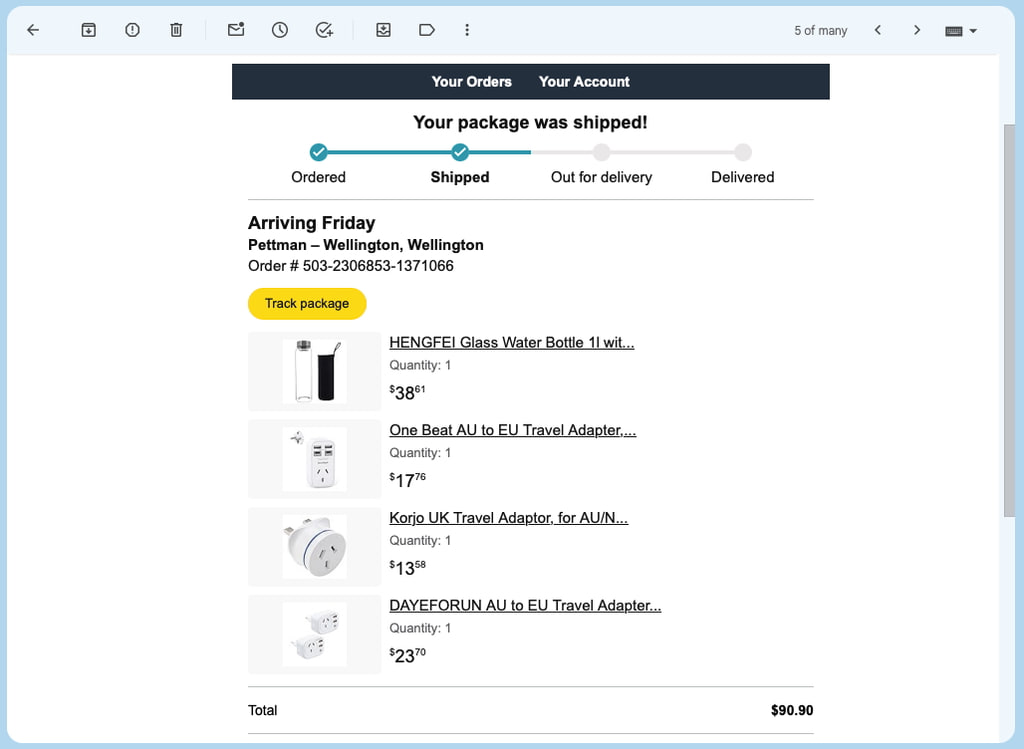
Our example uses an Amazon shipment update and extracts orderId, arrivalDate, and an items array. A typical message contains product names, quantities, prices, shipping details, and repeated navigation text:
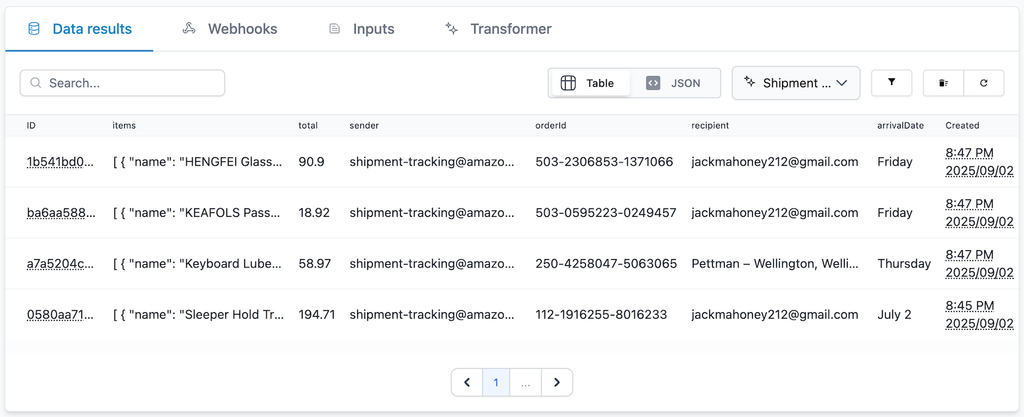
We will attach an AI transformer to an inbox, filter for shipment messages, and store each completed result. The table view makes it easy to inspect the same fields across many emails:
Create an AI transformer
You can create a transformer with the AI API or from the MailSlurp dashboard. In the dashboard, open the AI page and select create transformer.
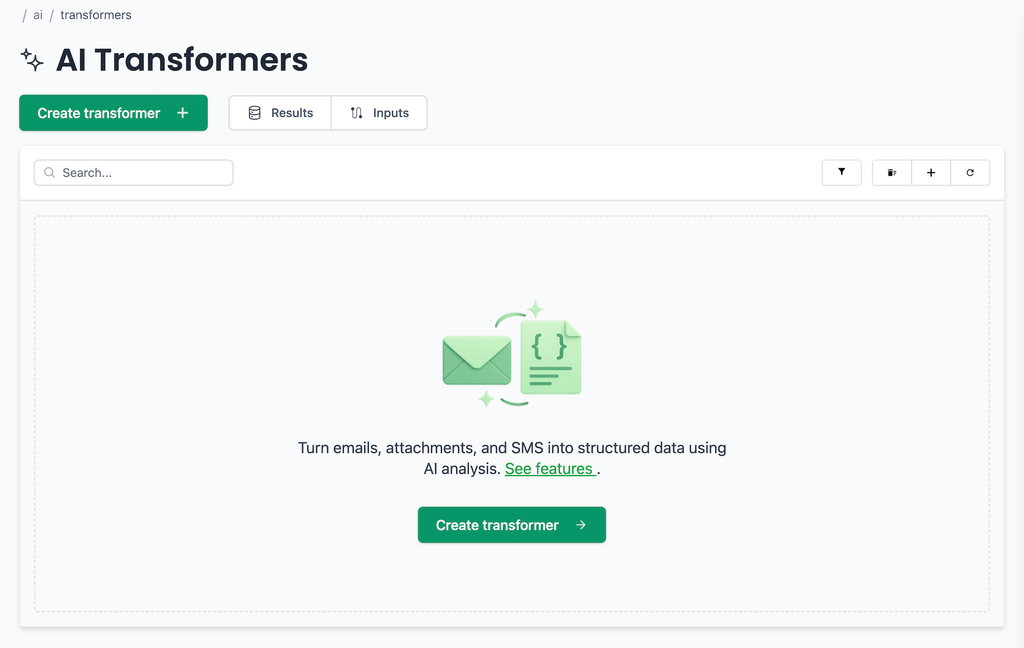
You can begin from scratch or use an existing email or attachment as the example. Using a real message is helpful because you can see the exact text, HTML, and document structure that the transformer must handle.
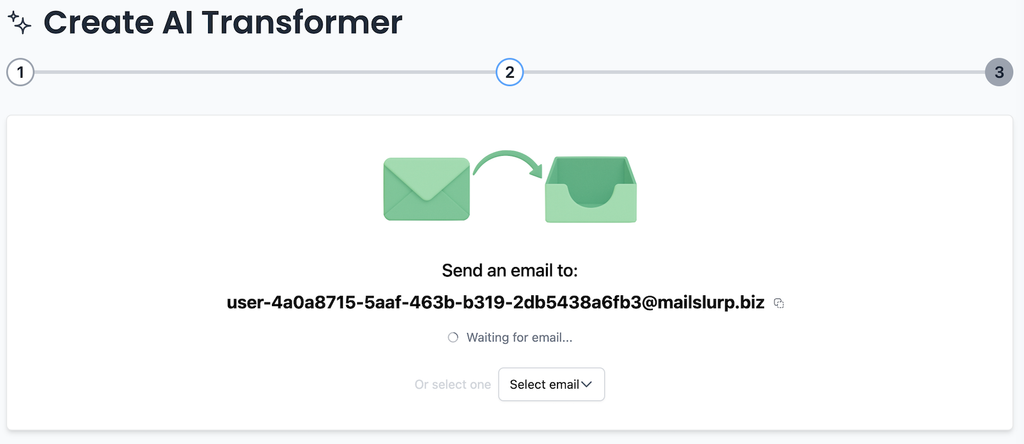
Send a representative shipment email to the address shown in the dashboard, or select an email that is already in your account:
Match the right inbound messages
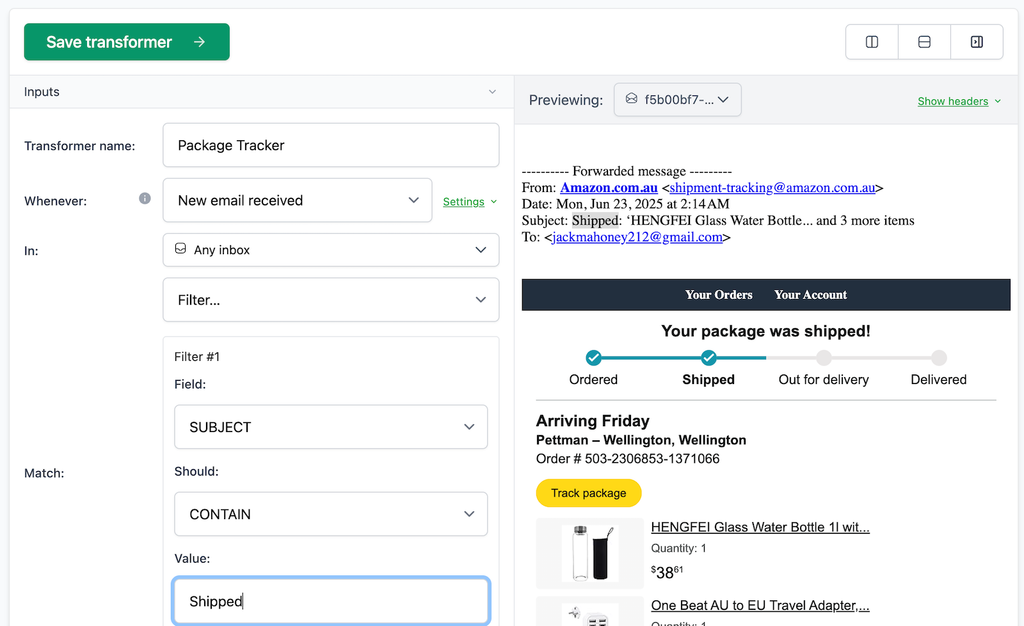
After the message arrives, the transformer setup shows the email beside the configuration. The input mapping determines which future messages should trigger this transformer.
For this example, we match messages with a subject containing Shipped. In a production workflow, combine stable facts when one filter is too broad. The receiving inbox, sender domain, recipient address, and subject can help separate shipment messages from refunds or payment notices before AI extraction begins.
MailSlurp can create receiving addresses for this workflow or connect Gmail and Outlook accounts. Keep separate transformer mappings for messages that need different schemas; a shipment result should not have to share a loose, catch-all contract with invoices and support requests.
Define the result with instructions and a schema
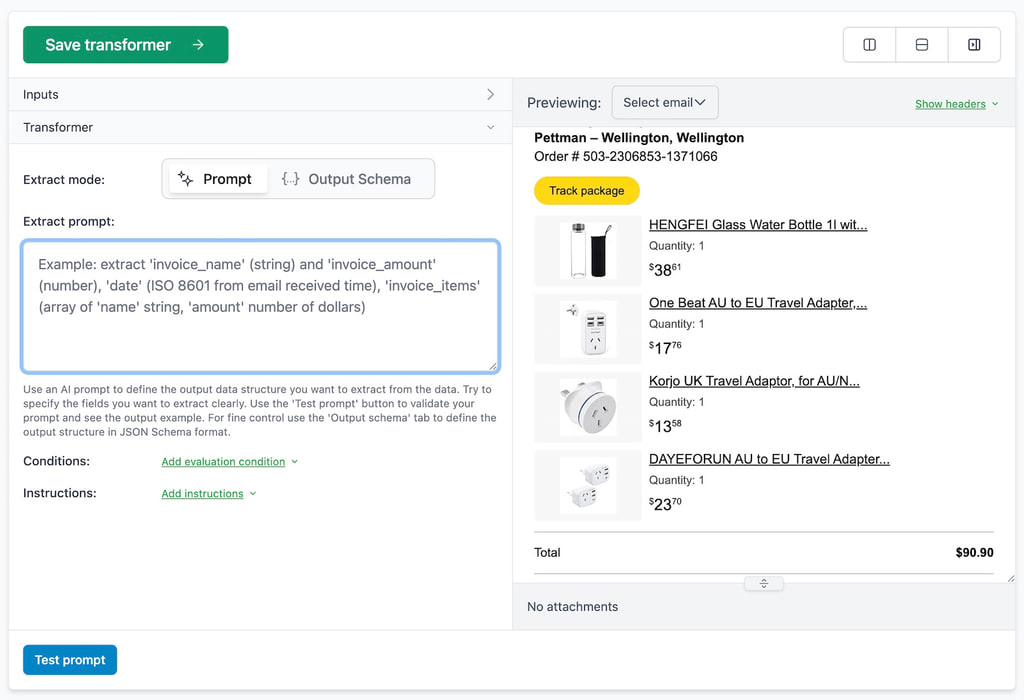
Natural-language instructions explain what the fields mean. A JSON schema controls their names and types. Using both produces a much clearer contract than asking for an open-ended summary.
For shipment tracking, define the order ID as a string, the expected arrival as a date string, and each item as a structured object. Make important fields required, but allow genuinely optional values to be absent. Do not ask the transformer to invent a date, price, or identifier when the email does not contain one.
A compact shipment schema could begin like this:
{
  "type": "object",
  "properties": {
    "orderId": { "type": "string" },
    "arrivalDate": { "type": "string", "format": "date" },
    "items": {
      "type": "array",
      "items": {
        "type": "object",
        "properties": {
          "name": { "type": "string" },
          "quantity": { "type": "integer" }
        },
        "required": ["name", "quantity"]
      }
    }
  },
  "required": ["orderId", "items"]
}
This leaves arrivalDate optional because some shipment messages do not include one. The result can still pass schema validation, while your business rules decide whether a missing arrival date should be reviewed before another action is taken.
Write instructions for meaning, not formatting
Tell the transformer how to interpret ambiguous fields. For example, specify whether arrivalDate means the estimated delivery date or the date the message was received. If item prices may include tax, state which value you want. These instructions capture business meaning that a JSON type cannot express by itself.
Test the schema against real variations
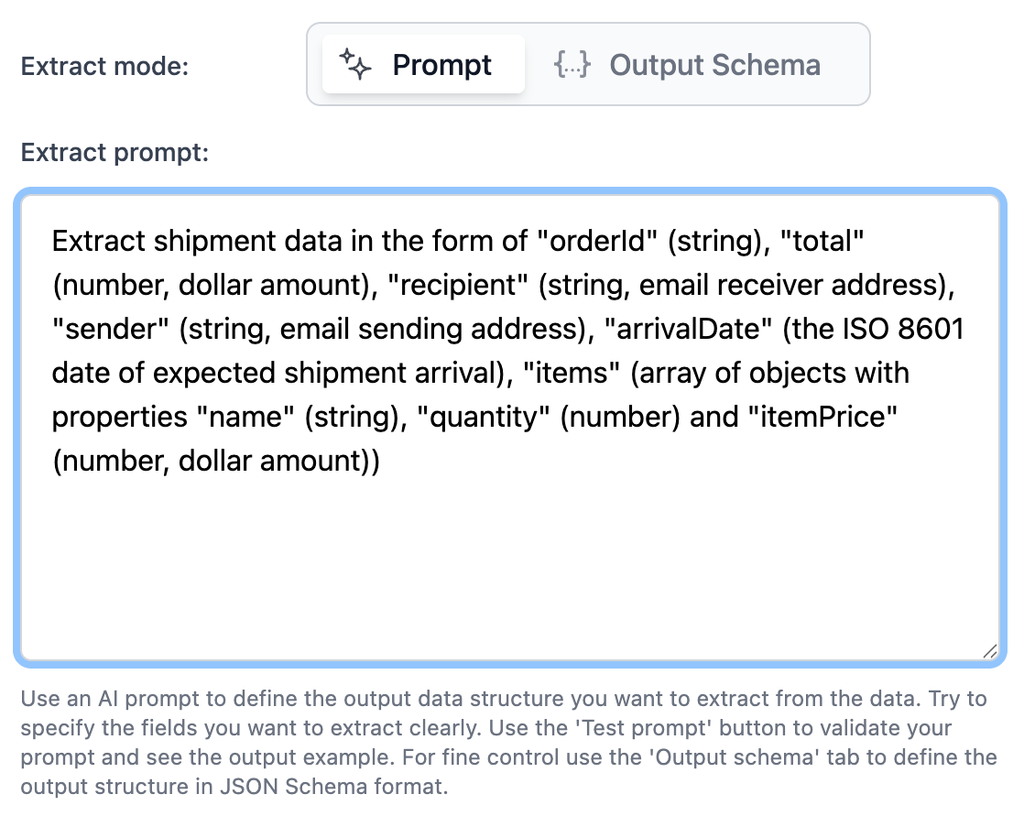
Use the email preview and test prompt action to run the transformer before saving it. Check the values as well as the JSON shape. A string in orderId is not useful if it contains the wrong reference number.
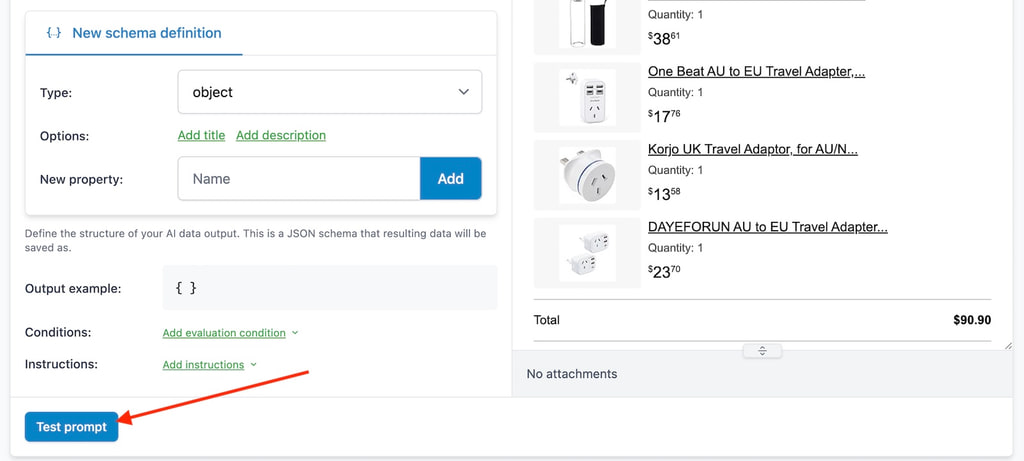
Our example produces structured shipment data that can be inspected before the transformer is connected to every matching email:
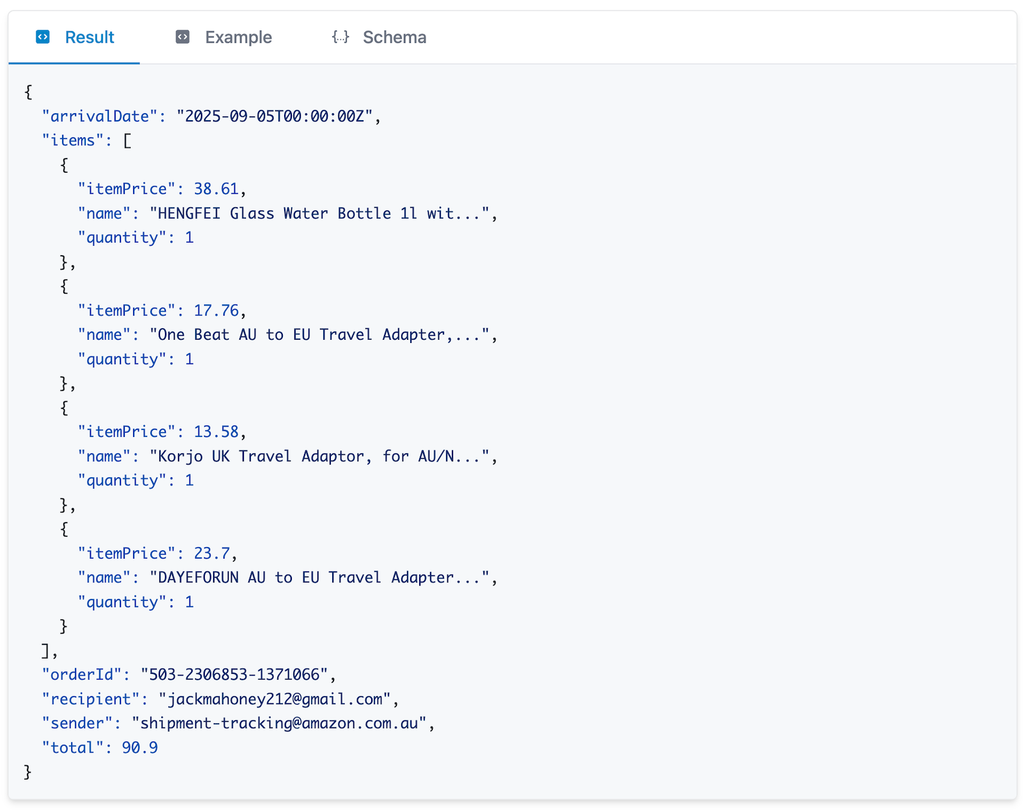
One successful message is a starting point, not a sufficient test set. Try forwarded messages, changed subject lines, missing optional fields, multiple items, different date formats, and attachments with unfamiliar filenames. Keep the examples that reveal a mistake so you can retest them when the instructions or schema change.
Run the transformer automatically
Once the instructions and test results look right, save the transformer. New emails are evaluated against its input mapping. A matching shipment email is processed and the structured result is stored as an AI transform result.
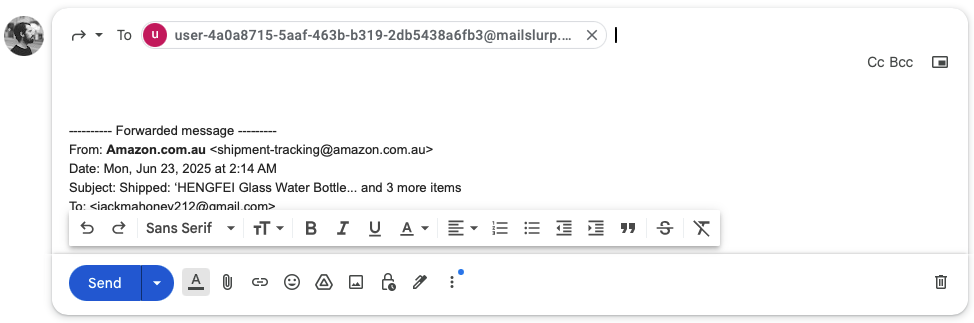
You can forward an existing mailbox into the MailSlurp inbox or send messages directly to the generated address:
The stored table view gives people a useful way to compare results without reading each original email:
If your application already has an email ID, it can invoke extraction directly through the SDK:
const { result } = await mailslurp.aiController.generateStructuredContentFromEmail({
  generateStructuredContentEmailOptions: {
    emailId: email.id,
    instructions: 'Read invoice email and extract data',
    outputSchema: schema
  }
});
expect(result.order_id).toBeTruthy();
expect(result.order_status).toMatch(/paid|pending/);
Send completed results to your application
Attach a webhook to the transformer and listen for NEW_AI_TRANSFORM_RESULT. The event includes an idempotent messageId, the aiTransformResultId, the transformer ID, and the source entity ID when available. The result may be included as a JSON string; use the transform result ID to fetch the full details when your handler needs them.
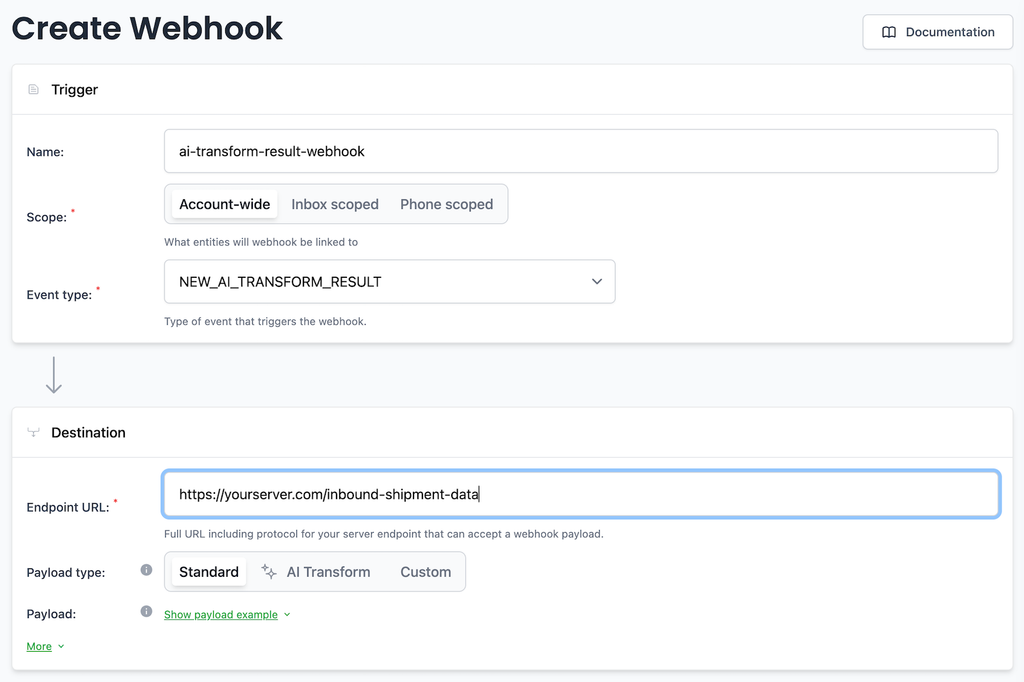
Store messageId before performing downstream work so a retried webhook cannot create duplicate rows or records. Validate the structured result again at the integration boundary, then upsert it using a business key such as orderId. If the destination is temporarily unavailable, retry the write using the stored result rather than rerunning the extraction.
For a shared operational view, follow the Google Sheets integration guide. Results can also be viewed in the dashboard or exported as CSV, Excel, or XML.
Keep review and replay in the design
An extraction workflow needs a safe path for messages that are unusual, incomplete, or too important to accept without review.
- retain the source email ID and attachment IDs with every destination record;
- distinguish extraction failures from destination delivery failures;
- send missing required fields to a review queue instead of guessing;
- preserve the transform result ID and destination receipt for an audit trail;
- replay only the failed step when the extraction result is already valid.
This is especially useful for invoices and PDF attachments, where a correct-looking value may still refer to the wrong subtotal, date, or document identifier.
What you have built
The finished pipeline receives shipment emails, selects the relevant messages, extracts typed fields, stores the result, and notifies another system through a replay-safe webhook. The same pattern works for invoices, support requests, purchase orders, applications, and any message whose useful data needs to become a dependable record.
Start with one message class and a small set of representative examples. You can create a MailSlurp account and build the first transformer in the dashboard, or use the AI email parsing guide to choose the API and automation path that fits your application.