
blog
Test signup email verification with SmartBear Reflect and MailSlurp
Combine Reflect browser automation with MailSlurp private inbox APIs to validate signup and verification email behavior in a repeatable QA workflow.

A signup test should finish with a verified account. Seeing a "check your email" screen only confirms that the browser submitted the form; the message can still be delayed, contain the wrong code, or activate a different account.
Reflect can record the browser journey while MailSlurp supplies a private email address for each run. Its test interface lets a browser test create an inbox and inspect received messages. Use that interface for a recorded workflow, or the REST API when your test harness already handles API calls.
Architecture in one view
| Layer | Tool | Responsibility |
|---|---|---|
| Browser journey | Reflect | Drive signup UI and submit generated address |
| Inbox control | MailSlurp | Create isolated inbox per test run |
| Verification evidence | MailSlurp API | Wait for email, extract code or link, assert payload |
| Completion check | Reflect | Continue flow and validate account activation |
End-to-end runbook
Record the flow against your staging signup page. The sample application is useful for learning the inbox-to-code handoff before adapting the steps to your own form.
Create an address for this signup
Open the MailSlurp test interface and authenticate with your API key. Keep the key in your runner's protected configuration and exclude the authentication step from shared recordings or screenshots. Create a new inbox and capture its address as a run-specific value. Keep the inbox ID too if you will use API calls for receipt or cleanup.
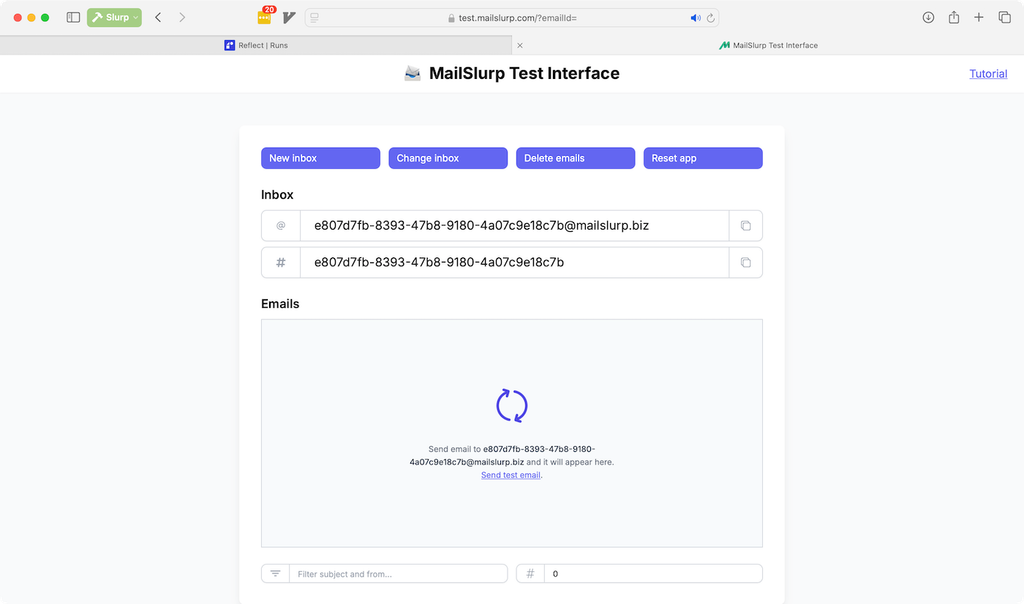
Use the captured address in the signup form rather than recording a literal address. Parallel runs must have different inboxes and application users; a shared mailbox makes it difficult to tell which signup produced a code.
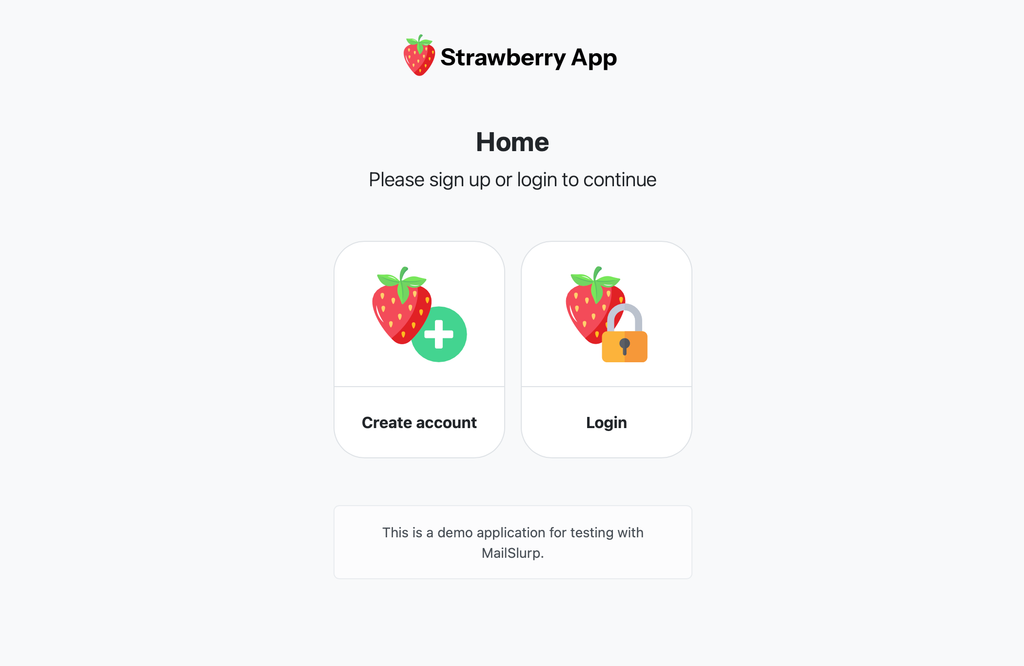
Submit signup and identify its message
Record the signup fields and submit action. Immediately before submitting, capture the start time for this request if your harness will use the API wait below. A retry that creates a new account should also create a new inbox.
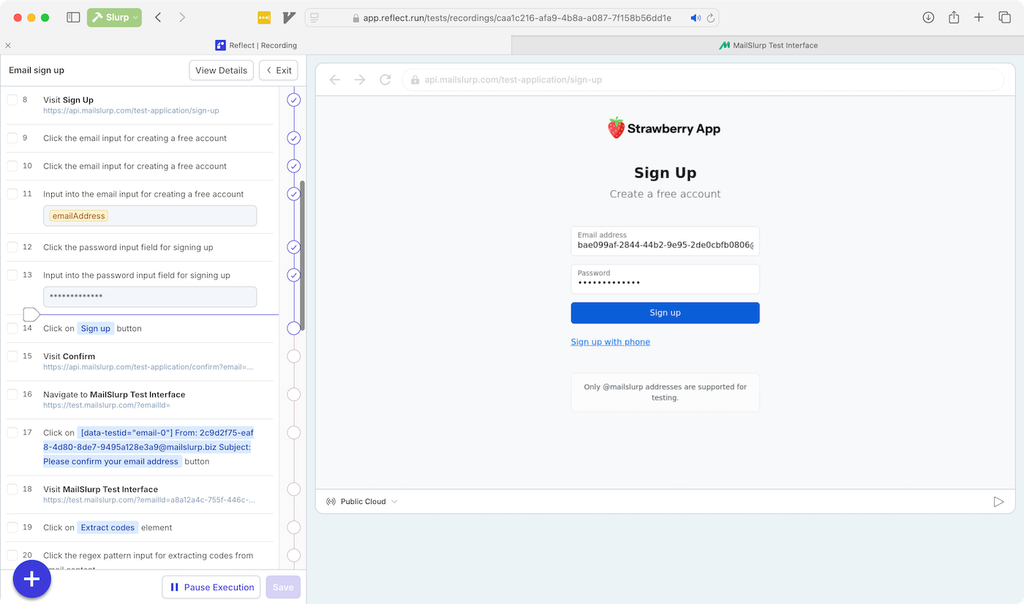
Return to the inbox in the test interface. Wait for the expected verification message with a finite test timeout. Match the recipient and expected subject before extracting a value; a welcome email is not necessarily the verification email. Keep the original application tab available so its session survives the handoff.
For an API-backed harness, this request waits for a specific subject in the new inbox. Replace INBOX_ID, URL_ENCODED_START_TIME and the example subject with values from this run. since is an ISO-8601 timestamp recorded before signup, not the time polling begins.
POST https://api.mailslurp.com/waitForMatchingFirstEmail?inboxId=INBOX_ID&timeout=60000&since=URL_ENCODED_START_TIME&unreadOnly=false
x-api-key: YOUR_API_KEY
Content-Type: application/json

{"matches":[{"field":"SUBJECT","should":"EQUAL","value":"Verify your account"}]}
Set the calling HTTP timeout above the 60-second wait and give the complete browser test enough time for signup and verification. unreadOnly=false means opening the message for debugging will not make it disappear from the test's search. A timeout should fail the test and retain the inbox ID for diagnosis, rather than substituting an old code.
Complete verification in the application
Capture the code from the matched email as text so a value such as 012345 keeps its leading zero. Check its expected length and format before entering it in the original application tab. For a verification link, check that its origin and path belong to your staging application before opening it; do not choose the first URL if the email also contains help or unsubscribe links.
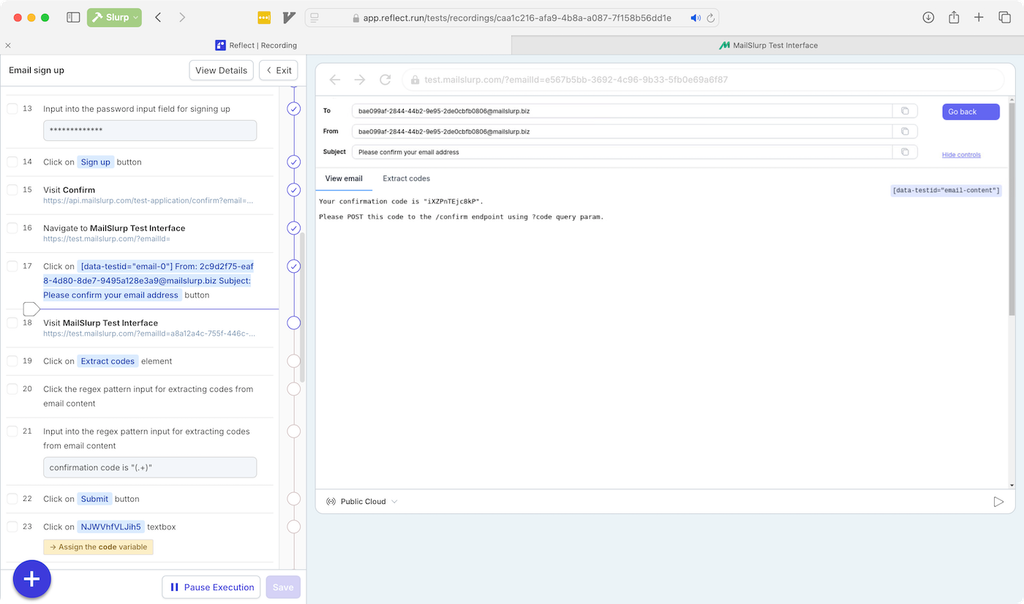
After submitting the code or following the link, assert the account's verified state and that its email address equals the address created for this run. A generic success toast alone can miss an account mismatch. Delete only the inbox created by this test in teardown, after retaining the redacted evidence you need. Include failure-path teardown so unsuccessful runs do not accumulate inboxes.
Assertions worth keeping in your baseline
- Sender identity and environment routing correctness.
- Subject and template variant correctness.
- Verification token format and expiry behavior.
- Maximum acceptable email delivery latency.
Failure drills to add once baseline is green
- Delayed delivery simulation: verify timeout behavior is explicit.
- Broken-link simulation: assert activation fails for malformed links.
- Wrong-template simulation: ensure mismatch is caught before release.
- Parallel-run simulation: confirm inbox isolation avoids cross-test leakage.
Also test code reuse and resend behavior against your application's rules. If issuing a second code invalidates the first, assert both the old code's rejection and the new code's success. Keep those as separate cases with their own inboxes so a failed negative test does not contaminate the normal signup path.
Related guides
- Email testing workflow hub
- Email integration testing
- How to test emails in development
- Email deliverability test
For implementation details and SDK references, see MailSlurp developer docs.