
product
UK phone number and SMS APIs
Rent UK phone numbers for SMS testing and automation. Receive texts through APIs, check OTP journeys, and reserve numbers for parallel test workers.
Test UK signup, login, and notification flows with a phone number your code can read. MailSlurp provides programmable UK numbers for receiving SMS, inspecting the delivered message, and completing the same OTP or reply workflow your customer uses.
Choose the United Kingdom (GB, country code +44) when provisioning. Available number types, inventory, account access, and rental pricing are shown in the dashboard; check them before selecting a number for your application. Receiving a text through the API is especially useful when a CI worker needs the code without a person copying it from a handset.
| Country | Code | Mobile | SMS |
|---|---|---|---|
| United Kingdom | GB (+44) | Yes | Yes |
Rent a UK number and assign it to your workflow
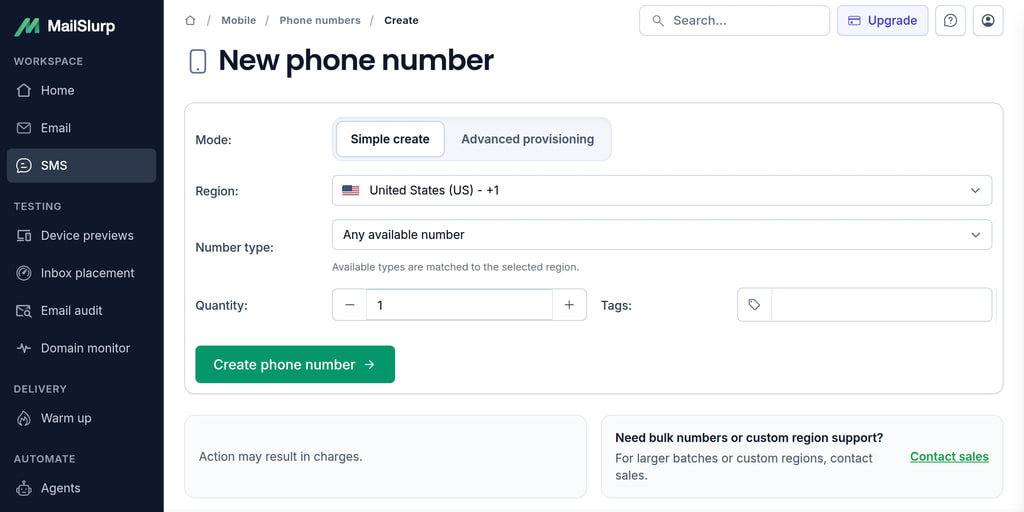
Start from the phone number dashboard and review the available UK options and phone plan. Provisioning creates a rented number in your account. API provisioning requires the account's API-creation setting and the applicable phone plan; check current capabilities and complete the provisioning job before using the number.
The displayed +44 number is the destination you enter in your application. Its MailSlurp ID identifies the resource in API calls. Store that ID with the test user or application workflow so a run does not accidentally read another number's messages. The phone provisioning documentation covers dashboard and API setup.
For a reusable QA number, keep the rental separate from each test's lifecycle. A phone-pool lease reserves an existing number while a worker uses it; releasing the lease returns it to the pool and does not cancel the rental. If the pool is exhausted, fail or wait during setup instead of sharing a number with a running test.
Developer integrations
Use a UK number through REST APIs, SDK clients, webhooks, or the dashboard. A test should trigger the application's normal send path, receive the text on its assigned number, and then check the application result. Sending a separate utility message would bypass the application's OTP creation and provider integration.
SDK libraries and API options:
CSharp | Go | GraphQL | Java | JavaScript | PHP | Python | Ruby | Kotlin | Cypress | Webhooks | SMTP/IMAP | REST API
View phone and SMS documentation
Receive a text on an assigned UK number
Install mailslurp-client, create a client with your MAILSLURP_API_KEY, and pass the assigned phone ID to this helper. requestMessage is your own application's awaited action that sends the text. The helper checks the country before that action, records the time boundary, and returns the received SMS for your test to inspect.
import { MailSlurp, PhoneNumberDtoPhoneCountryEnum } from 'mailslurp-client';

export async function receiveUkSms(
  mailslurp: MailSlurp,
  phoneNumberId: string,
  requestMessage: (number: string) => Promise<void>,
) {
  const phone = await mailslurp.phoneController.getPhoneNumber({ phoneNumberId });
  if (phone.phoneCountry !== PhoneNumberDtoPhoneCountryEnum.GB) {
    throw new Error('Assign a UK phone number to this test');
  }
  // Keep this number exclusively assigned until the application flow completes.
  const since = new Date();
  await requestMessage(phone.phoneNumber);
  return mailslurp.waitController.waitForLatestSms({
    waitForSingleSmsOptions: {
      phoneNumberId: phone.id,
      since,
      timeout: 60_000,
      unreadOnly: false,
    },
  });
}
Check the returned sender and body against your application's message. For an OTP, preserve leading zeros, submit the code, and assert that the intended user is verified. The SMS verification API example includes extraction and final-state checks.
The time boundary excludes older messages, but a delayed earlier request may arrive afterward. Do not reuse a number while an earlier send is outstanding; add application request correlation where available. Check the number type and delivery route when testing short-code senders, rather than treating a +44 prefix as proof of compatibility.
Low-code dashboards
Use the dashboard to provision and name numbers, inspect received SMS, and investigate a failed test without changing its code. Keep separate inventory for QA and customer conversations so a test cannot consume an operational message.
Webhooks and message routing
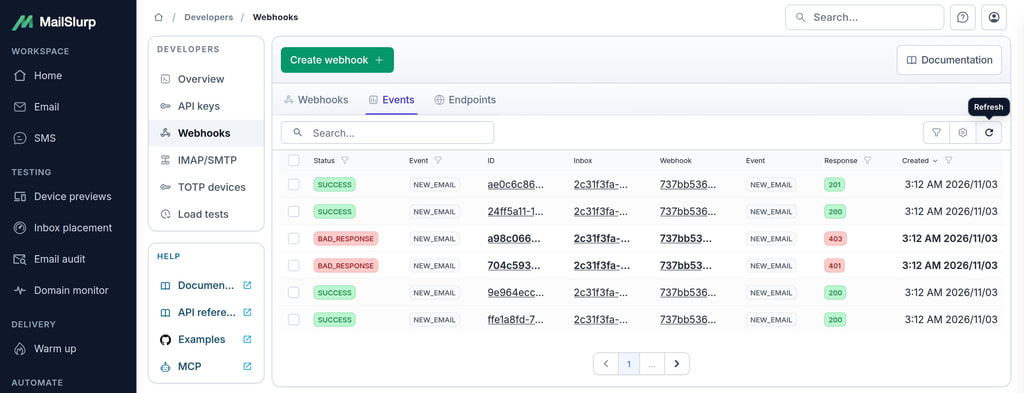
Route text messages to your systems using queue-backed webhooks that forward SMS to your endpoints over HTTP/S.
Use the NEW_SMS event to notify your application, verify the webhook, and deduplicate delivery before processing the message. Keep the event and SMS IDs so a retry can be traced without copying full phone numbers or OTPs into shared logs. The SMS webhook guide explains receipt, verification, and recovery.
Sending from a rented number
Send only to recipients who have consented to contact. The default account policy permits outbound messages to numbers that initiated contact; discuss other approved sending requirements with MailSlurp support. Confirm the number's sending access before building a reply workflow around it. See the send SMS API guide for request setup and receiving-side checks.
If your application also serves other markets, use the phone number and SMS service to compare supported regions and keep a separate test assignment for each market. Country selection, number type, and the application's sender configuration should be tested together.