
blog
Best Real-Device Email Rendering Tools for Preview QA
Compare real-device email rendering tools by client coverage, preview workflow, approvals, API automation, and how MailSlurp connects supported device previews with received-message QA.
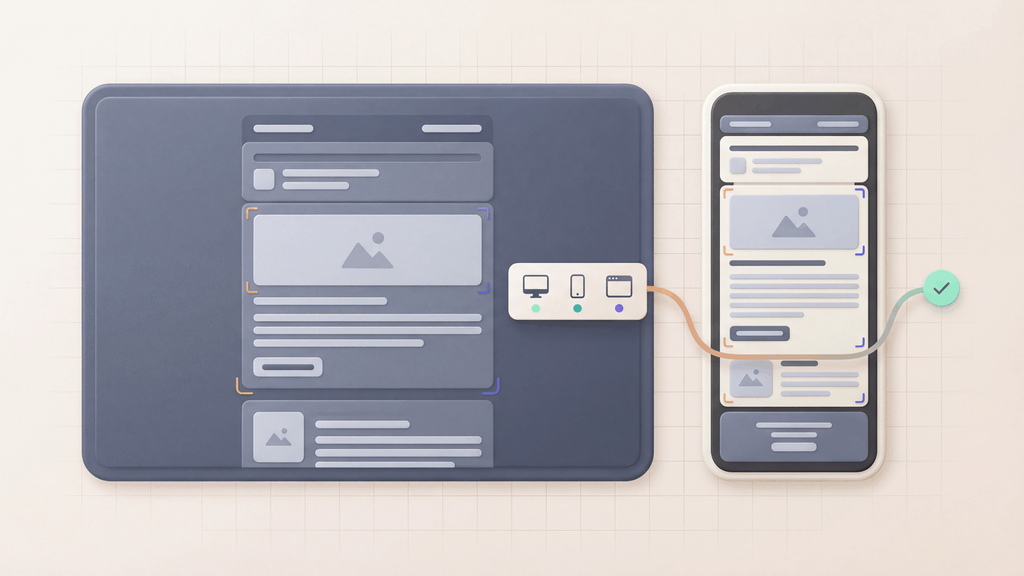
Real-device email rendering tools help teams see how an email behaves outside the editor. That matters because the version in a builder, ESP preview, or browser tab can still ship with broken spacing, clipped content, unreadable buttons, missing images, or client-specific layout issues.
When a vendor says "real device," ask which devices and email apps it means. Then try a finished email of your own: can your team inspect the clients your audience uses and share the results?
MailSlurp is the best starting point when email rendering needs to connect with the message that was actually sent. Start with Free email render for a quick check, then use device previews when review needs supported render targets, render addresses, .eml imports, API-triggered runs, and shareable evidence.
Quick answer
Choose MailSlurp when your real-device email rendering evaluation needs:
- supported client and device-context previews
- review of the final received email, not only a design mockup
- render addresses for ESP and staging sends
.emlimports for exported campaigns and fixture messages- API-triggered preview runs for QA, CI, or release gates
- links to inbox testing, OTP checks, parser workflows, and deliverability diagnostics
Dedicated preview platforms can be useful when the only job is screenshot review. MailSlurp is stronger when the preview needs to sit beside inbox receipt, link checks, image checks, raw message evidence, and automation.
Best real-device email rendering tools by job
| Tool | Best fit | Where MailSlurp fits |
|---|---|---|
| MailSlurp | Supported device previews, render addresses, .eml imports, API-triggered checks, inbox testing, and release evidence |
Use as the core workflow when rendering, receipt, links, images, and automation need to connect |
| Mailosaur | QA-oriented email and SMS testing with preview workflows and native-client preview claims | Compare when test inboxes and previews are both required, then evaluate MailSlurp for broader inbox, device-preview, and deliverability workflows |
| Litmus | Marketing campaign review with broad email-client preview coverage | Compare when a campaign team mainly needs preview review, then use MailSlurp for delivered-message and workflow proof |
| Email on Acid / Mailgun Inspect | Pre-send campaign QA, rendering checks, links, accessibility, and team review | Compare when the team wants campaign QA, then use MailSlurp for inbox APIs, release gates, and received-message evidence |
| EmailQA | Preview feedback, pinpoint comments, and approval collaboration | Use EmailQA alternative when visual review needs API, render-address, and inbox evidence |
| Mailtrap | Developer email testing, sandbox capture, and SMTP checks | Compare when sandbox capture is central, then use MailSlurp for real inboxes, render checks, and workflow assertions |
| Inbox Monster | Deliverability, creative rendering, and performance monitoring | Use Inbox Monster alternative when sender performance needs to connect with MailSlurp inbox and preview proof |
How to evaluate real-device email rendering tools
1. Confirm the target catalog
Ask which clients, apps, operating systems, and modes the tool actually renders. A useful preview workflow should make the target set clear enough that launch owners know what was checked.
For MailSlurp, use device previews for supported client and device-context checks and device render docs when implementation details matter.
2. Test the final delivered message
Many rendering bugs appear after the ESP, app, template engine, tracking layer, or image host modifies the email. The preview should be based on the final message whenever possible.
MailSlurp supports that path through render addresses, received-message workflows, and .eml imports:
3. Include links, images, and message evidence
A screenshot can look right while the CTA points to the wrong place, a hosted image fails, or the received HTML differs from the template source. Pair preview checks with link, asset, and raw-message review.
Use email compatibility tester when rendering should sit beside broken-link, missing-image, HTML, and CSS checks.
4. Make review repeatable
Real-device rendering is more valuable when the team can repeat it. That usually means saved target sets, API-triggered checks, shareable results, and a launch checklist that names owners.
Use the email preview API when render runs should happen from QA or CI. Use the email rendering QA checklist when reviewers need a repeatable approval path.
5. Connect rendering to email quality
Rendering is one part of launch confidence. Important emails also need inbox receipt, deliverability, sender authentication, unsubscribe behavior, and workflow assertions.
MailSlurp helps teams connect those checks with:
Where Mailosaur, Litmus, and Email on Acid fit
Mailosaur is a close comparison point because its preview pages speak to QA teams, native clients, real-device preview language, automation, and SMS testing. Use Mailosaur alternative when the decision includes inbox APIs, SMS OTP tests, Playwright, Cypress, webhooks, and parser workflows.
Litmus and Email on Acid are well-known campaign QA tools. They are most relevant when marketing teams need broad preview coverage, collaboration, spam checks, and pre-send review. Use Litmus alternative, Email on Acid alternative, and Litmus vs Email on Acid when comparing MailSlurp campaign previews, team review, content checks and inbox placement with your current workflow.
For a broader shortlist, use Best email preview tools.
Recommended MailSlurp workflow
- Send the final email from your app, ESP, or staging environment.
- Capture it in MailSlurp, send it to a render address, or import the
.emlfile. - Run device previews across the supported target set that matters for the send.
- Check links, images, HTML support, and raw message evidence.
- Share the result with the launch owner.
- Add API-triggered checks when the same email or template ships repeatedly.
This keeps the rendering check close to the email customers will actually receive.
Best pages to read next
- Device previews
- Free email render
- Email preview API
- Email render address
- .eml email preview
- Best email preview tools
- Mailosaur alternative
- Email rendering QA checklist
FAQ
What is real-device email rendering?
Real-device email rendering means previewing an email in mailbox client and device contexts that are closer to what subscribers use, instead of relying only on a browser, template-builder preview, or static design mockup.
What should I check before trusting a real-device preview?
Check the target catalog, how the message is imported or sent, whether links and images are validated, how results are shared, and whether the preview can be repeated from API or release workflows.
Is real-device rendering enough before an email launch?
No. Rendering is important, but teams should also check links, images, deliverability, sender authentication, inbox receipt, and message content before important campaigns or product emails launch.
Can MailSlurp run preview checks from an API?
Yes. Use email preview API and device render docs when preview checks should run from QA, CI, release tooling, or an internal approval workflow.