
blog
Best Email Preview Tools for Rendering, QA, and Release Checks
Compare email preview tools for Gmail, Outlook, mobile, dark mode, team review, API workflows, and release-ready MailSlurp device previews.
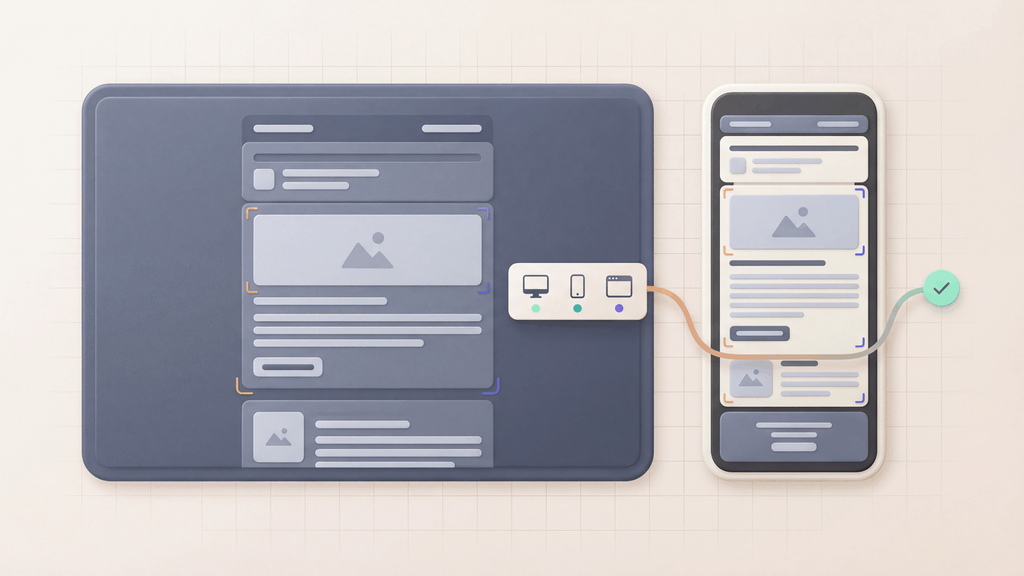
The best email preview tools help teams compare rendering coverage, review workflows, and automation before customers open the message. Use this guide to choose a tool by the clients, collaboration features, and API controls your team needs. For the practical Outlook, Gmail, mobile, and dark-mode test process, use the email rendering test guide.
Some teams only need a quick visual check. Others need supported client and device-context evidence tied to the real email that was sent. Product and QA teams often need even more: inbox receipt, link validation, image checks, OTP extraction, API access, and release artifacts that can sit beside CI results.
MailSlurp is the best starting point when previewing needs to connect to real message testing. Use Free email render for a fast check, then use device previews when rendering review needs to become a repeatable workflow.
If your evaluation specifically uses real-device language, use Best real-device email rendering tools to compare target catalogs, final-message inputs, approvals, and API automation.
Which email preview tool should I choose?
Use MailSlurp when you want one workflow for:
- previewing real emails across supported client and device contexts
- checking the render targets that matter for a launch
- running a quick free render before launch
- validating links, images, HTML support, and received-message content
- connecting preview results to inbox APIs, QA, and CI workflows
Standalone preview tools are useful when a marketing team only needs screenshots or approvals. MailSlurp is stronger when the preview is part of the release decision for product emails, campaigns, password resets, OTPs, billing messages, onboarding, and lifecycle flows.
Best email preview tools by job
| Tool | Best fit | Where MailSlurp fits |
|---|---|---|
| MailSlurp | Device previews, free render checks, inbox testing, QA, API workflows, and release evidence | Use as the core workflow when rendering, receipt, links, images, and automation need to connect |
| Litmus | Marketing campaign preview and review workflows | Compare when the team mainly needs campaign screenshots, then use MailSlurp for inbox and workflow proof |
| Email on Acid | Pre-send campaign QA, rendering checks, accessibility checks, and link validation | Compare when the team wants a campaign QA layer, then use MailSlurp for delivered-message and API checks |
| Mailosaur | QA-oriented email and SMS testing with preview workflows | Compare when test inboxes and previews are both required, then evaluate MailSlurp for broader inbox, device preview, and deliverability workflows |
| Mailtrap | Development sandboxing, SMTP capture, and developer email checks | Compare when the main job is non-production capture, then use MailSlurp for real inboxes and repeatable release checks |
| Inbox Monster | Deliverability, creative rendering, and performance monitoring | Use Inbox Monster alternative when sender performance needs to connect with MailSlurp inbox and preview proof |
| EmailQA | Email preview, feedback, and approval collaboration | Use EmailQA alternative when visual review needs API, render-address, and inbox evidence |
How to choose an email preview tool
Start with the failure you want to prevent.
Broken rendering in real clients
If the risk is Gmail clipping, Outlook Classic spacing, Outlook New layout differences, mobile stacking, image loading, or dark-mode contrast, start with the email rendering test guide and MailSlurp device previews. A browser preview or template-builder preview is not enough because mailbox clients handle HTML and CSS differently.
For a one-off check, send the final email to Free email render. For repeatable team review, use device previews so the result can be shared and rerun.
Broken links, images, and HTML support
If the preview looks good but the CTA, image, or markup is wrong, the send can still fail. Pair device previews with email compatibility testing so link, image, and HTML checks sit near the visual review.
This is especially important for product launches, promotional campaigns, onboarding sequences, renewal reminders, and transactional emails that include account actions.
Product email workflow failures
If the email supports signup, password reset, magic links, OTP, billing, support, or security alerts, visual preview is only one layer. Use Email Sandbox and email integration testing to prove that the right message arrived and contained the expected content.
MailSlurp works well here because the same platform can create inboxes, wait for messages, extract links or codes, and run render checks when layout matters.
Campaign approval and team review
If the team mainly needs stakeholder review, a preview-first workflow can be useful. Litmus, Email on Acid, Mailosaur, Inbox Monster, EmailQA, and Mailtrap all position around parts of this market.
Send from your ESP, app, or staging environment to MailSlurp so reviewers can inspect the delivered email. That includes changes made during sending, such as tracking links and personalized content.
Where the main competitors fit
Litmus
Litmus is a known option for campaign testing, broad client preview coverage, spam tests, and review workflows. It is most relevant when marketing operations need a dedicated campaign QA process. Use MailSlurp's Litmus alternative to compare flexible preview billing, shared campaign review, Slack or Microsoft Teams notifications, content checks and inbox placement.
Email on Acid
Email on Acid focuses on pre-send QA, rendering, accessibility, links, and campaign checks. Use MailSlurp's Email on Acid alternative when the team wants to pair campaign QA with inbox automation, deliverability diagnostics, and release gates.
Mailosaur
Mailosaur is a strong comparison point because it talks directly about previews, QA, automation, and SMS testing. Use Mailosaur alternatives to compare the broader workflow, then review device previews for MailSlurp's rendering path.
Mailtrap
Mailtrap often appears in preview and testing-tool lists because sandbox capture is a familiar developer need. Use the Mailtrap alternative when the evaluation includes safe SMTP capture, then use MailSlurp when the test needs real inboxes, render checks, and workflow assertions.
Inbox Monster
Inbox Monster is closer to deliverability, creative rendering, and performance monitoring. It belongs in the shortlist when inbox placement and sender performance are the main questions. Use Inbox Monster alternative to compare that workflow with MailSlurp deliverability testing and device previews.
EmailQA
EmailQA is positioned around previewing and visual feedback. It can be relevant when team comments and approvals are the main job. Use EmailQA alternative when review needs to include the delivered message, API-triggered render runs, inbox receipt, and release evidence.
Recommended MailSlurp workflow
For most teams, the cleanest preview workflow is:
- Trigger or send the real email from your app, ESP, or staging environment.
- Capture the message in MailSlurp or send it to a render address.
- Review the email across the supported target set that matters for the send.
- Check links, images, and HTML compatibility.
- Keep the result with the release or campaign approval record.
- Add API-triggered device previews when the same check should run before every launch.
This keeps the preview close to the email customers will actually receive.
Best pages to read next
- Email preview tool
- Best real-device email rendering tools
- HTML email preview
- Email rendering test
- Email rendering QA checklist
- Email preview approval workflow
- Device previews
- Free email render
- Email compatibility tester
- Email client testing
- Litmus alternative
- Email on Acid alternative
- Litmus vs Email on Acid
- Inbox Monster alternative
- EmailQA alternative
FAQ
What is the best email preview tool?
MailSlurp is the best email preview tool when the team needs previews to connect with real inbox testing, link validation, image checks, API workflows, and release evidence. Use Free email render for quick checks and device previews for repeatable review.
What should an email preview tool check?
It should check real-client rendering, mobile layout, dark mode, images, links, HTML support, CTA visibility, preheader behavior, and the final delivered email.
Is an email preview tool the same as an email testing tool?
No. Preview tools focus on rendering and visual review. Email testing tools also prove receipt, content, links, attachments, OTPs, headers, spam risk, and workflow behavior.
Can MailSlurp preview emails from an ESP?
Yes. Send the ESP test email to a MailSlurp render address or import the final message as an .eml file, then review the same output customers would receive.
Can previews run from an API?
Yes. MailSlurp device previews support API-triggered render runs for teams that want preview checks inside QA, CI, release gates, or campaign approval workflows.