
guides
Creating custom domains
How to use MailSlurp custom domains for inboxes, routing, and sender-controlled workflows. Verify DNS, create addresses on your own domain, and connect branded email to apps, tests, and operations.

MailSlurp custom domains let teams create branded inboxes and addresses under a domain they already control. That matters when test addresses, operational intake addresses, or production messaging workflows should live under your own sender identity instead of a generic shared mailbox.
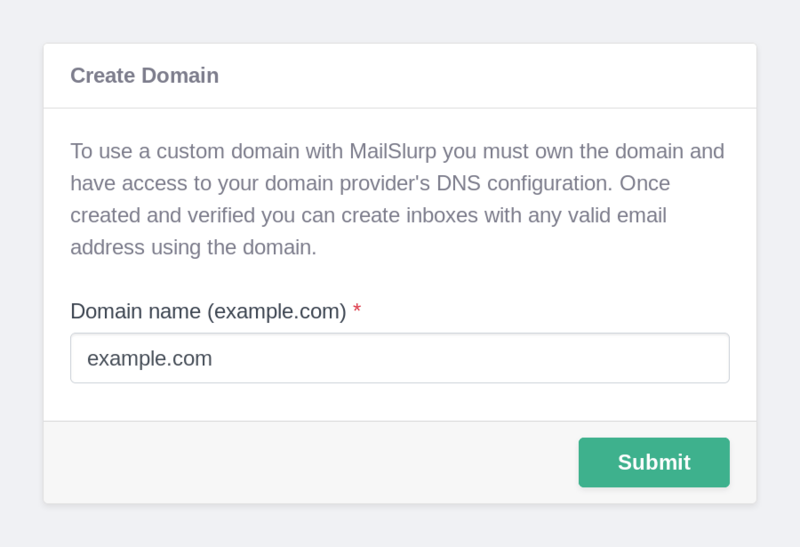
MailSlurp supports sending and receiving emails from custom domains.
We recommend following the more detailed step by step domain creation guide for more information.
When teams usually need custom domains
Use a custom domain when you need one of these outcomes:
- branded inboxes and addresses for product or operational workflows
- domain-specific routing and alias patterns for support, procurement, or intake lanes
- test and staging addresses that match your production sender identity
- tighter sender-control and verification workflows around one domain namespace
If the next problem after setup is routing and mailbox policy, continue to Email automation routing. If the next problem is sender posture and delivery risk, continue to Email deliverability.
Custom domains allow you to use any email address you wish under that domain. In order to use custom domains you need to verify the domain in the MailSlurp dashboard.
Registering a domain name
To use custom domains with MailSlurp you must own or have access to a domain name and DNS server settings. You can use any Domain Name Provider to purchase a domain name.
See the extended domain guide for examples.
MailSlurp domain settings
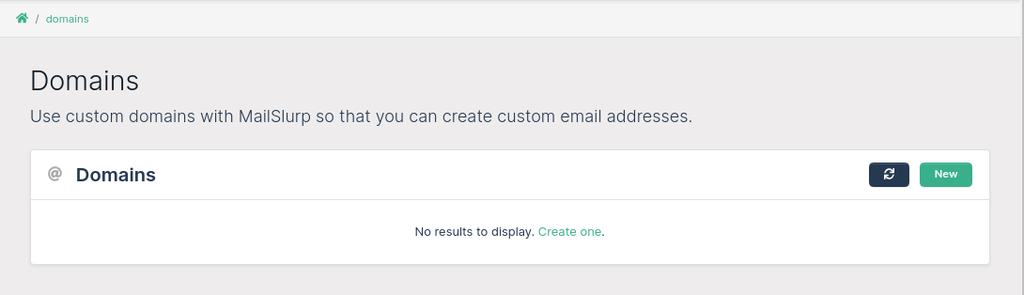
Once you own a domain you can configure MailSlurp to use it. Go to the domains page to see a list of your current domains. Click the + button to create a new domain.
Domains can be either
HTTPorSMTPtype domains. This determines the inbox model behind the domain.HTTPdomains are the default and are best for most app, QA, and automation workflows.SMTPdomains use the MailSlurp mail server atmx.mailslurp.comand are typically used for receive-only or compatibility-specific cases.HTTPdomains use MX records that reference AWS SES.SMTPdomains use an MX record of10 mx.mailslurp.com.
Adding a domain to MailSlurp
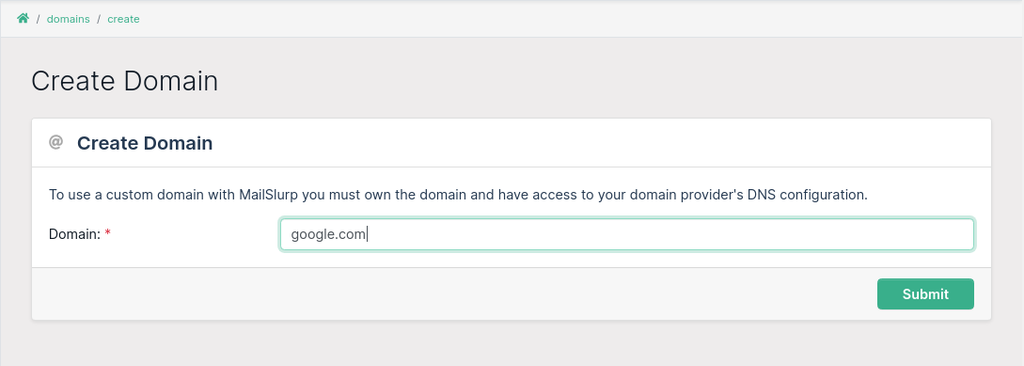
On the create domain page you can enter a domain name.
This should be a top level domain with no @ symbols.
For instance mycompany.com can be used with MailSlurp to create inboxes with addresses such as contact@mycompany.com.
You can send from any subdomain of that domain without specifically verifying the subdomain.
For example, if you verify example.com, you do not need to verify a.example.com or a.b.example.com.
Verifying domain names
Note: All domains must be verified by adding TXT and MX records to your domain's DNS configuration.
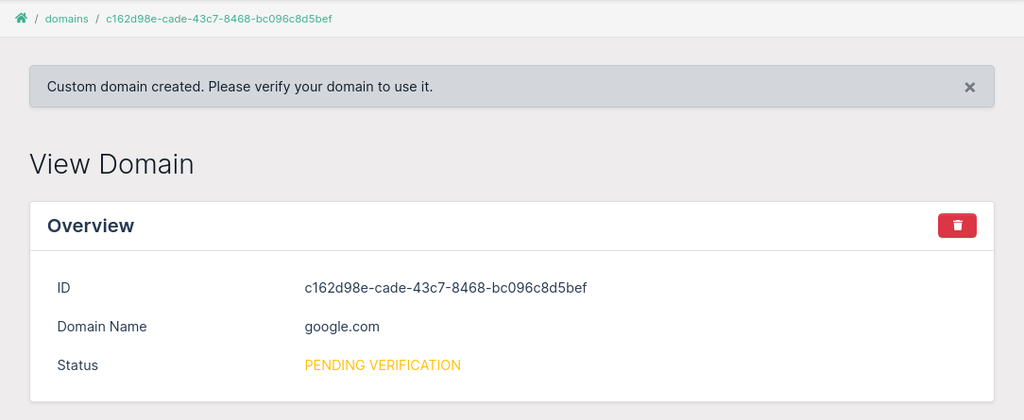
You can view your domain records in the dashboard domain view page. An email containing the records with also be sent to your account.
You need to add these DNS records (MX, C, TXT)to your domain's DNS setup to verify the domain and to enable MailSlurp to send and receive emails on the domain's behalf.

DNS record entry:
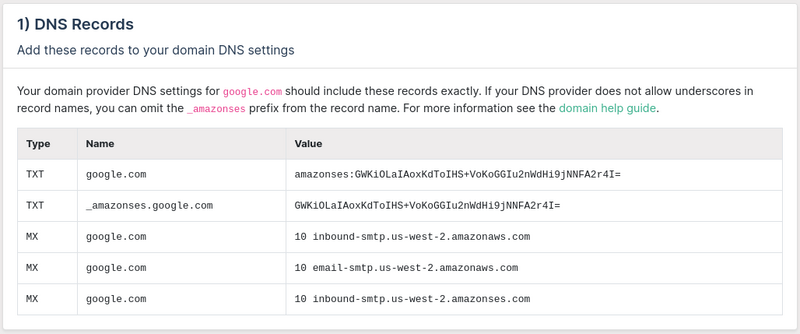
Record Types
Note each account is given unique records. Login into your account to view domain records. Create a domain to view the records.
Verification record
A TXT record is generated for your domain and must be added to your domain DNS settings to allow verification.
It takes the format:
recordType = TXT,
name = "_amazonses.${domain.domain}",
recordEntries = listOf(domain.verificationToken),
ttl = 600
Example verification
- Name:
_amazonses.<your-domain> - Type:
TXT - Records:
<your-verification-token> - TTL:
600
MX Record
You must add a single MX to your domain provider to allow MailSlurp to receive emails on behalf of your domain.
There are two possible MX records depending on the type of domain you create. SMTP domains can be used with SMTP inboxes. SMTP inboxes are processed by a mail server running at mx.mailslurp.com while HTTP inboxes are handled by AWS SES. Use HTTP for most internal, application, and test workflows. Use SMTP only when you specifically need that receive path. For more information see the SMTP vs HTTP inbox guide.
HTTP inbox
An HTTP domain has a static MX record pointing to AWS SES servers.
- Name:
<your-domain> - Type:
MX - Records:
10 inbound-smtp.us-west-2.amazonaws.com - TTL:
600
SMTP inbox
An SMTP domain has an MX record that points to the MailSlurp mail server.
- Name:
<your-domain> - Type:
MX - Records:
10 mx.mailslurp.com - TTL:
600
Prior versions of MailSlurp included additional MX records. Do not include the following bad records as they may result in 530 errors:
10 inbound-smtp.us-west-2.amazonses.com10 email-smtp.us-west-2.amazonaws.com
Note on priority
MX priority is indicated by the 10 in the record value. In some hosting settings the priority should be entered into a separate field. In most providers it is included in the field directly as shown above.
SPF record
The SPF value is a way to increase the sender reputation of your domain, mail delivery, and prevent spoofing. It has a static value of v=spf1 include:amazonses.com -all
- Name:
<your-domain> - Type:
TXT - Records:
v=spf1 include:amazonses.com -all - TTL:
600
DKIM records
DKIM tokens allow you to verify a domain and prevent spam ratings. The DKIM token for you domain is displayed in the dashboard. DKIM records take the following format:
- Name:
<dkimToken>._domainkey.<your-domain> - Type:
C - Records:
<dkimToken>.dkim.amazonses.com - TTL:
600
Test DNS Records
It is useful to test the DNS records you have added to your domain. Use the Domain Tester widget to fetch the DNS records for your domain. Make sure your records include those required by MailSlurp.
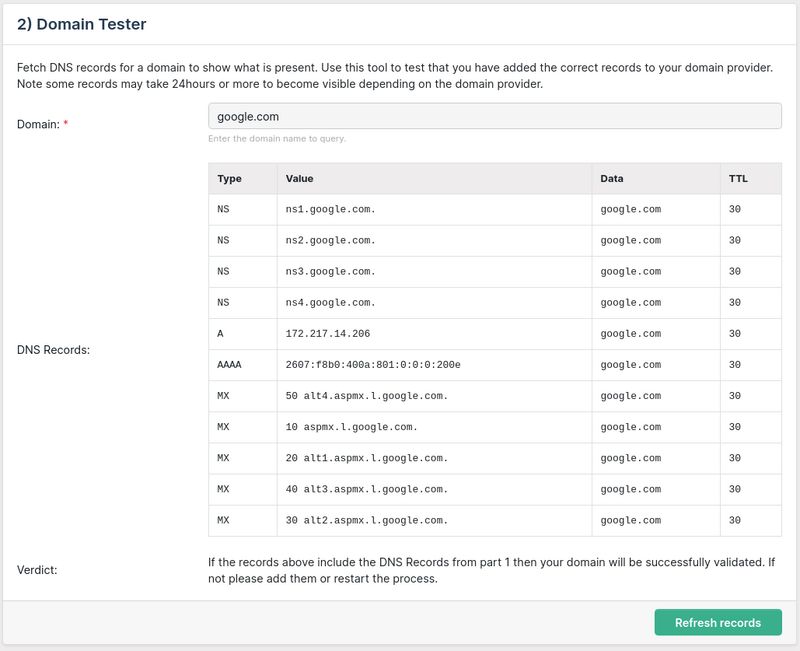
Check inside the app dashboard to view the status of your domain. If your domain is not verified after 24 hours double check your DNS records using the Domain Tester or by checking your DNS settings in your domain provider. If 72 hours passes we recommend deleting the domain and restarting the process.
Debugging common errors
See the following related articles
Creating email addresses
Once you have created and registered a domain you can create any email address you like using the Dashboard's create inbox page or via the API's createInbox(emailAddress) endpoints. See the developer's page for documentation.
Send and receive emails from custom domains
In code or the dashboard create inboxes using your custom domain.
Receiving emails with custom domains
There are many ways to receive emails with a custom domain using MailSlurp. You can view emails in the dashboard or by using the API
REST API clients
You can access inboxes you create with custom domains by using the Client Libraries or the REST API.
Webhooks
Webhooks allow HTTP push of emails to your server when received by a custom domain inbox. Create an inbox webhook using the API or dashboard. See the email webhook guides for more information.
Next steps for production teams
After domain verification, most teams continue with one of these workflows:
- Email platform for inboxes, routing, domains, and operational controls under one messaging layer.
- Email deliverability and DMARC, SPF, DKIM monitoring for sender trust and inbox placement.
- Email automation routing for aliases, forwarding, and domain-specific intake control.
- Inbound email API and AI email parsing for inbound automation and structured extraction.