










Test Supabase magic links with Playwright and a real inbox
Test Supabase signup confirmation and returning-user magic links with Playwright. Read the delivered email, follow the PKCE callback, and verify the session after reload.
By MailSlurpPublished
Use with your tools

A new user and a returning user can type the same address into the same form and receive different emails. Supabase can send a signup confirmation to the first and a magic link to the second. If your Playwright test creates a fresh address on every run, your regular customers' sign-in email can break without failing the test.
We'll use one address twice. Playwright drives the browser. MailSlurp gives the test its own inbox and lets Node read the email that Supabase actually sent. At the end of each sign-in, we'll reload the page, ask Supabase which account is signed in, and open a separate browser context to check that a new visitor is still signed out.
Connect a staging project and its email sender
Enable email sign-in and new-user signups in your Supabase staging project. Set the Site URL to http://localhost:3000 and allow http://localhost:3000/ as a redirect URL. Keep the standard verification link in both the Confirm signup and Magic link templates. The sample opens the Supabase verification endpoint before returning to the app. Supabase passwordless email guide
In Authentication > Emails > SMTP Settings, configure a sender that can deliver to your test inbox. Supabase's default sender limits delivery to project organization members. For our run, we used a dedicated MailSlurp SMTP inbox as the sender and a second, temporary inbox as the recipient. We used the sender's inbox-scoped credentials with mailslurp.mx on port 465 over TLS. The SMTP password belongs in Supabase's settings. Supabase custom SMTP · MailSlurp SMTP access
Download the runnable Supabase example and open its directory. Use Node.js 22.12 or later. In .env.local, set VITE_SUPABASE_URL and VITE_SUPABASE_PUBLISHABLE_KEY from your staging project. Set MAILSLURP_API_KEY for the Node test runner. Only the two public Supabase settings need the Vite prefix.
npm ci
npx playwright install chromium
cp .env.example .env.local
# Fill in .env.local before starting the staging test.
npm test
npm run test:staging
Follow the link in the browser that requested it
The app enables PKCE, a flow that stores a verifier in the browser that starts sign-in. It calls signInWithOtp with the email address and a redirect back to the same origin. Despite the method name, the standard template used here sends a clickable link.
const { error } = await auth.signInWithOtp({
  email: form.elements.email.value,
  options: { emailRedirectTo: location.origin + '/' }
});
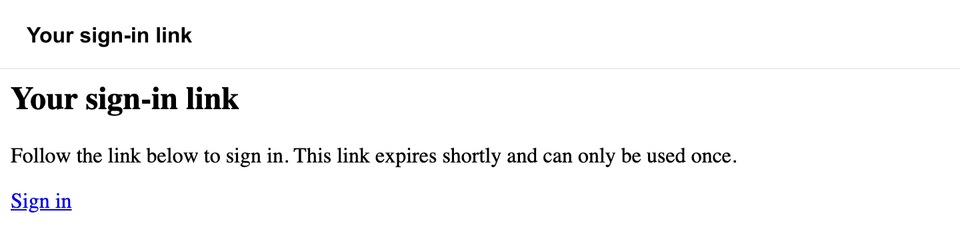
On the Node side, the runner records the request time and waits for a new message in that inbox. It extracts links and accepts a single verification link with the expected Supabase project, /auth/v1/verify path, action type and redirect. The second pass specifically requires type=magiclink. Here is the message from that returning-user run.
Verify the account after the callback
Playwright opens the verification URL in the existing page. After Supabase redirects back, the app reads the callback code, removes it from the address bar and calls auth.exchangeCodeForSession(code). Reloading forces the app to read the account again with auth.getUser().
await page.reload();
await expect(page.getByLabel('Signed-in email')).toHaveText(inbox.emailAddress);
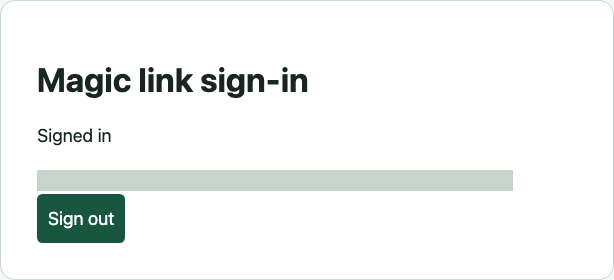
The runner signs out, waits for the project's email cooldown, and requests a link for the same address again. Both journeys must pass. The test deletes its mailbox afterwards. Supabase retains the test user, so use a dedicated staging project.
What are common issues with magic links not working on certain phones?
In this PKCE flow, check which browser requested the link and which browser the mail app opened. A request started in one browser profile and opened in another can reach the right callback without the verifier needed to complete it. Start a fresh request and open that message in the original browser. Our automated test exercises this exchange in Chromium. For a phone-specific problem, repeat it with the affected phone and mail app. Supabase PKCE flow
If both browsers land on the wrong site, inspect the email's redirect and the project's redirect allowlist. If a freshly delivered link is already used, check whether a mail scanner opened it first or your email provider rewrote it for click tracking. For an email that never arrives, start with the recipient restriction, custom SMTP connection and send rate limit. Each of these failures occurs before the app has a callback code to exchange. Supabase email templates and link tracking