
guides
Enterprise organization reporting and quota management
Review organization licenses, usage quotas, user activity, API key consumption, tags, audit data, and governance exports in MailSlurp.

MailSlurp organization governance gives administrators a central place to review license capacity, quota usage, user activity, API key usage, and reporting exports. The examples below use sample data only.
Open Settings > Organizations, choose an organization, then open Governance.
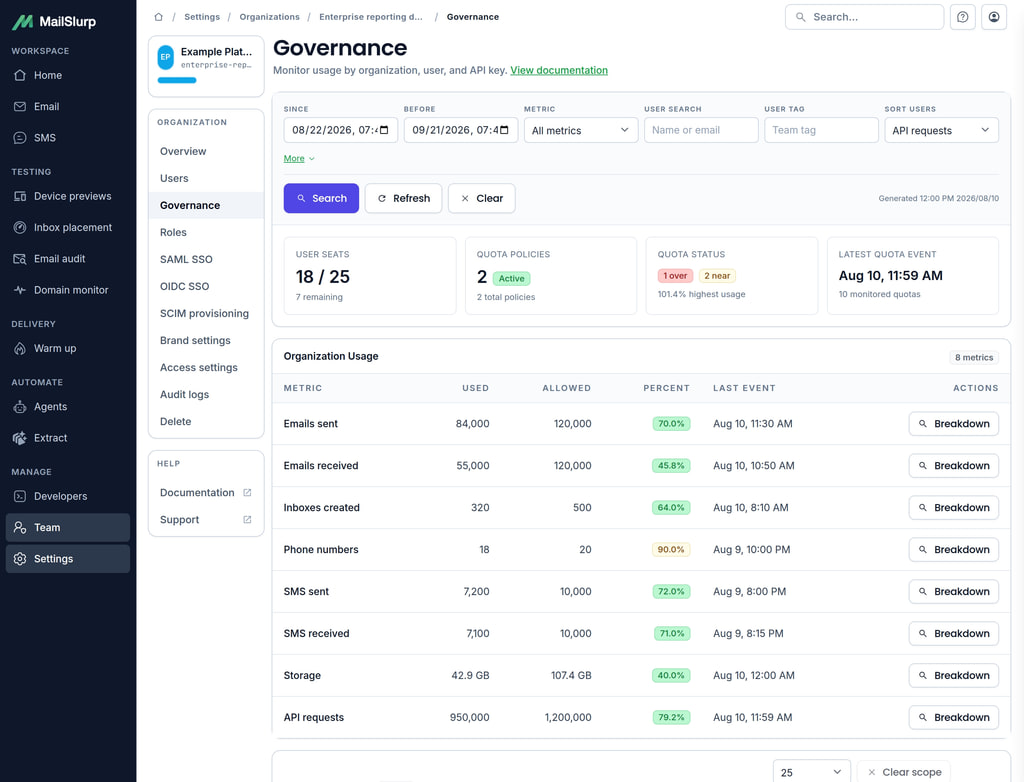
Subscription and license management
The top of the Governance page shows organization seat capacity and quota policy state.
Use User seats to review:
- current user license consumption
- purchased or allocated seat capacity
- remaining seats available for new organization users
- whether the organization can add another user
Use Quota policies and Quota status to see how many quota policies are enabled and whether any tracked usage is near or over a configured limit.
Usage monitoring and consumption analytics
The Organization Usage table summarizes usage for the selected reporting window. Administrators can filter the window with Since and Before, then narrow by metric.
MailSlurp governance reporting can track the main enterprise usage areas:
| Usage area | Governance metric |
|---|---|
| Email sends | Emails sent |
| Email receives | Emails received |
| Inbox creation | Inboxes created |
| Phone numbers | Phone numbers |
| Outbound SMS | SMS sent |
| Inbound SMS | SMS received |
| Storage capacity | Storage |
| API transactions | API requests |
Quota policies can be configured with daily, monthly, annual, contract-year, or billing-period windows. For annual quota review, create annual policies for the metrics that matter to your organization, then use the reporting window and export tools to review current utilization.
User activity and audit information
The User Usage table shows per-user governance rows with:
- user name and email address
- team or business-unit tags
- last login time
- API request count
- failure count and failure rate
- average request latency
- last API request time
- quota usage by metric
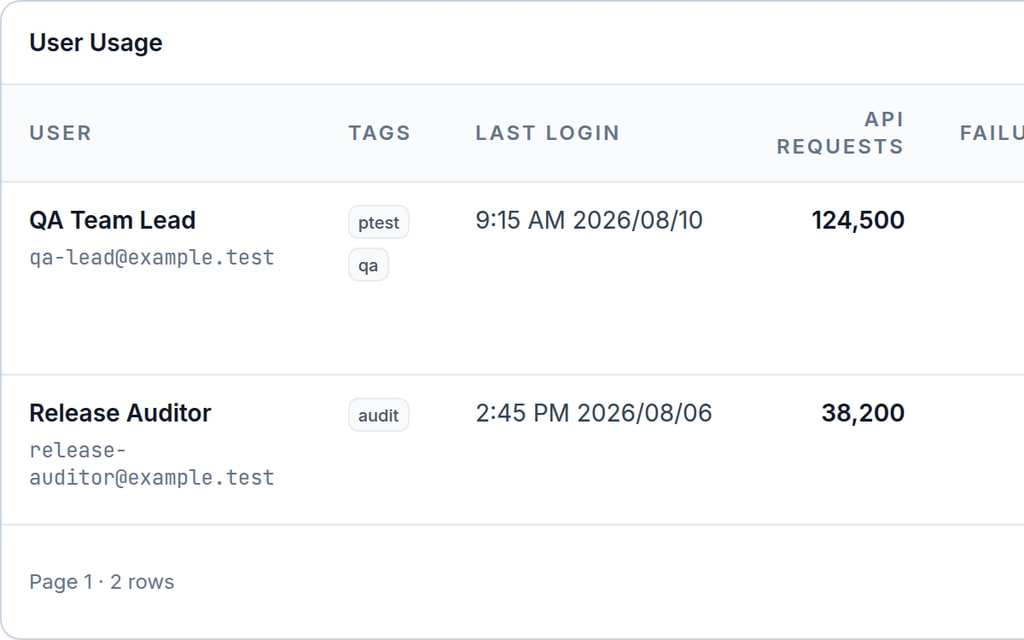
Use the search, tag, and last-login filters to find inactive users, recently active users, or users assigned to a team label. Audit logs remain available from the organization navigation when audit logging is enabled, so administrators can review organization actions alongside the usage data.
API usage by application
The API Key Usage table helps identify which application or automation is consuming API traffic.
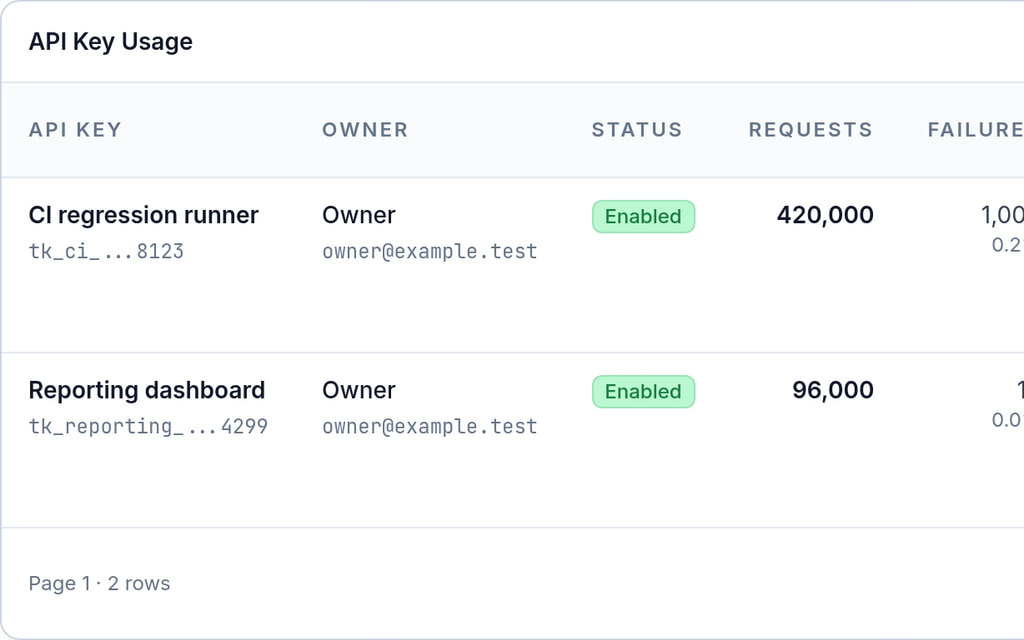
Use named API keys for each application, CI job, service, or environment. This makes chargeback and investigation work easier because request volume, failures, and quota usage can be reviewed by API key instead of only by owner account.
User-level governance controls
Quota policies can be scoped to the full organization, an individual user, or an API key. Choose the metric, period, scope, limit, and mode from Quota Policies.
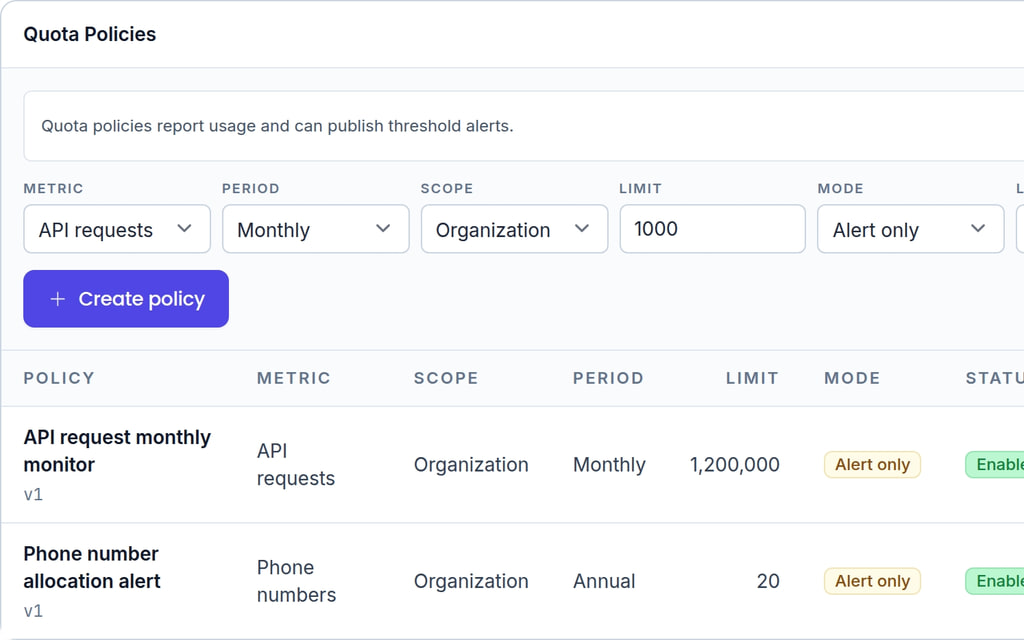
Use report-only or alert-only policies when the goal is visibility and review. These modes store usage and events for administrators without automatically blocking users.
For team or business-unit reporting, add tags to organization users. Tags can represent teams, environments, cost centers, or workflow ownership.
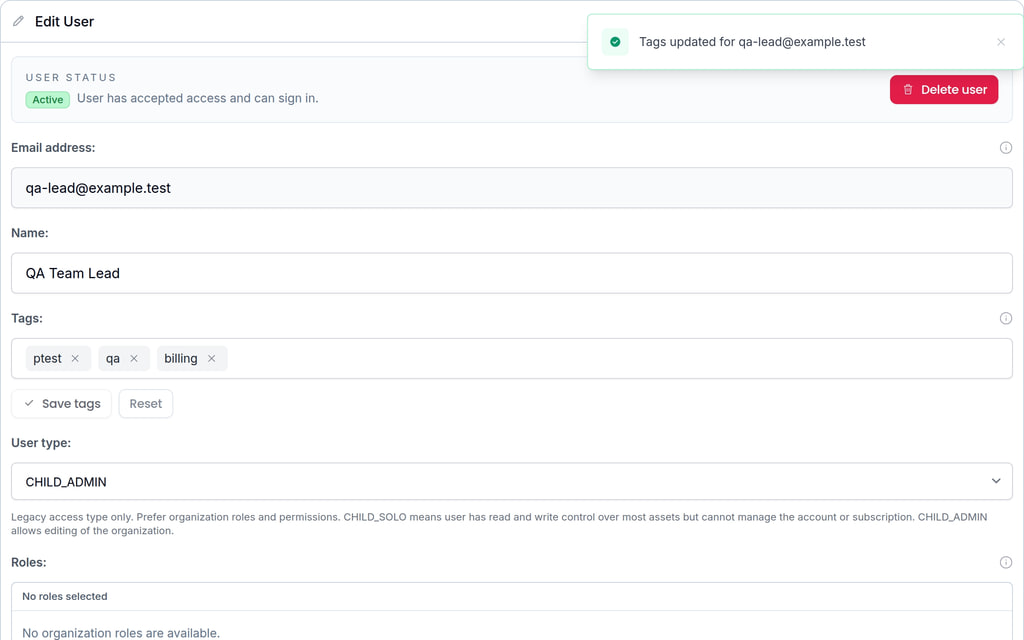
Roles and permissions can also restrict what organization users are allowed to do. Delete permissions are separate from read/access permissions, so strict-delete organizations can delegate destructive operations more carefully.
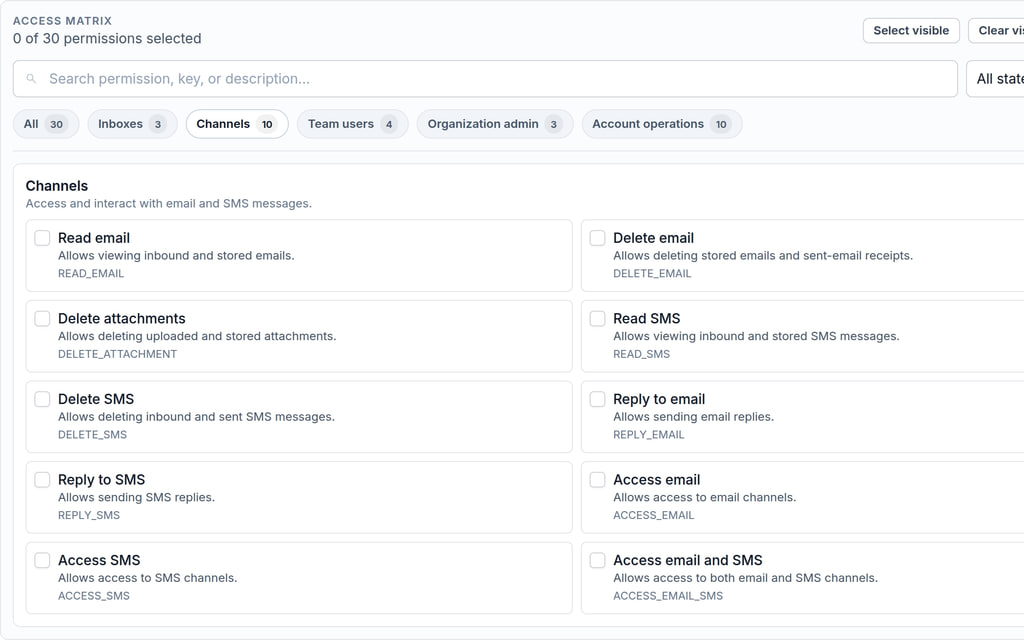
Use separate roles for admins, developers, QA users, read-only reviewers, and automation operators. Keep destructive permissions limited to users who need them.
Quota alerts and review
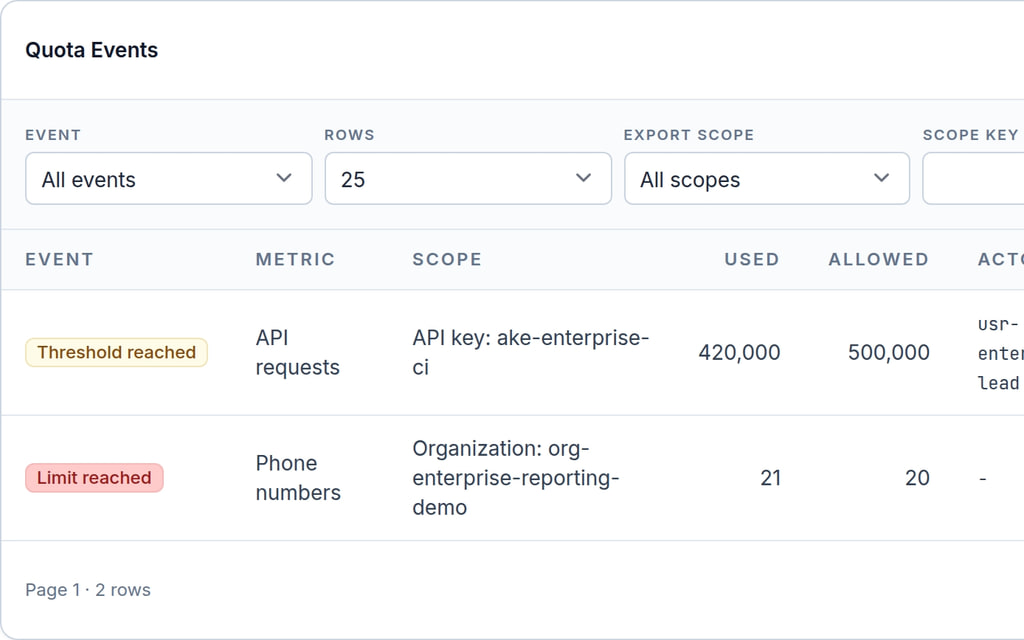
Quota events record policy and threshold activity for administrators. Threshold review supports common checkpoints such as 50%, 80%, and 100% of an allocation.
Use Quota Events to review:
- threshold crossings
- limit-reached events
- policy creation, update, and disable events
- the metric and scope involved
- the actor user or API key when available
- the event time
Report-only and alert-only quota data is designed for visibility first. It does not automatically throttle, block, or delete user activity. Before enabling any operational escalation, decide who should receive reports, which thresholds matter, and whether escalation is informational or requires administrator approval.
Reporting dashboards and exports
Use the Governance page as the administrator dashboard for quota and activity review. Use the filters to adjust the reporting period, metric, event type, user search, tags, and scope.
Click Export CSV to download usage and quota event data for finance, operations, or security review. Exports are useful for:
- monthly usage review
- annual quota tracking
- trend analysis and forecasting
- team chargeback
- identifying high-consumption users or applications
- preparing meeting reports
For recurring reviews, export the same window on a fixed cadence and compare usage by metric, user, tag, and API key.
Cost management and chargeback
For cost allocation, use a consistent naming model:
- tag users by team, business unit, environment, or cost center
- name API keys after the application or pipeline that uses them
- create quota policies for high-value metrics such as API requests, email sends, SMS sends, phone numbers, storage, and inbox creation
- review near-limit and over-limit rows before increasing allocations
- export CSV reports for finance or owner-team review
This approach gives administrators a practical way to understand consumption without relying on shared credentials or manual spreadsheet reconstruction.
Recommended administrator workflow
- Open Settings > Organizations > your organization > Governance.
- Confirm seat usage in User seats.
- Review Organization Usage for email, SMS, inbox, phone, storage, and API metrics.
- Add report-only or alert-only quota policies for the usage areas you want to track.
- Tag users by team or cost center from the organization user editor.
- Review User Usage and API Key Usage for high-consumption users and applications.
- Review Quota Events for threshold and limit activity.
- Export CSV reports for trend analysis, forecasting, and chargeback.