










HTML email feature support checker | MailSlurp
Documentation navigation
Check HTML email feature support across clients with MailSlurp, then pair compatibility guidance with real device previews before an important send.
Test the support of your emails across a range of devices and mail clients. MailSlurp can analyze your emails and detect HTML, CSS, and image features that may not be supported by all email clients. You can also find broken images, dead links, and spelling mistakes. This can help you ensure your emails look great and are compatible with a wide range of devices and mail clients.
How it works
MailSlurp analyzes the content of inbound emails and checks the detected HTML, CSS, image and other features present in the message against a database of mail clients. MailSlurp also parses your HTML and extracts images and links to check for 404s, broken links and missing images.
View email feature support
- Open Emails in the MailSlurp dashboard and select the message you want to check.
- Choose Audit to open its analysis.
- Review HTML and email clients and expand a detected feature to see support across mail clients.
For the full content-checking workflow, see Email Audit. To inspect how the delivered email actually looks in each client, use device previews.
Interpreting results
Review each detected HTML or CSS feature against the mail clients and versions your recipients use. Expand a feature to read its description and client-specific support details.
| Support result | How to use it |
|---|---|
| Supported | The feature is supported for that client/version; still inspect the complete rendered email. |
| Partially supported | Review the limitations and check the affected layout on that client. |
| Not supported | Provide a fallback or change the markup for recipients using that client. |
| Unknown | Verify the result with a device preview rather than assuming support. |
Feature compatibility describes individual pieces of markup. It does not guarantee that the complete email renders correctly, so pair it with real-client device previews.
Filtering results
You can filter the support results by platform, family, and version. This can help you see how support varies across different devices and mail clients.
Detected features
You can filter the support results based on whether they are supported, partially supported, unknown, or not supported.
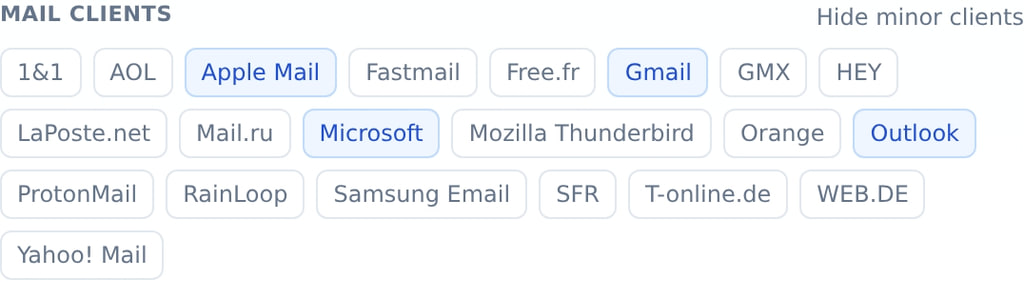
Clients
You can filter by clients such as Gmail, Outlook, and Apple Mail.
Platforms
You can filter by platforms such as Android, Windows, iOS and web browsers.

View email feature support in code
const { result } = await mailslurp.emailController.checkEmailBodyFeatureSupport({
  emailId: email.id
})
expect(result.detectedFeatures).toContain(EmailFeatureSupportResultDetectedFeaturesEnum.html_doctype)
expect(result.featurePercentages.find(it => it.status === EmailFeatureSupportStatusPercentageStatusEnum.SUPPORTED)?.percentage).toBeGreaterThan(50)
Find broken links and images
Nobody wants an email with a missing image or a link that results in a 404. MailSlurp can help you find these issues and fix them before sending your emails.
Detect dead links
const result = await mailslurp.emailController.checkEmailBody({
  emailId: email.id
})
expect(result.hasIssues).toEqual(true)
expect(result.linkIssues.length).toEqual(1)
expect(result.linkIssues[0].url).toEqual("https://api.mailslurp.com/not-existing")
Monitor missing images
Check the received email for missing or inaccessible images:
const result = await mailslurp.emailController.checkEmailBody({
  emailId: email.id
})
expect(result.hasIssues).toEqual(true)
expect(result.imageIssues.length).toEqual(1)
expect(result.imageIssues[0].url).toEqual("https://www.mailslurp.com/broken-image.png")
Running this code needs an API key. Get one free