Insomnia MailSlurp integration
Documentation navigation
Import MailSlurp into Insomnia, add your API key, explore email and SMS endpoints, and save repeatable requests while you build an integration.
Use MailSlurp email and SMS APIs in Insomnia REST client.
| Endpoint | URL |
|---|---|
| Run |  |
| Swagger Spec | https://swagger.mailslurp.com |
| Get API KEY | https://app.mailslurp.com |
Set API Key authentication
Requests to MailSlurp must be authenticated with a MailSlurp API Key. There are several ways to do this:
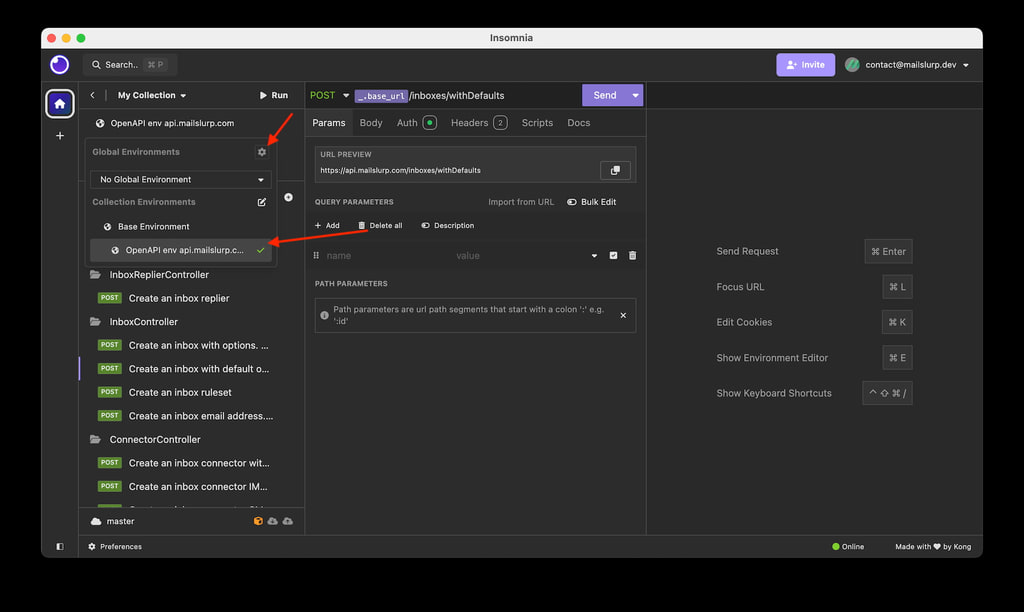
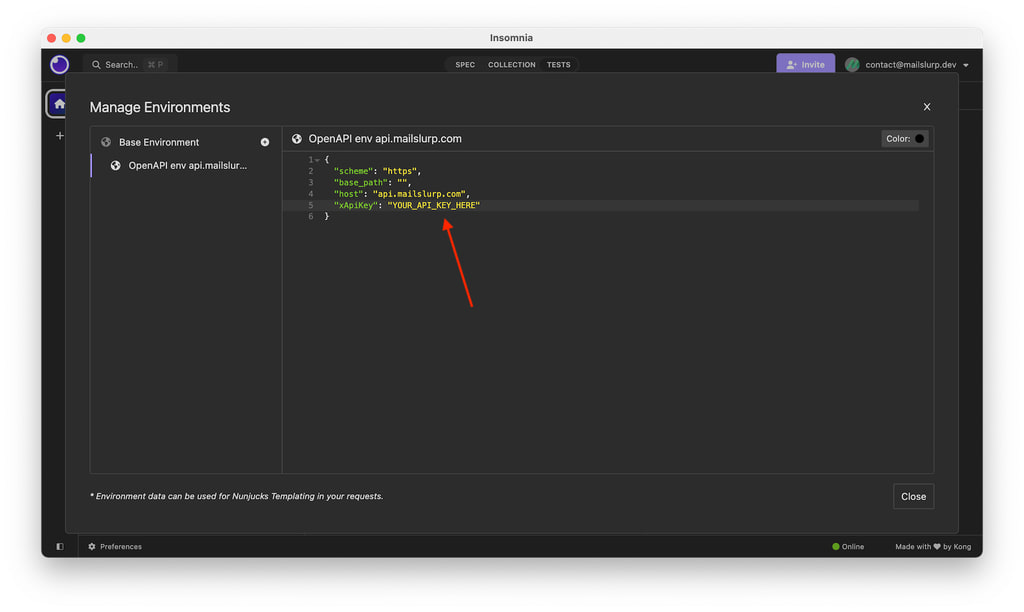
Set xApiKey environment variable
Set the xApiKey variable in the environment settings to your MailSlurp API Key.
Set x-api-key header
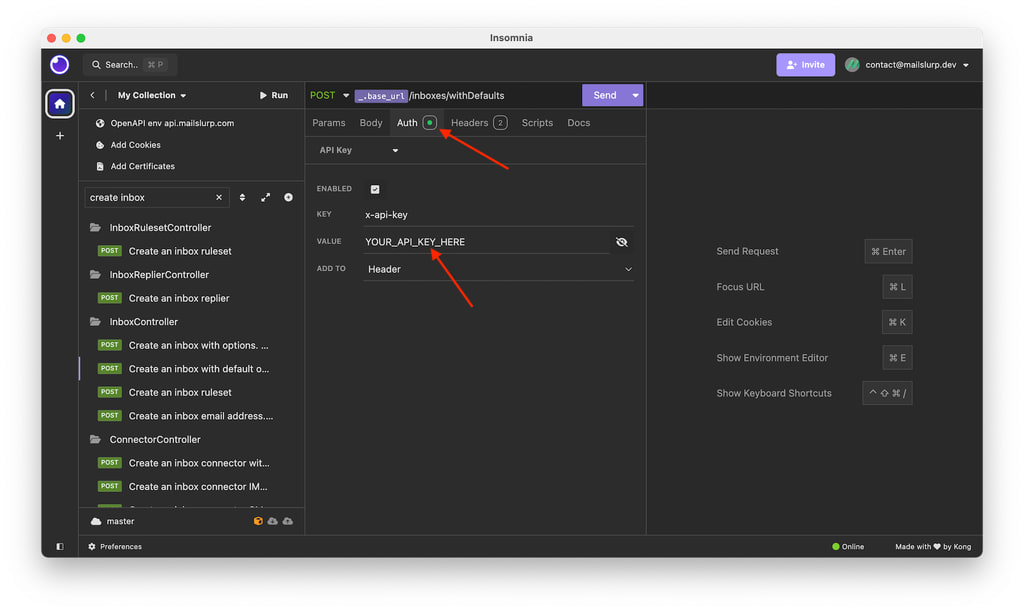
Alternatively, set the x-api-key header in the Auth tab of a request to use your MailSlurp API Key.
Setup instructions
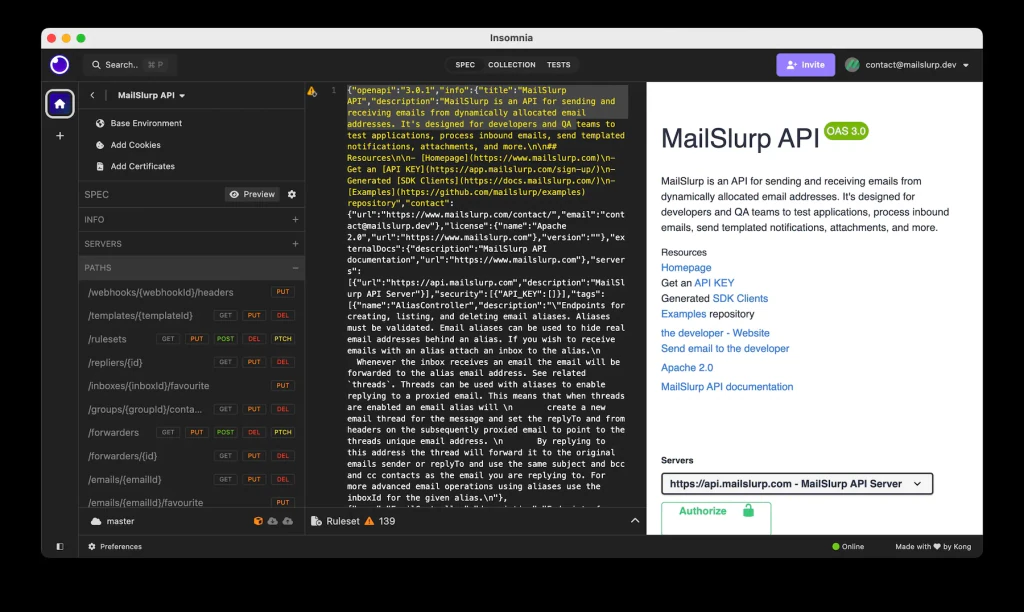
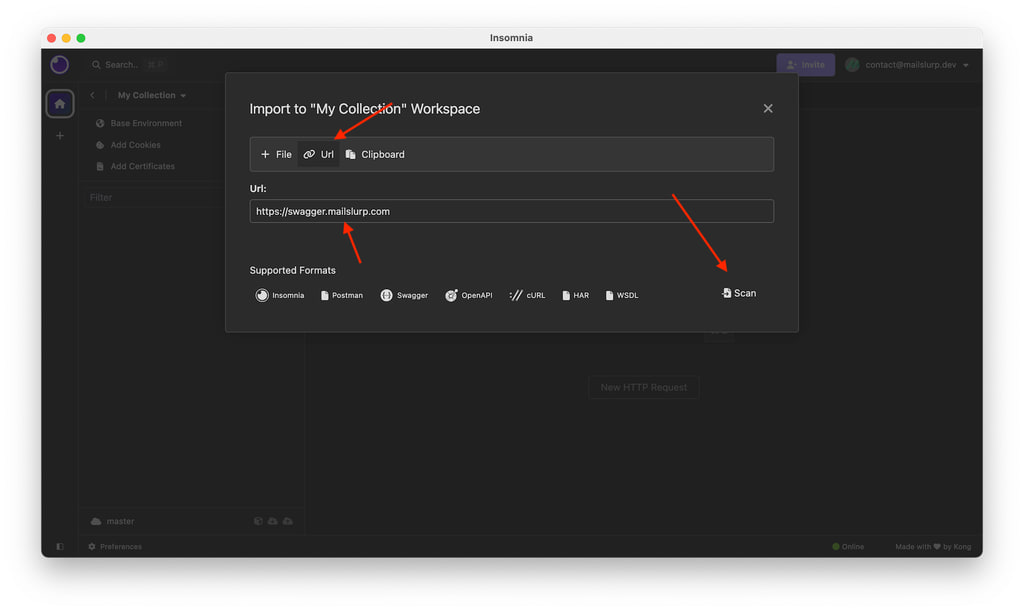
MailSlurp has an OpenAPI specification that can be imported into Insomnia as a document or a collection.
Import document
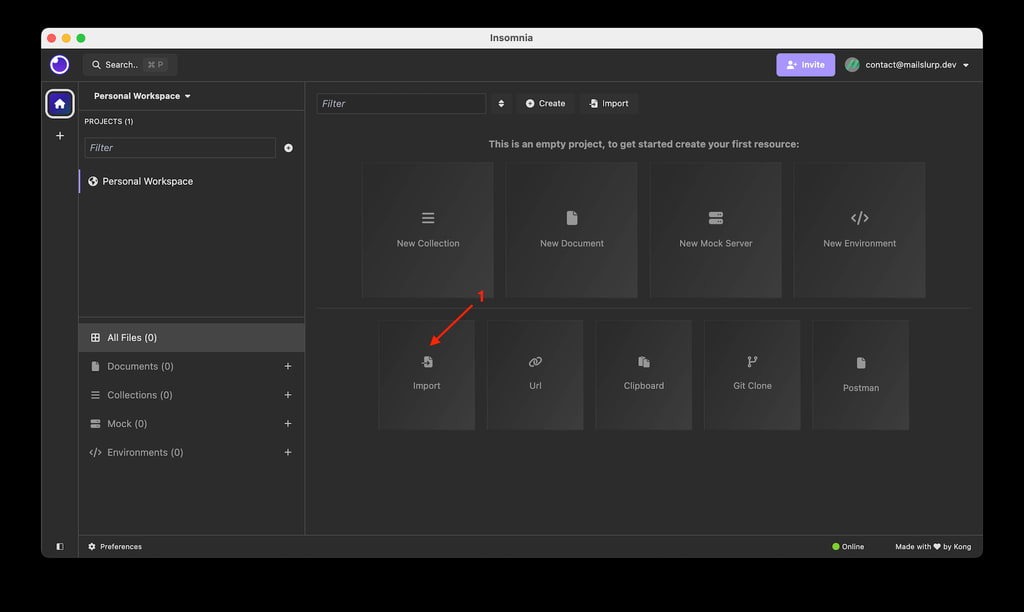
- Download and open Insomnia, then click
Importin the bottom left
- Paste in the MailSlurp Swagger url:
https://swagger.mailslurp.com
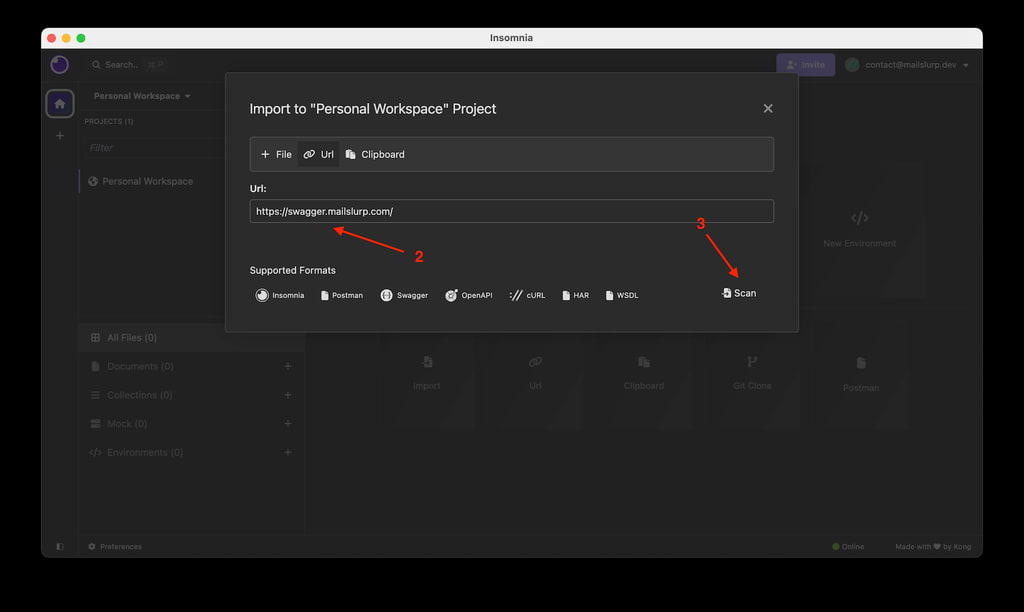
- Click
Scanto import the MailSlurp API collection.
Import collection
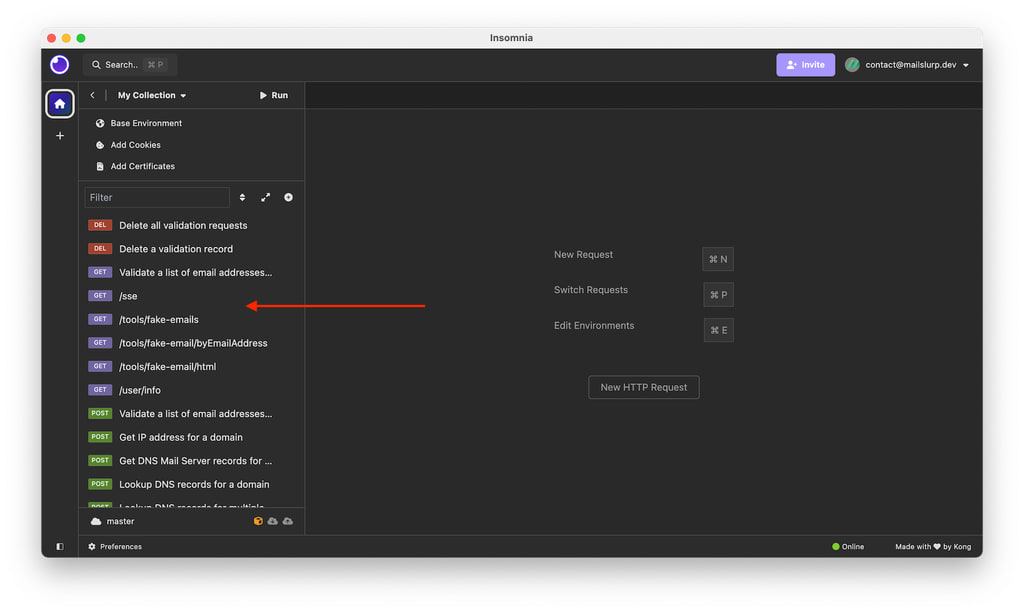
You can also import collections and execute requests.
- In your collection click the
+icon in the request tab
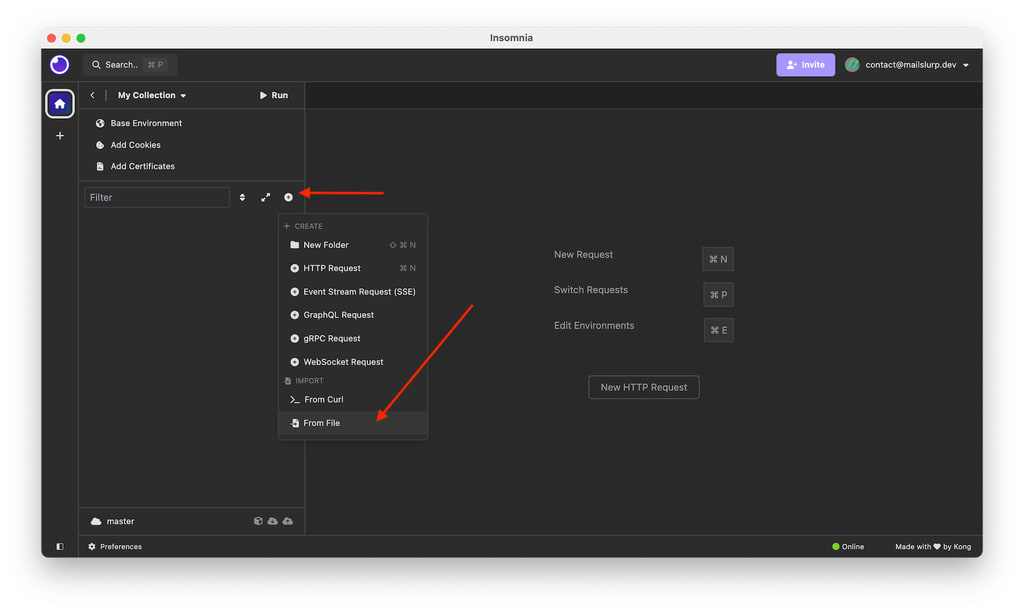
- Import the collection via the URL import of
https://swagger.mailslurp.com
- Execute requests in the collection panel